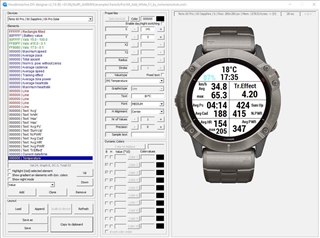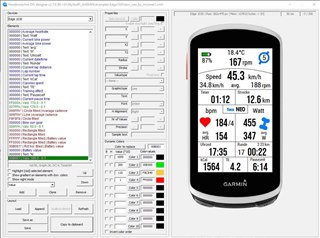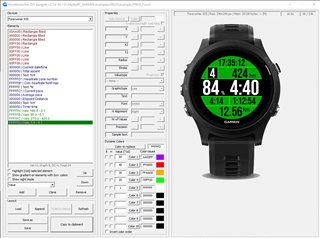
HMs DIY #1-6

Store Link

Because I want to keep this datafield and the app free for use I would be very grateful about a small donation to PayPal

A detailed description of how to use it can be found here: 

HMs_DIY_GUIDANCE.pdf
HMs_DIY_ANLEITUNG.pdf

Thanks very much to mcinner1 for putting so much time into this documentation!

Designer download

You can contribute on my github page.
You can upload your layout so others can use it as well.
Also any changes to the fonts.txt can be updated there as well.

Garmin_HMsDIY

=======================================================================
RELEASE NOTES
=======================================================================
-----------------------------------------------------------------------
3.9.1
* switched to new SDK 9.3.0
* added devices: Approach S72 43mm, Approach S72 47mm, D2 Mach 2 Pro, Edge 1060, Edge Explore 3, Edge Explore 3 Plus, Enduro 4, fenix 9 43mm, fenix 9 47mm, fenix 9 Pro 43mm, fenix 9 Pro 47mm, fenix 9 Pro 51mm,
fenix 9 Pro Solar 47mm, fenix 9 Pro Solar 51mm, Forerunner 70, Forerunner 170, Forerunner 170 Music, MARQ (Gen 3)
-----------------------------------------------------------------------
3.8.3
* fixed problem with backslash in configuration string
-----------------------------------------------------------------------
3.8.1
* switched to new SDK 8.3.0
* added devices: Approach S50, D2 Mach 2, Descent G2, Edge 550, Edge 850, Edge MTB, eTrex Touch, fēnix 8 Pro 47mm / 51mm / MicroLED, Forerunner 970, Forerunner 570 42mm, Forerunner 570 47mm,
GPSMAP H1, Instinct 3 AMOLED 45mm, Instinct 3 AMOLED 50mm, Instinct 3 Solar 45mm / 50mm, Instinct Crossover AMOLED, Instinct E 40mm, Instinct E 45mm, Venu 4 41mm, Venu 4 45mm / D2 Air X15, Venu X1, vívoactive 6

for full releasenotes see: releasenotes.txt
=======================================================================
 

  • I had no problem to download the designer zip file and to extract into my working space.

  • NOTE for Edge device users:

    Starting with Edge 1040, the fonts in the Designer tool are no longer scalable. Due to a change in Garmin’s font management system, updating the Designer tool would require an enormous amount of work. It is unlikely that HM will make these changes.

    I will show you a workaround:

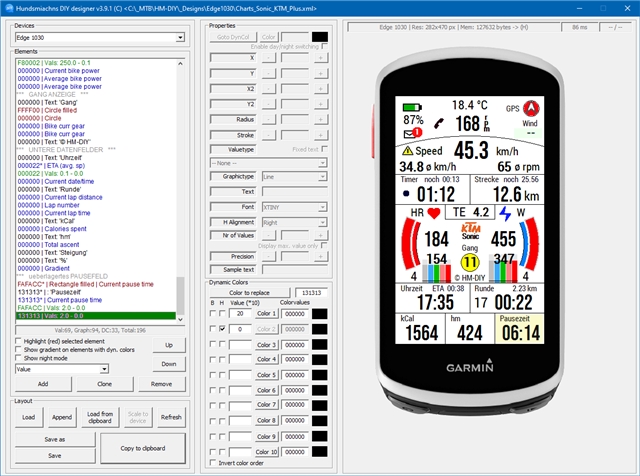
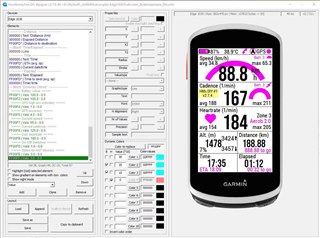
    First do all your layout work for an Edge 1030. This shows a usable layout in the designer tool:

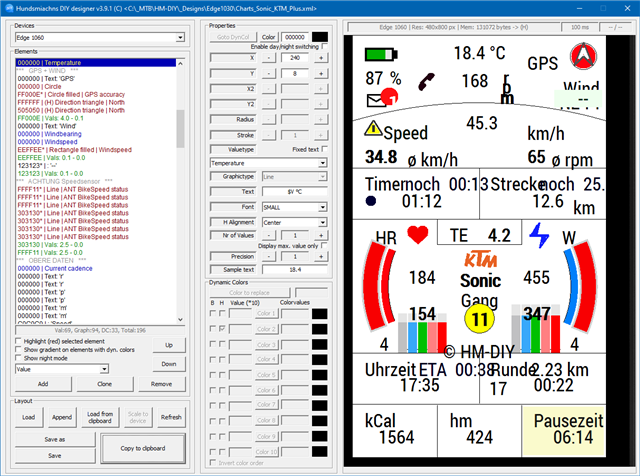
    Then select your real device on top of the designer. Here Edge 1060

    Now tap the button "Scale to device" in the bottom region.

    The following picture shows the result.

    Yes, it looks a little confusing, but it contains all the necessary information!

    Now "Copy to clipboard" and fill in the string into the setting field of DIY on your Edge device.

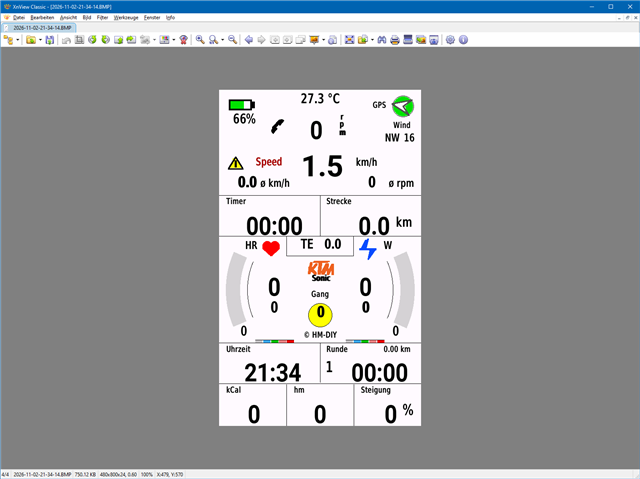
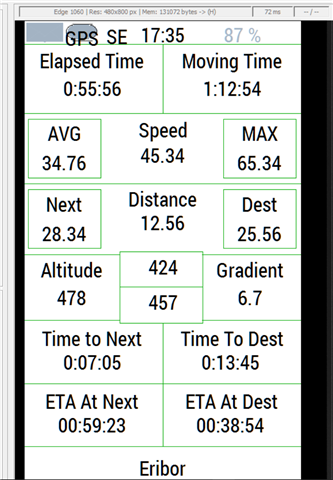
    What you get is:

    And that looks not so bad.

    Now make the necessary changes to your 1060 layout on the designer tool and repeat the transfer to your Edge.

    So, we're grateful that HM is updating his DIY datafield for the new devices as well, ensuring that his amazing work remains available for us to use.

  • Thanks for the tip. It's a shame that Designer won't be updated but understandable. I did a test conversion of my own Edge1030 1 datafield layout & it scaled up to the 1060. I thought I might be able to change the fonts so they showed in the designer as per my original design but alas no.

  • I thought I might be able to change the fonts so they showed in the designer as per my original design but alas no.

    No, but all you have to do is copy the string into the DIY settings on your Edge 1060, and it'll look (almost) exactly like it does on your Edge 1030!

  • Thanks  I'll check all this when I get my hands on the new toy

  • I used a VPN and it worked.