EDGE MapFields

IQ Store Link

New devices: EDGE 550, 850, MTB !

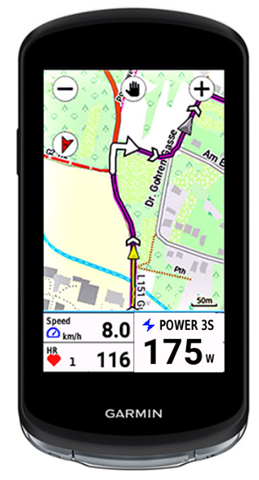
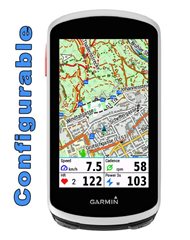
Edge Mapfields is meant for use with the mapscreen on your device.
There are 4 fields, which every field can set with many options (see below).
It's created for Edge 1030, 1040, 1050, 530 and 830, 540, 840 and Explore and Explore2

This datafield is free of charge, but if you like it and use it, it would be nice to be invited to a beer: paypal.me/AndreasWirth

After installing the datafield on your device, place a full-width field under the map. In this field you put the EdgeMapsFields.

In the setup you can choose a display for each quadrant from many different options:
see:
https://apps.garmin.com/apps/30fdcbb5-a0f2-4832-9157-b7dcd81e7a0f

Both metric and statute format!

Time to Destination is calculated by your average speed. In the beginning - when no average speed is available - Time to Dest. is calculated by 10 km/h ( 6.214 mi/h).

Timer format is mm:ss for time less than one hour, and h:mm for time more than one hour.

Of course you can use this datafield on every screen with a datafield of 1/5 of the screen height.

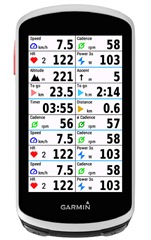
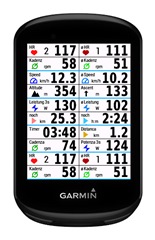
Note: the pictures below are photoshoped to show all options on one picture.
You can only set one datafield on your device!


  • MapsFields is designed for use in a field that is 1/5 the height of the screen.

    Hey- yes, I understand that ^^^^ …. but the field also displays on other formats; it does not say “only available on fields 1/5 screen below the map”!  So it could look rubbish on other valid map layouts, like the 2-field view, or it could look nice.

    When you say:

    It’s unlikely that any data field would allocate just 4 fields for half the screen

    What does that mean? I already gave the example of the 2-field layout where having a map in one field and large text in another is a valid use-case.

  • Thanks for this app. Is it possible to have only 2 additional data fields?

  • Thanks for this app. Is it possible to have only 2 additional data fields?

  • As I understand, I can replace 1 Garmin data field by your MapsField and get 4 data fields instead. But I only need 2 additional fields.

    Also I can't use other ConnectIQ fields in the MapsField, right?

    So, my intention when I found this app, was to have the Garmin Map with 2 data fields. The first one I need to display my blood sugar by another ConnectIQ field. And in the other slot I wanted to put your field, but would be nice to configure it, to display only 2 fields. Like this

    Is it possible? Maybe I'm just overseeing the settings.

    And in case it matters: I'm using an Edge 1040

    Thanks Slight smile

  • After installing the datafield on your device, place a full-width field under the map. In this field you put the EdgeMapsFields.

    In the setup you can choose a display for each quadrant from many different options

    Hello Guys, I did the installation and I the on my map fields the 4 data fields. But where and how can I change the many options for the data fields? I only can put in from iQ Store a place it, but not change to Wats oder something you know. Pls help

  • Yes, it‘s possible. In seetings select „don‘t allow 4 fields in small fields“.

  • that is exactly what I was looking for. Thanks Thumbsup