Acknowledged
CIQQA-3913

Unable to save settings - Garmin Server

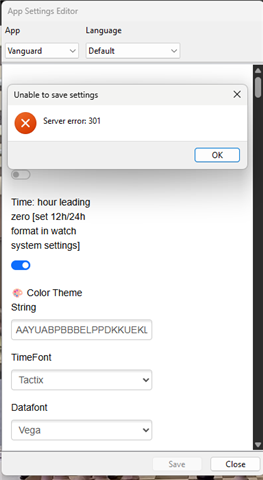
Currently receiving frequent complaints about app / watchface settings not being applied or not working at all.
This is what users see when they press Save in the settings list in the ConnectIQ app:

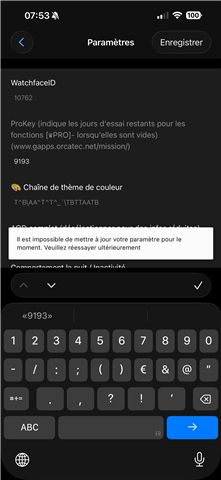


Even on the simulator, I often get error messages:
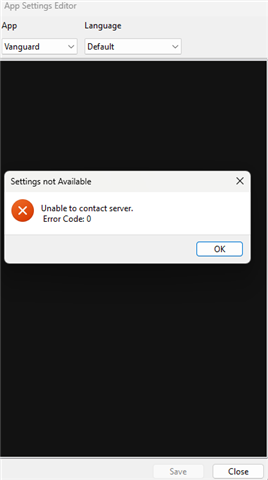

These usually disappear after a few attempts, but they become annoying over time.
I cannot specify the exact steps to reproduce the problems, they also occur when the settings consist of only a few fields with numbers (to prevent the problem with invalid characters such as \\ in the string fields).

  • Please check the previous post - one most common issue is resolved. Garmin might have other issues in saving settings (they don't explain which ones), but this one was a kind of oversight in SDK that I was able to work around in the app.

  • Since Garmin support went silent, I tried to find a workaround for my apps. I was able to reproduce one issue and it is now fixed in all Glance versions of the app.

    Glance Ultra, v4.07 (2025/05/02):

    - Applied a workaround to "Unable to save settings at this time" Garmin issue. Please update the app and try again. If you still get the same message, restore one of the User Themes in the Watch Face - Customize menu on your watch, or uninstall and reinstall the app.

  • I would suggest to wait, till issue is resolved, I have Glance Pro and Glance Ultra. Both paid versions. And both have issues with savings the settings. I have tried everything from fresh install to all tips here in the blog. 

  • This is happening to me, also. Cannot save setting on Glance Pro trial, and I am hesitant pay for an app when I can't save or change it.

  • Hi Richard,  This failure with Connect IQ is frustrating for MobileDriveway and all his loyal patrons. Is a fix any closer? Thank You.