Battery Drain Tester app

Battery Drain Tester

Install from the Connect IQ store: https://apps.garmin.com/apps/33cbe5de-5b7c-4d11-9763-063be517e11c

Source code: https://github.com/flocsy/BatteryDrainTester

Both contributions via pull request and feature requests are welcome.

Battery Drain Tester is a Connect IQ app for Garmin devices. It is a tool to help users pinpoint the reason why some CIQ apps cause battery drain.

In the app you can enable / disable different sub-systems and then exit from the app, and watch how the battery drains over a few hours. I recommend you use Battery Graph: https://apps.garmin.com/apps/923cd514-fe15-476c-855e-26846d2007ec to visualize battery usage.

If you are able to reproduce the issue please send me the following information:

- device

- firmware version

- steps to reproduce (what to enable, disable in the app, how to exit the app, what other things to do, etc)

To contact me you can use the App Support link in the Connect IQ store or the support forum: https://forums.garmin.com/developer/connect-iq/f/showcase/430196/battery-drain-tester-app

## Usage

- menu: choose what would you like to do:

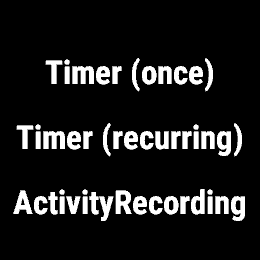
- fire timer (once)

- toggle recurring timer

- start activity

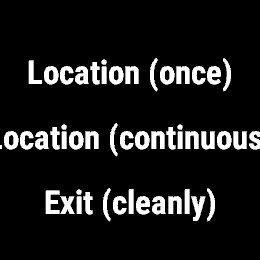
- get location (once)

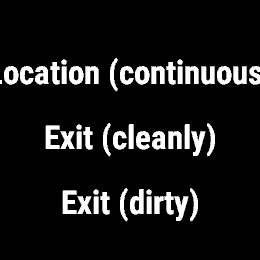
- start location (continuous)

- exit (cleanly) - close everything before exit

- exit (dirty) - don't close anything before exit

You also have these shortcuts from the main screen:

- start: start/stop timer

- back/lap: start/stop location

- down: start/stop activity

## Display

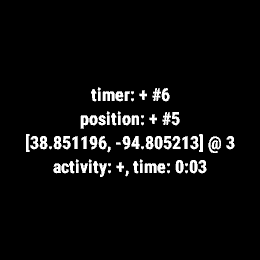
On the main screen you'll see:

- timer: STATUS, #{how many times onTimer was called}

- position: STATUS, #{how many times onPosition was called}

- [latitude, longitude] @ {GPS signal strength}

- activity: STATUS, timer: 00:00
      

  • Hey man, In your opinion what's the baseline for battery drain when a CIQ app is running (no positioning, no sensor, even no timers doing screen updates)? I'm getting around 4-5 % sometimes with a simple app just doing 1 sec updates when te amoled screen is active. Sounds bad to me

  • Explain: "even no timers doing screen updates" vs "1 sec updates" + "the AMOLED screen is active"! And which device is it? 4%/hour -> 25 hours in an activity is not necessarily that bad.

    However the goal of this app is not really what you're trying to figure out (although I am open to new ideas, if we'll get some clear idea I can add to it). The reason I made the app is because there seems to be some firmware bug(s) that continue to drain battery after you exit an app. So the idea is that you enable certain things in the app, then exit the app (either "cleanly", meaning that the app disables everything before it exits, or "dirty", meaning it just exits and hopes the firmware disables what it needs to) and then for a few hours you check how the battery drains after you exited the app. Ideally we'll be able to pinpoint the sub-system (location / timer / activity recording / maybe new ideas I can add) that is causing the problem (and I think the results will be per device and probably even per firmware version)

  • Oh I understand your app now. What I meant is that I've built a few apps (mostly timers), won't use GPS or sensors, and all I do is to run a timer to update the screen. I've optimized a few things to do stuff like not running the update calculations when the amoled screen is off and still I get what I consider a huge drain. I have quite a few watches, but take for example a Tactix 7. Going from 30 days (stand by mode) to less than a day of runtime just showing a simple timer, that's not great

  • Do you mean watchface app? Or a watch-app that runs for a whole day and refreshes the screen every second? Anyway I think this is probably better to discuss in it's own thread in the discussion forum: https://forums.garmin.com/developer/connect-iq/f/discussion