Battery Drain Tester
Install from the Connect IQ store: https://apps.garmin.com/apps/33cbe5de-5b7c-4d11-9763-063be517e11c
Source code: https://github.com/flocsy/BatteryDrainTester
Both contributions via pull request and feature requests are welcome.
Battery Drain Tester is a Connect IQ app for Garmin devices. It is a tool to help users pinpoint the reason why some CIQ apps cause battery drain.
In the app you can enable / disable different sub-systems and then exit from the app, and watch how the battery drains over a few hours. I recommend you use Battery Graph: https://apps.garmin.com/apps/923cd514-fe15-476c-855e-26846d2007ec to visualize battery usage.
If you are able to reproduce the issue please send me the following information:
- device
- firmware version
- steps to reproduce (what to enable, disable in the app, how to exit the app, what other things to do, etc)
To contact me you can use the App Support link in the Connect IQ store or the support forum: https://forums.garmin.com/developer/connect-iq/f/showcase/430196/battery-drain-tester-app
## Usage
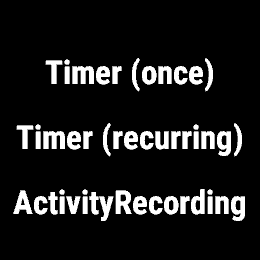
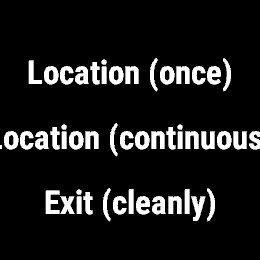
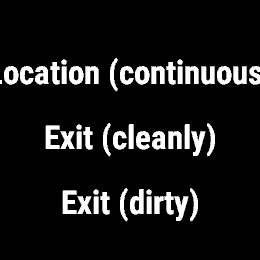
- menu: choose what would you like to do:
- fire timer (once)
- toggle recurring timer
- start activity
- get location (once)
- start location (continuous)
- exit (cleanly) - close everything before exit
- exit (dirty) - don't close anything before exit
You also have these shortcuts from the main screen:
- start: start/stop timer
- back/lap: start/stop location
- down: start/stop activity
## Display
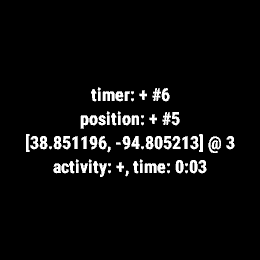
On the main screen you'll see:
- timer: STATUS, #{how many times onTimer was called}
- position: STATUS, #{how many times onPosition was called}
- [latitude, longitude] @ {GPS signal strength}
- activity: STATUS, timer: 00:00