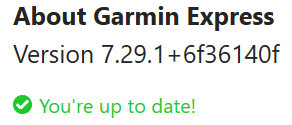
Garmin Express v 7.29.0 (still) does not give any Manage Maps option for my Edge Explore 2

Similar issue as described here: 

https://forums.garmin.com/apps-software/mac-windows-software/f/garmin-express-windows/434074/garmin-express---no-manage-maps-option-in-software#pifragment-1303=1

where it was reported solved.

I still do not gat any Map options in Garmin Express, which updated to 7.29.0+46140687 today.

I uninstalled (with remove all data), rebooted PC, re-installed. Still same.

The solution given in above thread was to: 

"If still experiencing this, please try the following steps and let us know how it goes:

  1. Connect your epix Pro to the computer
  2. Open the Garmin Folder
  3. Delete the GarminDevice.xml file
  4. Unplug from the computer and wait for it to boot to the main menu
  5. Delete the device from Garmin Express
  6. Re-add it to Garmin Express"

I have looked for the xml in my Garmin Folder (which is under Program Files (x86), W11).

Only xml there is: express.visualelementsmanifest.xml and does not contain any info possibly related the the device.

So stuck with that work-around too.

Please advice how I can manage the maps on my Edge Explore 2....

Thanks in advance.

  • Please try the following steps to see if it resolves the current concern:

    • Remove the device from Express
    • Close the Express
    • Open the Garmin drive on your computer
    • Delete the Garmin.Device.XML file
    • Restart the device & computer
    • Retry with Express
  • Kind of funny that this answer was voted best answer, while two months ago in original question I quoted this exact instructions as tried but failed.

    What's more, the said XML is not to be found in what I consider 'the Garmin drive'. 

    So please, either be more specific (what or where to find or recognize the 'Garmin drive', how to find the Garmin.Device.XML file (I did not find it, nor did Windows).

    OR...  at least read the full post, so that we do not have to go in circles.

    Thanks anyway, all efforts are appreciated!

    (and fortunately, it kind of resolved itself, as I reported 4 days ago)

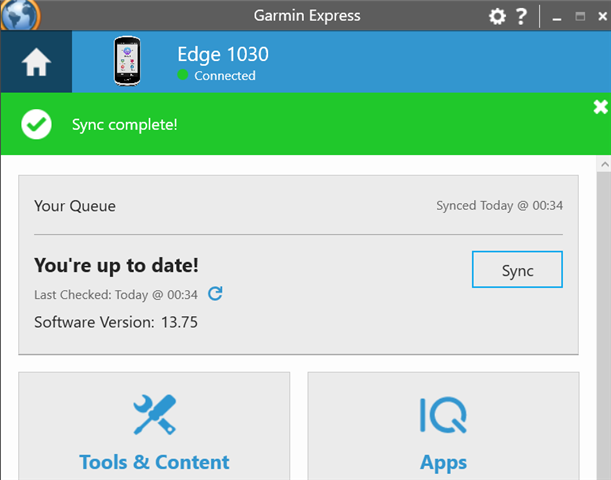
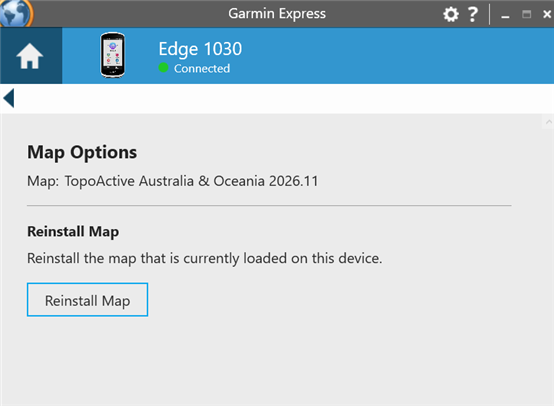
  • Having same issue with Edge 1030, followed steps and still cannot resolve issue.

    - Updated Garmin Express, also tried uninstall, restart & reinstall

    - Followed steps to remove device from GE, delete GarminDevice.xml, reboot and re-add

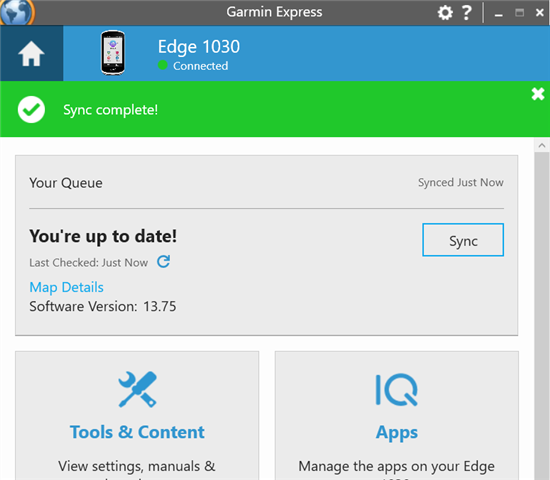
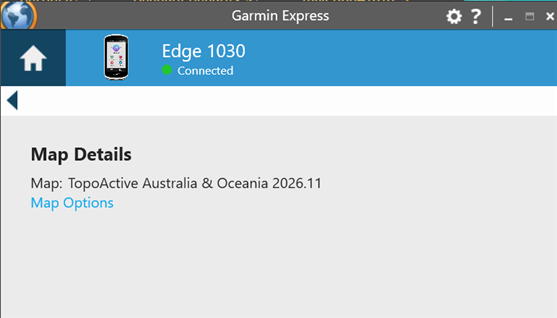
    Note: the Manage Maps option is also missing on my Garmin Fenix 5 Plus, however Europe was already installed, so it updated OK. My Edge 1030 only had Australia installed and I need to also install Europe for upcoming trip.

    Update: sometimes I can see Map Details button, but still no option to Manage Maps


  •   would you be able to help please? I'm travelling from Australia to France on Wednesday and would love to have the Europe map available. Thanks!

  • We have emailed you to gather some additional information. If you ever need more immediate assistance please contact our Product Support team for your area/region at https://support.garmin.com