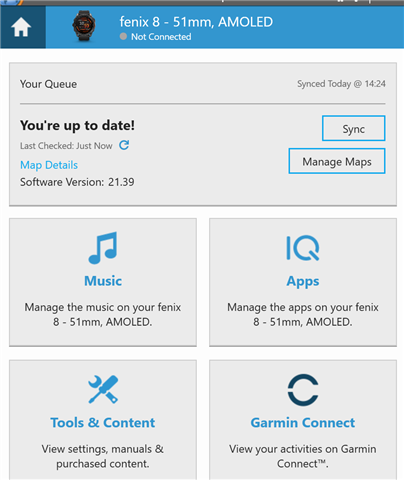
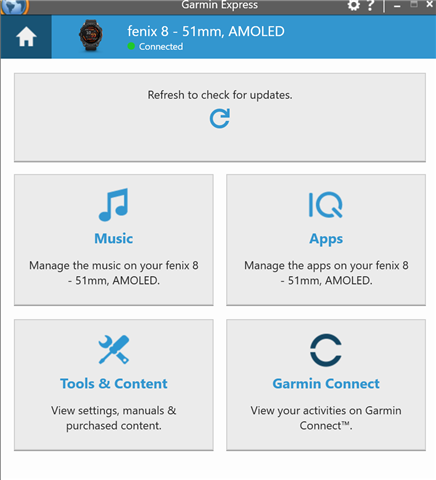
For several months now I have had no Manage Maps option in Garmin Express.
Reinstalling the software fixes it for one session, but as soon as the software is closed and reopened I lose the option again.
Is:

Should be:
Thank you for your patience! It looks like an update to version 7.29 has been released with a fix to this. Once you update to that version of Garmin Express and are still seeing this concern, please create…
If still experiencing this, please try the following steps and let us know how it goes:
I had the same. Thought it had something to do with the fact that I had completely reinstalled and emptied my PC a week ago. I am on Epix Pro beta 26.09, Garmin Express 7.28.0+f1c0ff2f.
I did as suggested…
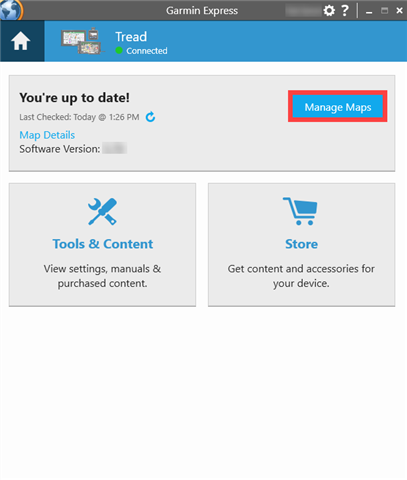
Yes of course. I had been able to manage maps on my Epix Pro for a couple of years before this issue arose a few months ago. I'm able to manage maps if I reinstall Garmin Express but only for one session. The screenshot with the manage maps button shown is just an example from Google.
I've been having this issue for quite a while now and think i have a work around but not a solution.
1. Load Garmin Express without any devices plugged in
2. Go into your device (still not plugged in, grey dot)
3. Click "Manage Maps" when it appears
4. Follow the new prompt to now plug your device in
5. Wait for MTP protocol to activate on your device.
6. You can now continue to manage maps as we used to (until you close the maps window, you'll have to start again from step 2 to get the maps window open again if that's the case).
Notes:
You need to have at least 1 map downloaded to your device for this to work or the manage maps option will not appear this can be done through map manager on your device. (Hong Kong is a tiny download size so if you're in this situation I'd recommend that)
I think you also need to have no download queue for maps on your device(I find it quite hard to get the device to connect regardless of which option I chose (to start the download or not start the download) when there is a map I queue).
Occasionally I've had server time outs when doing this today, i just need to start again form step 2 if that happens.
It looks like my software versions are the same as SeanT's
Hopefully this helps someone else not have to go through the torture of the on device downloader for larger maps/updates....
Edit: Images of screens when connected and not connected as they look slightly different to the OP.
Device not conneced:

Device connected (all options disappear):

If still experiencing this, please try the following steps and let us know how it goes:
I am having the same issue with an Enduro 3. I was on the public release software 21.39 and updated to Beta 22.28 but that did not resolve the issue. It is the same on two Windows 11 devices. I tried the above procedure but I am still getting the same result. I saw somebody solved this problem by completely resetting their watch but I would prefer to avoid that inconvenience.
I am reaching out to you in email to gather some additional information.