Similar issue as described here:
where it was reported solved.
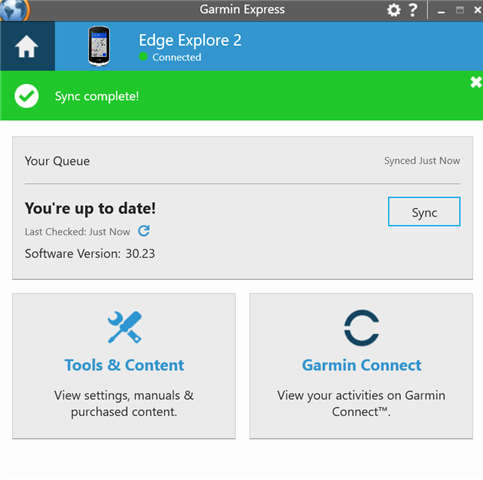
I still do not gat any Map options in Garmin Express, which updated to 7.29.0+46140687 today.
I uninstalled (with remove all data), rebooted PC, re-installed. Still same.
The solution given in above thread was to:
"If still experiencing this, please try the following steps and let us know how it goes:
- Connect your epix Pro to the computer
- Open the Garmin Folder
- Delete the GarminDevice.xml file
- Unplug from the computer and wait for it to boot to the main menu
- Delete the device from Garmin Express
- Re-add it to Garmin Express"
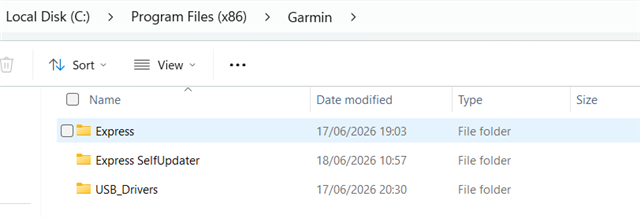
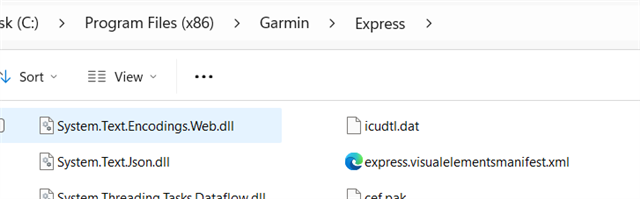
I have looked for the xml in my Garmin Folder (which is under Program Files (x86), W11).
Only xml there is: express.visualelementsmanifest.xml and does not contain any info possibly related the the device.
So stuck with that work-around too.
Please advice how I can manage the maps on my Edge Explore 2....
Thanks in advance.