This discussion has been locked.
You can no longer post new replies to this discussion. If you have a question you can start a new discussion

Fenix 8 AMOLED has ambient light issues

When can we expect to a fix to the brightness issue when the Fenix 8 watch is in ambient light? I've seen numerous reports over the last 2 months. This should have been a standard part of QA/Testing before this release. I doesn't make sense to dim the brightness in a dark setting. 

It's not the battery saver and my brightness is a full.  

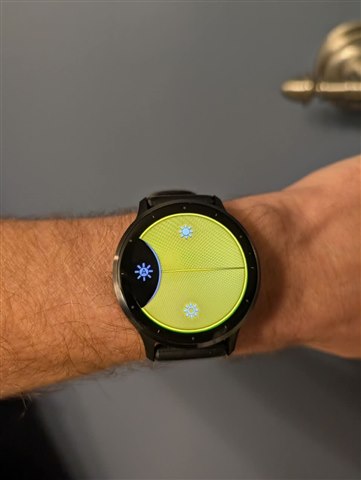
  • This is nonsense. You did the same thing with the Venu 3 when it was first released: you didn't provide an option for the user to DISABLE AUTO BRIGHTNESS if they wished. Then after some pushback, you enabled this feature in an update and the Venu 3 screen became readable in all lighting. See attached image of the Venu 3 auto-brightness disablement option. See the little letter A? That's the setting option turned off so that the screen never auto dims. Simple. You can do the same thing for the Garmin 8 and allow your USERS, rather than your marketing team or engineers, to decide what level of brightness works best for them. 

  • Would be happy if you could change the minimum brightness level. This would address the issue and still allow for auto brightness for when outside in direct sunlight while helping to preserve battery life. 

  • When do you plan to fix it ? It's a nightmare to do workouts with this watch if there is not enough light around. When will you roll out a fix for that - or give us an option to simply turn "auto dimming" off ?

  • When do you plan to fix it ?

    Never. Garmin wrote:

    Our engineers investigated concerns about the ambient light sensor dimming the watch too dark. They have determined this behavior is by design.“

  • Yeah, I saw it, but they told the same when they released Venue 3, and they fixed that - so I expect them to fix it. It's just impossible that a watch that costs more than > 1000$ has such an issue.
    Come on Garmin make an update and fix it!.
    Your FLAGSHIP watch becomes unusable in low-light conditions !!! ??

  • This problem still exist!!! Do something! 

  • I gotta admit....the watch is way too friggin' dim to read in low light conditions.  My Epix 2 was great.  I can barely make out the time (and I have really good eyes) let alone the smaller data fields.  C'mon Garmin this is a crazy expensive flagship watch and it should at least work as good as previous generations and at best we should have full control of how bright we like it.  Just because you say it's "working as intended" doesn't mean it working for us....your customers.  

  • Yes, I can only confirm this again and again. I also can't believe this can't be changed in software; every sensor has software control. Such an expensive watch and a mistake that's unbelievable.

  • Lets all send email to here: https://www.garmin.com/en-GB/forms/ideas/

    Also Fenix 8 has some lagging version 15.33, they should also fix that. I hope many users send that form to Garmin. 

    I sent this:


    "I bought your Fenix 8, but its my last Garmin device if you dont fix ambient light bug, surely you can give users control to turn that off or make possible to just use manual brightness, almost everything is possible via software. Also with this 15.33 this 1000€ clock is lagging like cheap Temu watch, Is this the best you can offer us? Im not only user with these problems, if you love your customers, please do something. Thanks."

  • Considering returning the watch because of this. This watch is way too expensive for such an unacceptable response from Garmin. Fix the issue and don't tell us that we are wrong. I had it for two days and already this does not feel like a premium device. It's my first Garmin watch and the experience is mixed to be honest.