


Hi all,
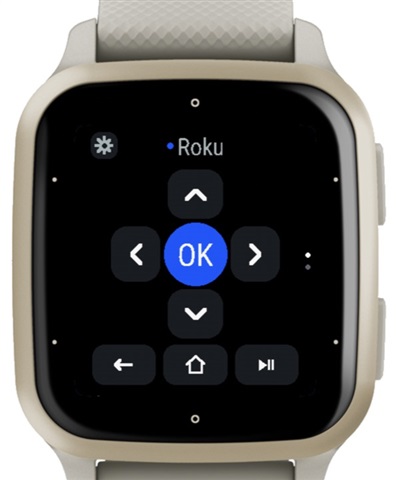
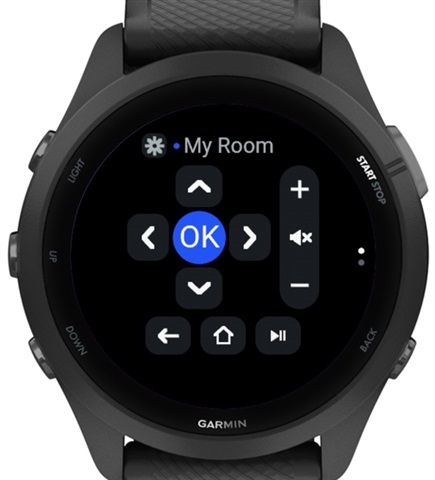
I just released my first Connect IQ app. It turns the watch into a Roku remote: d-pad, OK, back, home, play/pause, and volume (only on Roku TVs). iPhone only for now, since Android Garmin Connect blocks plain HTTP to local IPs. It supports one Roku at a time for now. Multiple Rokus are on the roadmap.
Store: apps.garmin.com/.../d5dd4bc3-d3fe-400e-8dde-e9b6420a9735
Source: github.com/.../wrist-remote
Some things I hit that might save someone else time:
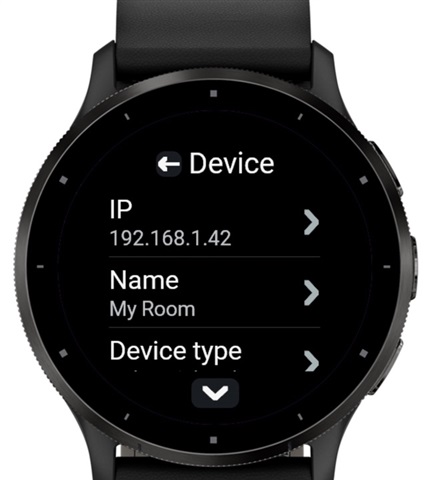
- The simulator uses your computer's network. The real watch goes through Garmin Connect on the phone, which allowed max 4 requests in flight for me (the 5th gets -101), and a dead IP takes about 31 s to fail. That killed my plan to auto-discover the Roku, so you enter its IP once in settings.
- Garmin Connect dropped the Roku's XML replies (-400 with a null body), so the watch can't read the device name or model. A -400 that comes back in about 160 ms turned out to be a good enough "it's there" check.
- Older devices hit the 9-argument limit on functions. Didn't know about that one until 1.0.1.
I only own a Venu Sq 2, so everything else was tested in the simulator. If you have a Roku and another touchscreen watch, I'd really like to know whether it works, and especially how it looks on MIP screens like the fenix 7.