


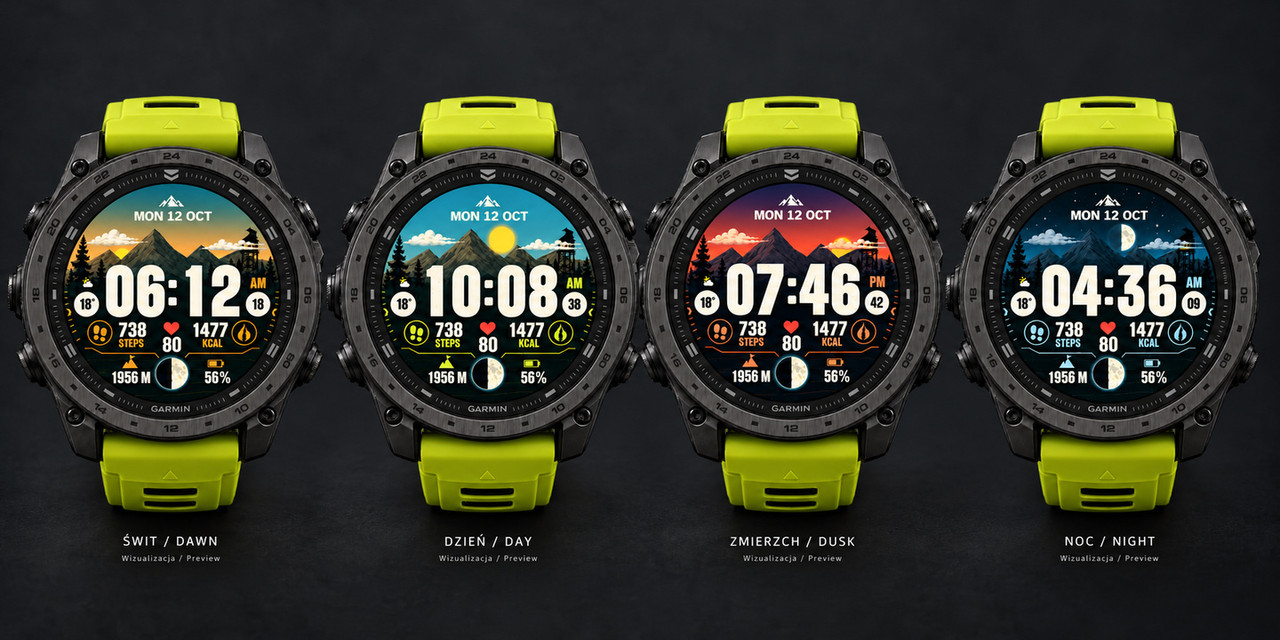
Dawn lights up the sky, daylight reveals the mountain ridges, dusk wraps the landscape in the warmth of the setting sun, and night leaves the stage to the Moon. Ridgeborn is an illustrated watch face from Wild Carpathia, inspired by the landscapes of the Low Beskids. It was created for people who like to keep their data — and a little piece of the mountains — close at hand, even when they are far from the trail.
The features below are available in public version 1.0.3. A preview of the seasonal update in development appears in a separate section.
A LANDSCAPE THAT FOLLOWS THE TIME
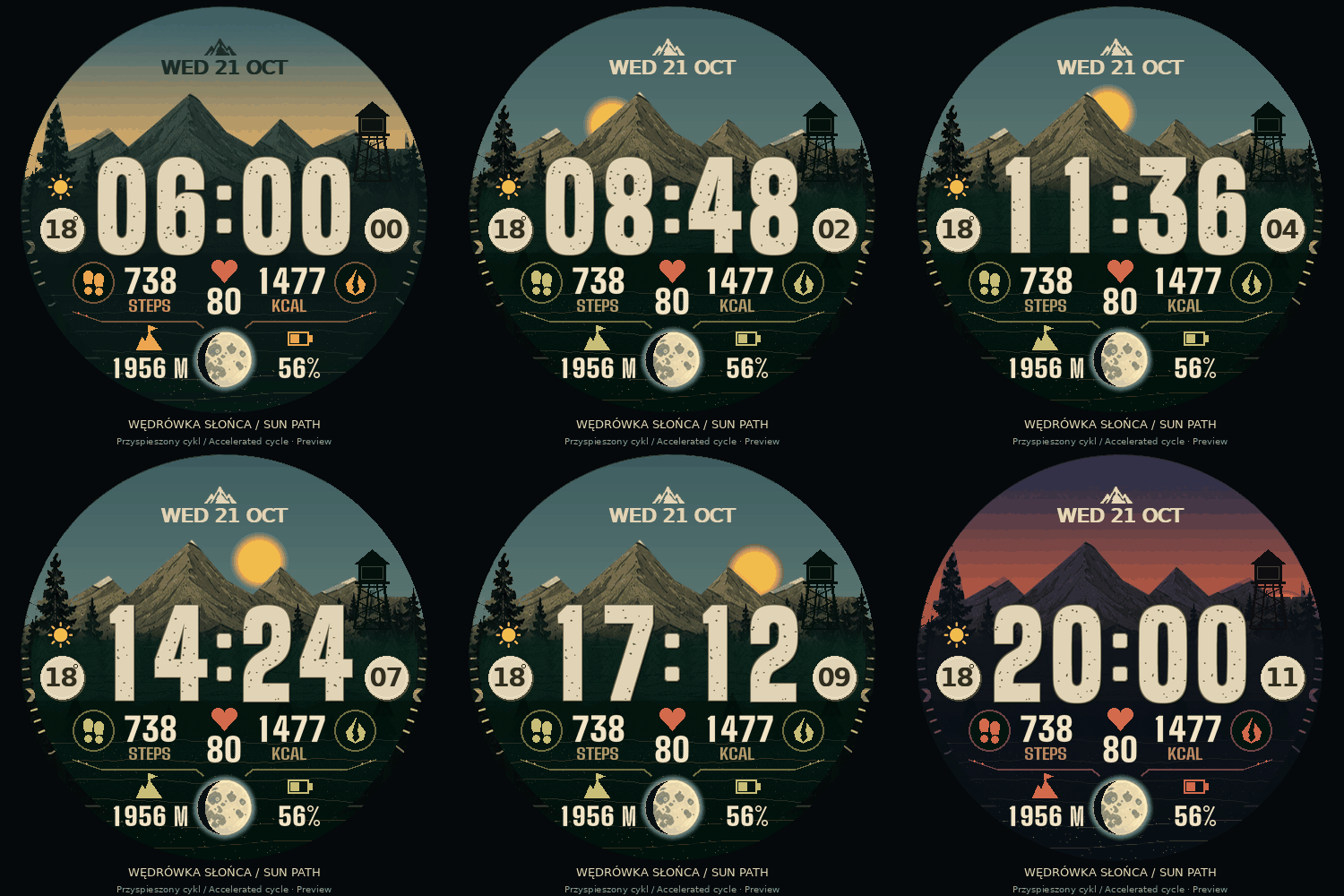
The scene moves through four times of day: dawn, day, dusk and night. The lighting, sky and landscape palette change along the way. A large Sun and a detailed Moon give the face its character, while the Moon phase is also visible in the lower panel. You can also choose the classic Sun and Moon presentation along an arc.
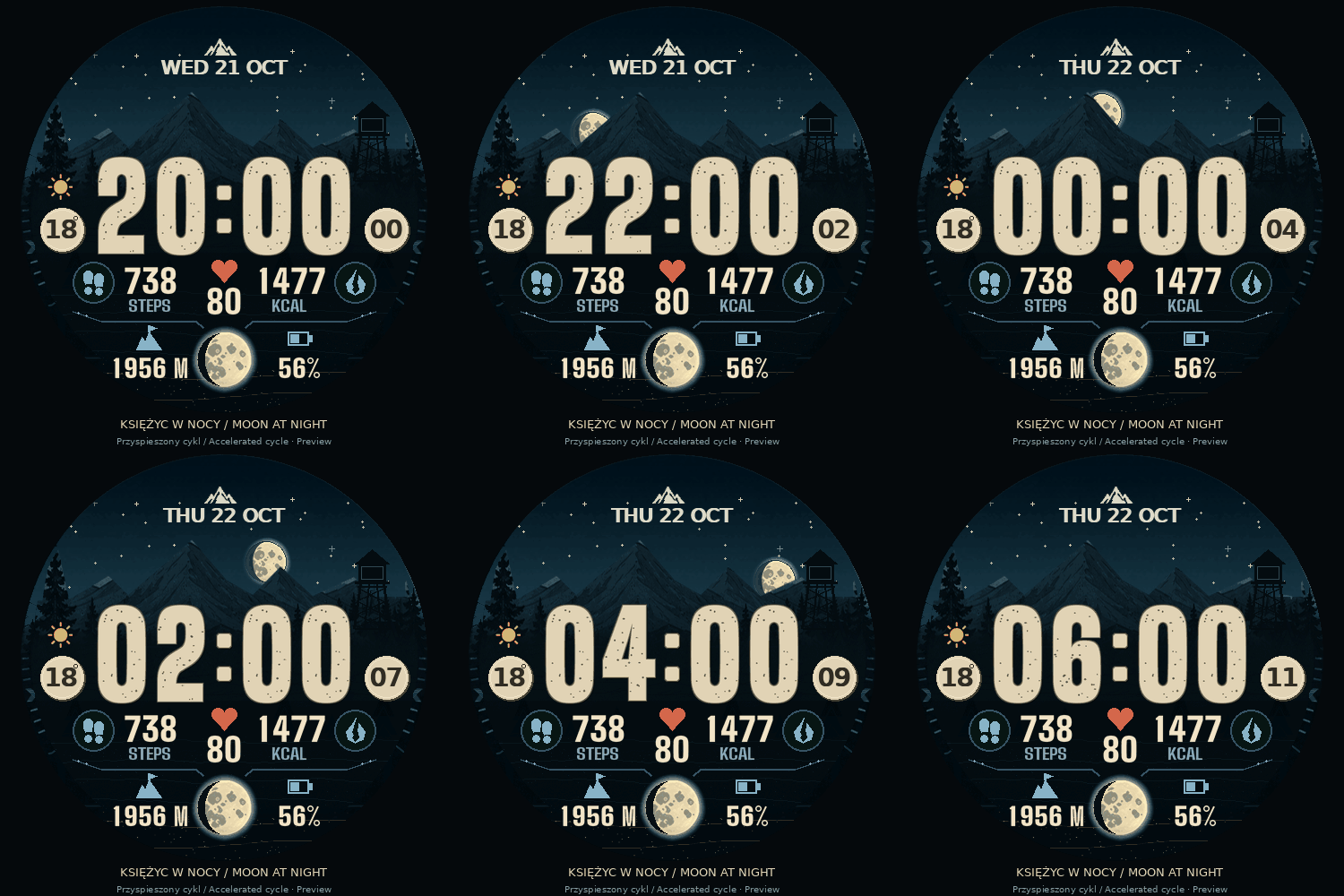
After dark, stars twinkle above the mountains and an occasional shooting star crosses the sky. These night-time animations are available throughout the year, according to your selected performance profile.
WEATHER AS PART OF THE VIEW
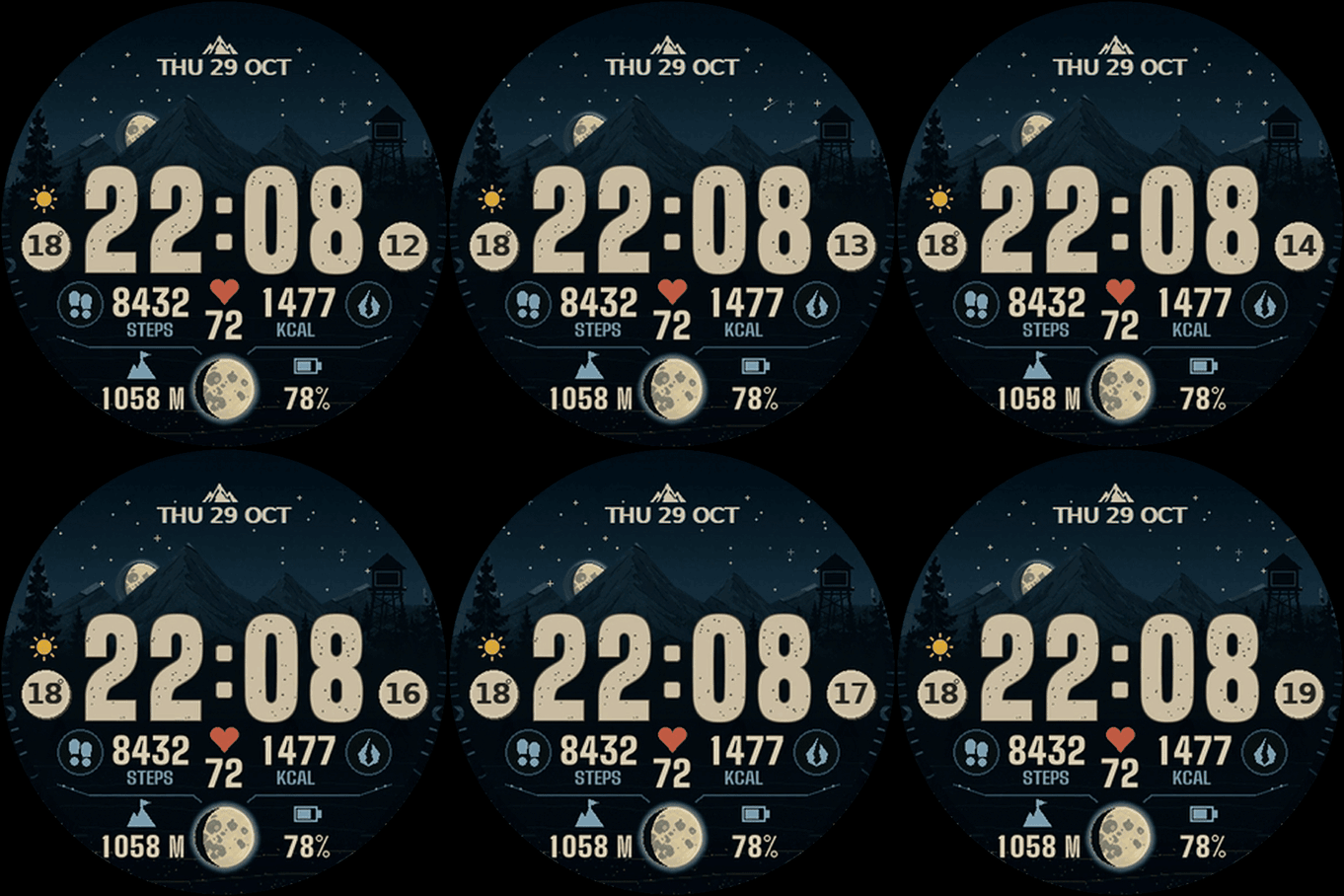
Clouds, rain, snow, fog and flashes of lightning let you see the weather within the scene itself. A set of 11 icons distinguishes clear skies, partly cloudy skies, overcast conditions, fog, drizzle, rain, heavy rain, thunderstorms, snow, sleet and wind. Weather symbols retain their natural colors at every time of day. Temperature completes the view.
Version 1.0.3 also lets you display wind speed and direction in the data fields. Larger icons and clearer direction indicators make them easier to read at a glance, while wind speed units follow the watch settings.
YOUR DATA, YOUR LAYOUT
Choose the Expedition or Classic Grid layout, with Standard or System — Filled icons. Customize the side fields to suit your needs; the central heart-rate field keeps its fixed position.
There are 22 data types to choose from, including steps, heart rate, calories, estimated active calories, elevation, battery level, distance, floors, stress, sunrise and sunset, Body Battery, recovery time, intensity minutes, VO₂ Max, pressure, notification count, and wind speed and direction.
Bright values make the information easy to read. Accent colors can follow the time of day or be selected manually. The heart remains red, and the System — Filled battery icon has a continuous fill that reflects its charge level. Version 1.0.3 refines Expedition spacing and the placement of longer values.
Active calories are estimated using a daily resting-calorie value configured by the user. The result may differ from Garmin Connect.
SMALL DETAILS, A CHARACTER OF ITS OWN
A raven, the tower light, or both can signal notifications. You can also turn these indicators off. Birds and events bring movement to the landscape, with settings to adjust how frequently they appear.
AOD YOUR WAY
Seven Always-On Display views: Minimal, Landscape, Time Only, Time and Date, Data Panel, Expedition, and Full Watch Face — Dimmed. Keep the character of the landscape or choose a calmer, simplified view.
The new full-face AOD view dims the scenery separately to keep the time and data readable. Five brightness levels in the watch-face settings let you adjust its appearance. The brightness and behavior of the display itself also depend on the watch.
Choose classic or smooth digital time fonts, three time sizes in simplified views, landscape colors, contrast settings, and data labels or icons. Relevant views offer separate controls for the date, battery, notifications and Wild Carpathia logo. Data Panel and Expedition let you select two independent AOD data fields.
Version 1.0.3 improves transitions between the active display and AOD, including extended display timeouts or keeping the display awake with a button. Animations stop in AOD.
MAKE IT WORK FOR YOU
Four performance profiles help you adjust the level of animation to your preferences. Settings cover seconds and event frequency, alongside automatic, metric or imperial units.
The time format can follow your watch automatically or use a manual choice of 12-hour time with AM/PM or 24-hour time. This setting applies to the active clock, AOD, and sunrise and sunset times.
Settings in the Connect IQ phone app are available in ten languages: Polish, English, German, French, Spanish, Italian, Portuguese, Dutch, Czech and Swedish. Data labels on the watch face are Polish or English, according to the selected setting. Version 1.0.3 completes Polish labels and character support and introduces further readability, memory and compatibility improvements.
Ridgeborn is designed for supported Garmin watches with AMOLED displays. The availability of individual metrics and AOD views depends on the watch model and the data supplied by the device. Weather features use the weather data available on the watch and require appropriate synchronization.
WE ARE PREPARING SOMETHING FOR YOU — THE SEASONAL UPDATE
Public version 1.0.3 is Ridgeborn's current foundation. Alongside it, we are developing seasonal update 1.1.0; the latest verified development build is private version 1.1.0-beta.34. The features below are not yet part of the public release.
FOUR SEASONS, THE SAME MOUNTAIN WORLD
We are preparing scenery that changes with the seasons as well as the time of day. Spring, summer, autumn colors and a snowy winter give the familiar landscape a different character. Support for both hemispheres lets the seasonal cycle match where you use your watch.
A NEW LOWER CIRCULAR DISPLAY
The beta lets you keep the Moon phase or replace it with battery, steps, floors, weekly intensity minutes, Body Battery or stress. A subtle, open progress arc accompanies the selected data. Steps, floors and intensity minutes can show your progress towards the corresponding goal from the watch.
The arc and icon colors can follow the time of day, while the value stays bright and readable. We are preparing the new display for both layouts and full-face dimmed AOD on compatible models. The Moon phase remains the default; you can also hide the lower circular display.
EVEN MORE REFINEMENT
In the seasonal branch, we are improving full-face AOD readability, including the higher brightness settings on Venu 4 and other compatible models. We are refining icons, tree silhouettes, winter snow, landscape transitions and Moon phases. Clouds are layered behind the landscape, trees and tower to maintain a natural sense of depth.
We are also reducing memory use and improving how settings are applied. The latest visual fixes focus on removing remnants of old layers, abrupt background edges and stray fragments of branches.
The seasonal update is still being refined and tested. Its final features and appearance may change before publication; we are not announcing a release date yet.
