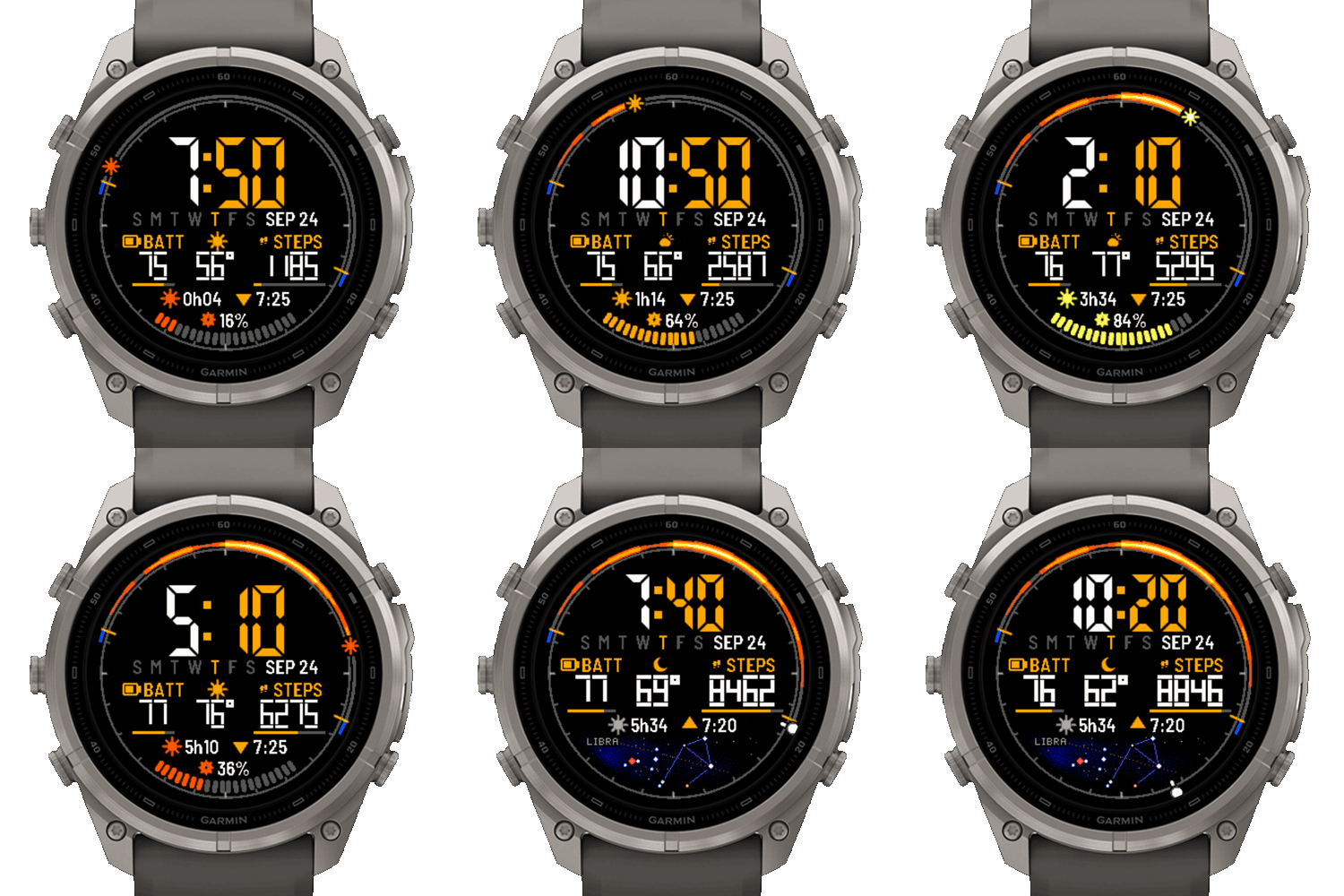
SolarDay is a watch face for Garmin's solar watches. It shows when your watch was charging, right on the dial.
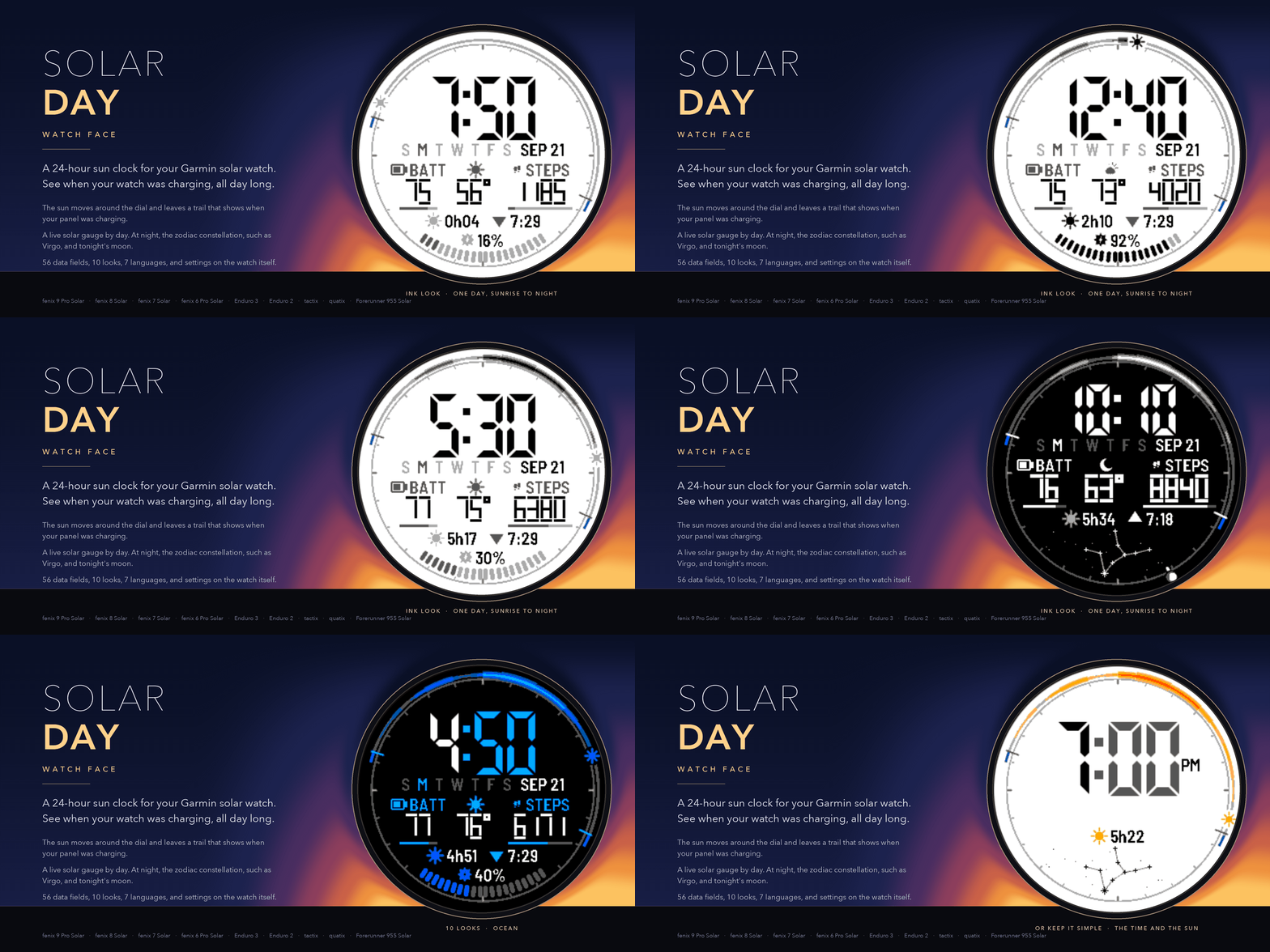
- A 24-hour ring with noon at the top. The sun moves around it and leaves a trail. The trail's width and color show how much light your panel caught in each 15 minutes. It stays until midnight.
- A gray track from sunrise to sunset, with blue marks for civil dawn and dusk. At night the moon shows its real phase.
- Along the bottom: a gauge for any data field with a goal, the days of the week, your week of sun (7 days of solar charging as bars), or the current zodiac constellation drawn from its real stars. The constellation can replace the gauge at sunset.
- Sun bonus today: the extra battery time the day's sun added, measured on the watch from its own battery readings. It shows nothing until the result is statistically solid.
- LCD-style digits drawn as polygons, upright or slanted. 56 data fields for six spots, three field sizes, 8 accent colors, 7 ring palettes, 10 looks, 7 languages.
- Settings on the watch (Watch Face, SolarDay, Customize) as well as on the phone. Touch a data field to open its app.
- One solar reading a minute while on screen, one every five minutes in the background. No GPS and no Communications permission.
Every release is tested on every supported watch in the simulator, including long runs across midnight and a watchdog test on the slowest watch. If you hit a problem, tell me here and I will look at it.
https://apps.garmin.com/en-US/apps/4dfc07bf-4ade-4ea8-8830-4e53c23c1919
Also free, from the same bench: Solar Harvest, a data field for the same watches. During an activity it shows real battery gain and drain from your own watch, a live sun compass, and how well you are catching the light, and it writes fourteen developer fields into Garmin Connect for charts afterward. Open source.
https://apps.garmin.com/en-US/apps/b0d0fd86-bc11-4d9a-9f78-40db5c7b7fa0