


Hi everyone,
I built a native macOS app called JiaKe.
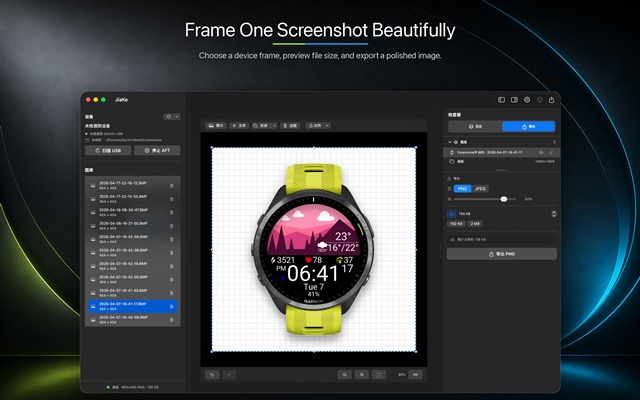
It solves a small but repetitive problem for Garmin / Connect IQ developers: turning raw watch screenshots into clean, device-framed images for product pages, store listings, release notes, documentation, and forum posts.
My old workflow was usually: connect the watch, find GARMIN\ScreenShot copy the BMP screenshots, open Figma or Photoshop, find a device frame, crop the screen, align layers, adjust the background, and export. That is fine once, but it gets tedious when preparing a full set of launch or update assets.
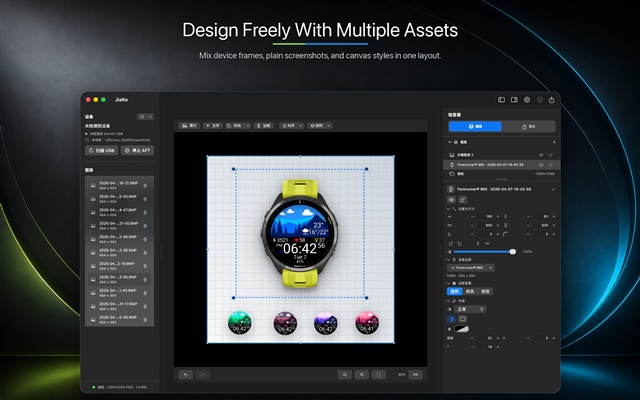
JiaKe puts that workflow into a local Mac app:
- Import screenshots from a connected Garmin watch or local folder
- Support Garmin BMP, PNG, and JPEG screenshots
- Match common Garmin device frames and screen shapes
- Handle round, square, and rectangular watch screens
- Add backgrounds, logos, image layers, and reusable presets
- Preview and export single or batch PNG assets
- Process screenshots locally during the normal workflow
I made it because Connect IQ developers should not have to rebuild the same screenshot mockups by hand every time they ship something.
Website: https://jiake.app/
BMP to PNG/JPG online tool:https://jiake.app/garmin-bmp-to-png
App Store: 
Google Play Store:JiaKe.app Android
If you build Garmin apps, watch faces, widgets, or data fields, I’d be interested in feedback on device frame coverage, batch export workflows, and the asset sizes you usually need for releases.