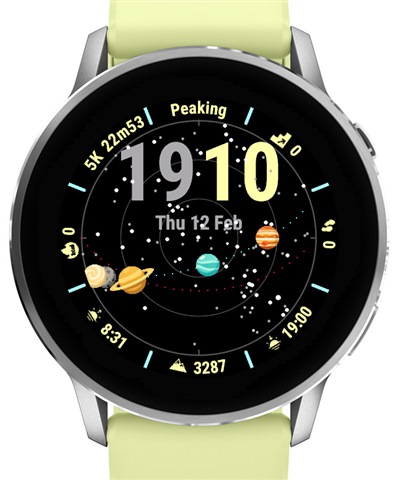
Watch Face: Planetarium (my first serious attempt)

Hi everyone! I'm new to the forum, but the posts here have been extremely helpful to me to make my first Garmin apps.

For the last month I was working on a watch face in my spare time: Planetarium. My hobby is astronomy, so it's a very astro oriented watch face. Besides the time and 8 fully customizable data fields it shows the current position of the sun, the moon, the planets and the 300 brightest stars, as visible from your location.

Here are some screenshots from the simulator:
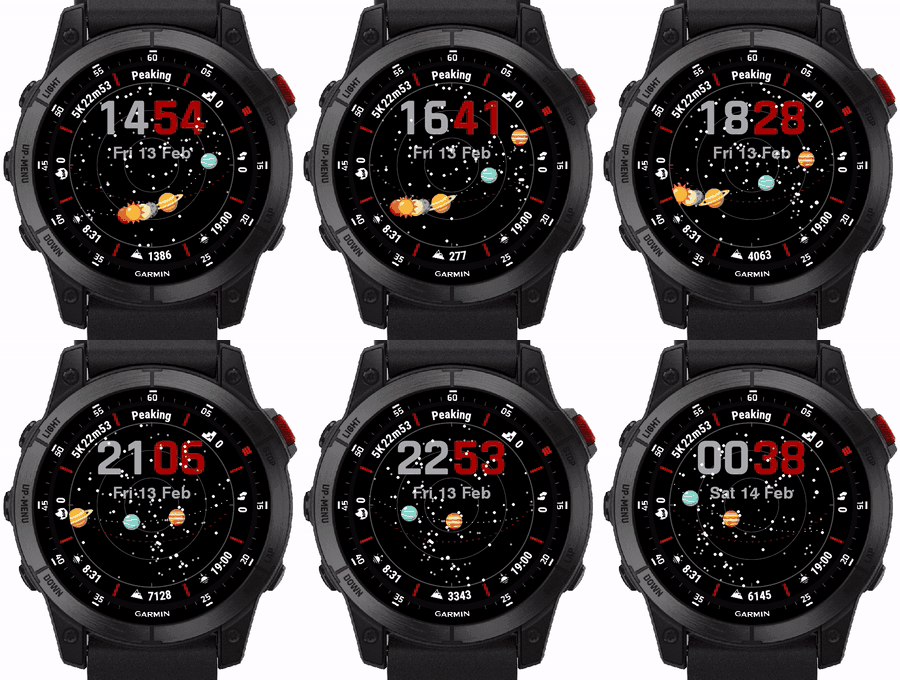
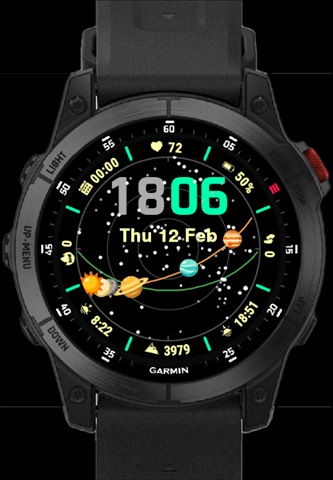
I'm super excited to showcase it here and I would be really glad to hear some thoughts from experts like you. Do you see something that can be improved?

I have one technical question. Is there a way to have the customization of the data fields in the same way as the native watch faces? Right now I use Menu2 where I list all the fields ("top", "top-right",  etc) and when the user selects one, I open another Menu2 with all the possible complications.
I would like to have it in a way where the data field blinks and the user can cycle through all the complications. I couldn't find any examples of that though. Any help here would be much appreciated.

Let me know what you think about the watchface Slight smile

apps.garmin.com/.../f3a7cde3-8aa0-4518-a65f-0cc8c1f3a46c

  • I want to ask the community if anyone has a clue how to profile/debug the responsiveness of the watch face.

    I did a lot of profiling and optimizations and I'm quite happy now with the battery life. I draw everything in separate layers and I update the stars and planets rarely. I don't see any reduction in battery life compared to other watch faces I have installed. That being said, if I switch to Glances and back to the watch face, sometimes there is a noticeable lag of 1-2 or more seconds (Fenix 7x). I can't understand where this is coming from and I don't know how to check with the simulator.

    Does anyone have tips on how to improve responsiveness?

  • When onUpdate is called, you always want to re-draw the entire screen, and not do anything like try to only draw things that have changed since onUpdate was called.

    You won't see this in the sim.

  • Thanks for the heads up!

    I made a short video to show what I mean.

    I do try to limit what gets drawn on onUpdate. I will try now to update everything to see if speeds things up.

    EDIT: I think I found the culprit! My icons and planets were using png compression. I switched to yuv and this reduced the size of the executable by 50%!! Now it's much faster in changing glances.

    I have another question now. What would you guess is faster - drawing the stars with drawCircle or drawing them by using bitmaps :?