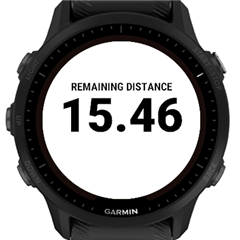
Distance+ Data Field

# Distance+DF
Datafield to display distance related measures.


# Description

Distance+ Datafield displays the distance / remaining distance / total distance / distance % / remaining distance % of a course or navigation route or workout step.

Note: devices that don't have courses or routes will only display the elapsed distance.
Note: when you leave the course then Garmin don't provide the distanceToDestination, so you'll see "--" until you get back to the course.
## Installation

You can add it as a Connect IQ datafield to your activity layout:
1. From the watch screen enter the activity: Start/Select ≫ choose your activity
2. Up/Menu ≫ {activity} settings ≫ Data Screens ≫ choose screen ≫ Start/Select button
3. You can change the Layout and add a new field or you can change an existing Data Field.
4. In Data Fields ≫ Start ≫ ConnectIQ Fields ≫ Distance+
5. Exit the {activity} settings.

You can start your activity now.
## Configuration

You can change the settings in Connect IQ or Garmin Express.

- Measure: elapsed distance | remaining distance | total distance | elapsed distance % | remaining distance %


## Support

If you like the DF you can thank me by sending a beer: https://paypal.me/GavrielF or buymeacoffee.com/flocsy or at least write a positive review with 5 stars StarStarStarStarStar.
## Screenshots


## Changelog

1.4 (2024-07-08)

  - added workout step

  - fixed missing settings

1.3 (2024-06-27)

  - abbreviated long labels

  - improved label size and position

  - added edge1050

1.2 (2024-06-18)

  - removed fractions from percentage display

  - new icon

1.1 (2024-05-28) fixed settings

1.0 (2024-05-26) initial release

  • Hello to the community. Can you please tell me how I can reset the data in the Distance+ add-on to 0?

  • What do you mean? It's using the current activity and the settings.

  • I have the X1 and can not find "remaining distance' under measured distance or distance+.  All it shows is elapsed distance.  What should I try?  I'd really like remaining distance. It looks like Garmin has it on one of the default data fields but not the option to add to a different data screen.

  • I checked now and you should have all these measures in venu x1: 


    elapsed distance
    remaining distance
    total distance
    elapsed distance %
    remaining distance %

    NOTE: after changing the measure you need to restart the data field (i.e: exit the activity and enter it again) to update the label

  • I think it's on my end.  I have a set of workouts where I walk .1 miles and then run a certain distance each time depending on how conditioned I am (I'm old).  So, I choose a workout - .10 walk / .15 run workout, .10 walk / .18 run workout, .10 walk / .20 run workout) - and start my exercise.  The run segment shows distance but sometimes I forget the distance I set my watch to run so I'd rather it count down from the distance I chose. 

    The extra measures aren't showing up, only the total distance on when I tap on Distance+.

    I don't think it's your app, it's how I've set up my workouts I use. 

  • There was already one request regarding workouts and I did add that to the code and it worked for whatever that user asked for. So I'll look into this to see what's going on.

  • Should I do this through email?

    If I try to edit, I get two choices that seem relevant to what I'm looking for:

    1.  Connect IQ Fields > Distance+ (and has no up or down arrow for more fields) > tap it and it exits.

    2.  Distance Fields > Last Lap Distance, Lap Distance, Distance.

  • You're confusing me now. At first I thought you ARE using my Distance+ datafield and looking at it on your wrist, but now I'm not even sure. You should add the Connect IQ Field > Distance+ to your layout. Then in your phone you go to Connect IQ app, there Device > My Data Fields > Distance+ > Settings and there set the measure you prefer to see, then Save. Then start to follow your pre-uploaded workout plan and let's see if it displays the remaining distance of the step.

  • I got it!  Odd behavior, though.  I went into Garmin Connect on my phone that connects to my watch.  Went to the Garmin IQ store.  There is My Watch Faces, My Device Apps, My Data Fields and My Music.  I tapped on My Data Fields and I can only choose one of the five things you listed above.  I chose remaining distance, synced and the watch now has only this as my choice after I choose Distance+.  This totally works for me.  Thank you very much.  I'll be sending money soon!!!

  • Thanks for confirming. Yeah, installation of datafields is a bit conusing, especially for new users (Garmin also realized this, and did some improvements recently, so now on new devices when you install it you're not left to your own. but it offers you to add the datafield to the activities you choose).

    But there are some other issues. Maybe in the future I'll add a way to configure the datafield (which metric to display) from the watch, which is possible in newer watches, though my own exoerience is that it's even more cumbersome.

    And then there are many many bugs in watch firmwares, in Connect IQ app, in Garmin Express related to datafields, that will never be fixed by Garmin...