Custom watchface - dev questions

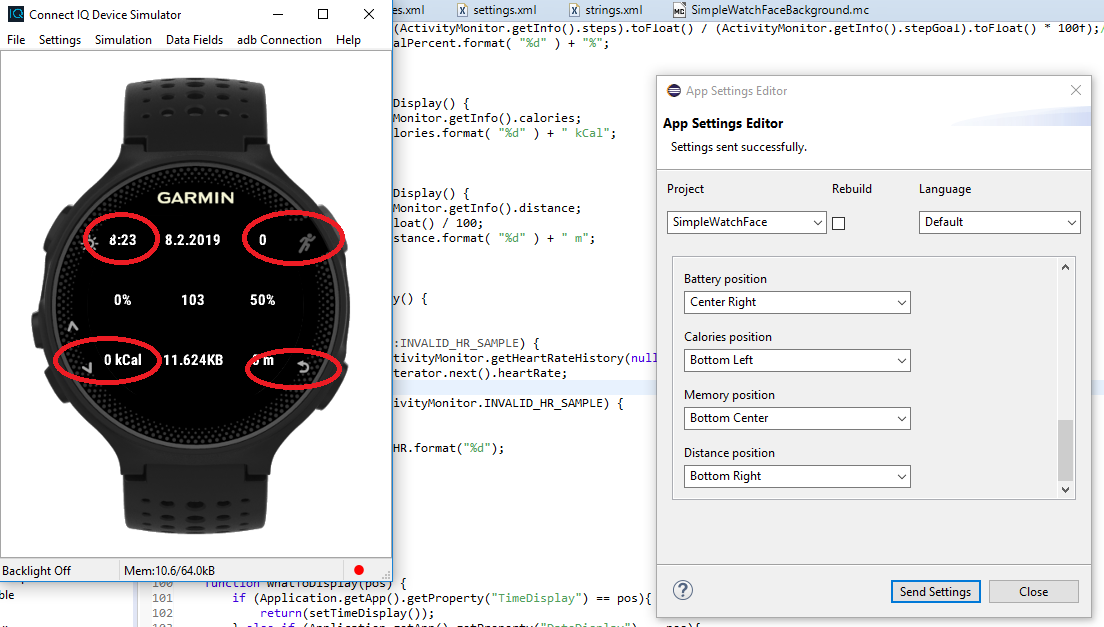
Hello, i am building custom watchface and i have few another questions.

1) It is possible build watchface app by supported senzors? (I mean if watches has some senzor build different app settings(like resources) with supported senzors https://forums.garmin.com/forum/deve...c-app-settings)

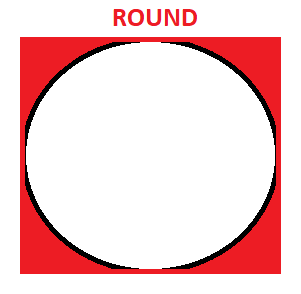
2) What to do if i have square watches and semi round watches. Square is fine but at semi round there are blind/deadspace corners (corners.png) how to avoid loosing drawing data at corners?

3) What is best way for app user to select size of displayed senzor. (I tried choosse by fount size but i hope there is better way)...

4) Its possible to display some warning popup window or text to user if error, wrong size, overwritting drawables..?

Thanks for any constructive answers!
Thomas community.garmin.com/.../1453007.png
  • You can do things for different watches in a couple ways.

    One is to use Jungles - See the programmer's guide in the SDK - different source and/or resources based on the device you are building for. This happens at compile time.

    The other, is to figure out things at runtime - See System.getDeviceSettings().screenShare and things like dc.getWidth() and dc.getHeight()

    Which you do kind of depends on how "different" things need to be for various devices. and how tight memory is for your app.
  • Thanks for reply. I use sceenShape, those jungles looks more profesional i will use them.. but i still cant see the way how to avoid possibly loosing data in dead corners. There is no programming solution yet? I need to calculate it by my own way(eg. set some offset)? This problem must be everyday challenge for new developers..community.garmin.com/.../1453133.png
  • If you use layouts, you can load a different one based on the screen shape. (in onLayout)

    If you use direct dc calls, you can do something like an indent based on the shape:
    //in onLayout...
    indent=0;
    width=dc.getWidth();
    //if you want to indent 20 pixels...
    if(Sys.getDeviceSettings().screenShape== Sys.SCREEN_SHAPE_SEMI_ROUND) {indent=20;}

    //then in onUpdate...
    dc.drawText(indent,y,font,"left",Graphics.TEXT_JUSTIFY_LEFT);
    dc.drawText(width-indent,y,font,"right",Graphics.TEXT_JUSTIFY_RIGHT);

  • If you use layouts, you can load a different one based on the screen shape. (in onLayout)

    If you use direct dc calls, you can do something like an indent based on the shape:
    //in onLayout...
    indent=0;
    width=dc.getWidth();
    //if you want to indent 20 pixels...
    if(Sys.getDeviceSettings().screenShape== Sys.SCREEN_SHAPE_SEMI_ROUND) {indent=20;}

    //then in onUpdate...
    dc.drawText(indent,y,font,"left",Graphics.TEXT_JUSTIFY_LEFT);
    dc.drawText(width-indent,y,font,"right",Graphics.TEXT_JUSTIFY_RIGHT);


    Ye, i am working with indent now, but i was hoping for better way. Thanks for reply.