Dear fellows,
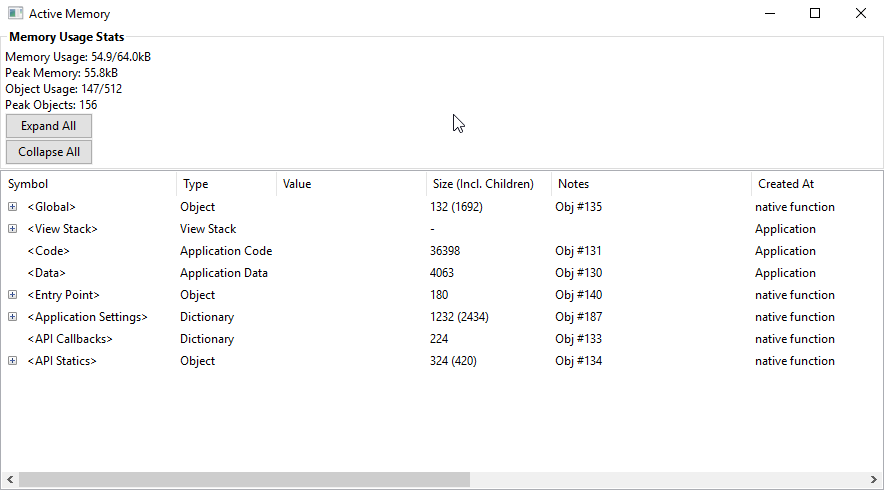
programming my watch face, from time to time I'm facing troubles with getting out of memory. Especially when you work with custom fonts for anti-aliasing, memory is getting out of bounds very quickly. I would love to unterstand how you guys face memory problems and what you think are good practices to identify the critical objects. May someone can also explain me, how to understand the "Memory Usage Stats" right (see pic). Everytime I run my watch face, the Peak Memory is relatively low (eg 55.8kb). But after sending the new settings to the simulator (via App Settings Editor), Peak Memory jumps up to eg 67.2kb and crashes the simulator. Thank you for sharing your experience.
Cheers,
GB community.garmin.com/.../1443808.png