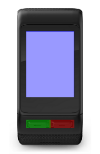
As suggested previously, you should assume that the definitions in ${SDKROOT}/bin/devices.xml are correct.
<device family="rectangle-148x205"id="vivoactive_hr"name="vívoactive® HR"part_number="006-B2337-00">

<part_numbers>

<part_number connectIQVersion="2.4.1"firmwareVersion="420"number="006-B2337-00">

<languages>

<language font_set="ww">hrv</language>

<language font_set="ww">ces</language>

<language font_set="ww">dan</language>

<language font_set="ww">dut</language>

<language font_set="ww">eng</language>

<language font_set="ww">fin</language>

<language font_set="ww">fre</language>

<language font_set="ww">deu</language>

<language font_set="ww">gre</language>

<language font_set="ww">hun</language>

<language font_set="ww">ita</language>

<language font_set="ww">nob</language>

<language font_set="ww">pol</language>

<language font_set="ww">por</language>

<language font_set="ww">rus</language>

<language font_set="ww">slo</language>

<language font_set="ww">slv</language>

<language font_set="ww">spa</language>

<language font_set="ww">swe</language>

</languages>

</part_number>

<part_number connectIQVersion="2.4.2"firmwareVersion="440"number="006-B2497-00">

<languages>

<language font_set="ww">eng</language>

<language font_set="apac_chn">zhs</language>

<language font_set="apac_chn">zht</language>

<language font_set="apac_jpn">jpn</language>

<language font_set="apac_kor">kor</language>

<language font_set="apac_tha">tha</language>

<language font_set="ww">ind</language>

<language font_set="ww">zsm</language>

</languages>

</part_number>

</part_numbers>

<launcher_icon height="33"width="40"/>

<orientation>GFX_ORNTN_0</orientation>

<bpp>8</bpp>

<resolution height="205"width="148"/>

<image filename="vivoactive_hr.png">

<display id="TOUCH"shape="rectangle">

<region>

<point x="81"y="98"/>

<point x="81"y="303"/>

<point x="229"y="303"/>

<point x="229"y="98"/>

</region>

<behaviors>

<behavior gesture="SWIPE_RIGHT"id="PREVIOUS_PAGE"/>

<behavior gesture="SWIPE_LEFT"id="NEXT_PAGE"/>

<behavior gesture="SWIPE_DOWN"/>

<behavior gesture="SWIPE_UP"/>

<behavior gesture="HOLD"/>

<behavior gesture="RELEASE"/>

<behavior gesture="TAP"id="ON_SELECT"/>

</behaviors>

</display>

<key id="ENTER">

<region>

<point x="155"y="374"/>

<point x="155"y="398"/>

<point x="229"y="398"/>

<point x="229"y="374"/>

</region>

</key>

<key behavior="ON_MENU"id="MENU"isHold="TRUE">

<region>

<point x="155"y="374"/>

<point x="155"y="398"/>

<point x="229"y="398"/>

<point x="229"y="374"/>

</region>

</key>

<key behavior="ON_BACK"id="ESC">

<region>

<point x="82"y="374"/>

<point x="82"y="398"/>

<point x="156"y="398"/>

<point x="156"y="374"/>

</region>

</key>

</image>

<palette>

<color>000000</color>

<color>000055</color>

<color>0000AA</color>

<color>0000FF</color>

<color>005500</color>

<color>005555</color>

<color>0055AA</color>

<color>0055FF</color>

<color>00AA00</color>

<color>00AA55</color>

<color>00AAAA</color>

<color>00AAFF</color>

<color>00FF00</color>

<color>00FF55</color>

<color>00FFAA</color>

<color>00FFFF</color>

<color>550000</color>

<color>550055</color>

<color>5500AA</color>

<color>5500FF</color>

<color>555500</color>

<color>555555</color>

<color>5555AA</color>

<color>5555FF</color>

<color>55AA00</color>

<color>55AA55</color>

<color>55AAAA</color>

<color>55AAFF</color>

<color>55FF00</color>

<color>55FF55</color>

<color>55FFAA</color>

<color>55FFFF</color>

<color>AA0000</color>

<color>AA0055</color>

<color>AA00AA</color>

<color>AA00FF</color>

<color>AA5500</color>

<color>AA5555</color>

<color>AA55AA</color>

<color>AA55FF</color>

<color>AAAA00</color>

<color>AAAA55</color>

<color>AAAAAA</color>

<color>AAAAFF</color>

<color>AAFF00</color>

<color>AAFF55</color>

<color>AAFFAA</color>

<color>AAFFFF</color>

<color>FF0000</color>

<color>FF0055</color>

<color>FF00AA</color>

<color>FF00FF</color>

<color>FF5500</color>

<color>FF5555</color>

<color>FF55AA</color>

<color>FF55FF</color>

<color>FFAA00</color>

<color>FFAA55</color>

<color>FFAAAA</color>

<color>FFAAFF</color>

<color>FFFF00</color>

<color>FFFF55</color>

<color>FFFFAA</color>

<color>FFFFFF</color>

</palette>

<datafieldlayouts>

<layout name="3 Fields">

<field datafont="numberHot"datajustify="center"datawidth="148"datax="74"datay="58"height="67"labelfont="xtiny"labeljustify="center"labelx="74"labely="15"left="0"obscurity="0"top="0"width="148"/>

<field datafont="numberHot"datajustify="center"datawidth="148"datax="74"datay="58"height="67"labelfont="xtiny"labeljustify="center"labelx="74"labely="15"left="0"obscurity="0"top="69"width="148"/>

<field datafont="numberHot"datajustify="center"datawidth="148"datax="74"datay="58"height="67"labelfont="xtiny"labeljustify="center"labelx="74"labely="15"left="0"obscurity="0"top="138"width="148"/>

</layout>

<layout name="2 Fields">

<field datafont="numberThaiHot"datajustify="center"datawidth="148"datax="74"datay="86"height="102"labelfont="small"labeljustify="center"labelx="74"labely="16"left="0"obscurity="0"top="0"width="148"/>

<field datafont="numberThaiHot"datajustify="center"datawidth="148"datax="74"datay="86"height="101"labelfont="small"labeljustify="center"labelx="74"labely="16"left="0"obscurity="0"top="104"width="148"/>

</layout>

<layout name="1 Field">

<field datafont="numberThaiHot"datajustify="center"datawidth="148"datax="74"datay="136"height="205"labelfont="medium"labeljustify="center"labelx="74"labely="20"left="0"obscurity="0"top="0"width="148"/>

</layout>

</datafieldlayouts>

<app_types>

<app id="watchface"memory_limit="65536"/>

<app id="watch-app"memory_limit="131072"/>

<app id="widget"memory_limit="65536"/>

<app id="datafield"memory_limit="32768"/>

</app_types>

<sensorhistory>

<sensor interval="67"size="148"type="heartrate"/>

<sensor interval="81"size="178"type="elevation"/>

<sensor interval="81"size="178"type="temperature"/>

<sensor interval="81"size="178"type="pressure"/>

</sensorhistory>

<watchdog_count>120000</watchdog_count>

<picker_layout>

<title h="24"w="148"x="0"y="5"/>

<nextArrow h="40"w="30"x="116"y="91"/>

<previousArrow h="40"w="30"x="2"y="91"/>

<entries>

<entry h="55"w="74"x="37"y="31"/>

<entry h="55"w="74"x="37"y="88"/>

<entry h="55"w="74"x="37"y="145"/>

</entries>

</picker_layout>

<fonts>

<font_set id="ww">

<font id="xtiny">FNT_ROBOTO_12</font>

<font id="tiny">FNT_ROBOTO_12</font>

<font id="small">FNT_ROBOTO_14</font>

<font id="medium">FNT_ROBOTO_15_5</font>

<font id="large">FNT_ROBOTO_18</font>

<font id="numberMild">FNT_BEBAS_NEUE_20BT</font>

<font id="numberMedium">FNT_BEBAS_NEUE_32BT</font>

<font id="numberHot">FNT_BEBAS_NEUE_36BT</font>

<font id="numberThaiHot">FNT_BEBAS_NEUE_48BT</font>

</font_set>

<font_set id="apac_chn">

<font id="xtiny">FNT_SOURCE_HAN_SANS_CN_LIGHT_19</font>

<font id="tiny">FNT_SOURCE_HAN_SANS_CN_LIGHT_19</font>

<font id="small">FNT_SOURCE_HAN_SANS_CN_LIGHT_22</font>

<font id="medium">FNT_SOURCE_HAN_SANS_CN_LIGHT_24</font>

<font id="large">FNT_SOURCE_HAN_SANS_CN_LIGHT_27</font>

<font id="numberMild">FNT_BEBAS_NEUE_20BT</font>

<font id="numberMedium">FNT_BEBAS_NEUE_32BT</font>

<font id="numberHot">FNT_BEBAS_NEUE_36BT</font>

<font id="numberThaiHot">FNT_BEBAS_NEUE_48BT</font>

</font_set>

<font_set id="apac_jpn">

<font id="xtiny">FNT_SOURCE_HAN_SANS_JP_LIGHT_19</font>

<font id="tiny">FNT_SOURCE_HAN_SANS_JP_LIGHT_19</font>

<font id="small">FNT_SOURCE_HAN_SANS_JP_LIGHT_22</font>

<font id="medium">FNT_SOURCE_HAN_SANS_JP_LIGHT_24</font>

<font id="large">FNT_SOURCE_HAN_SANS_JP_LIGHT_27</font>

<font id="numberMild">FNT_BEBAS_NEUE_20BT</font>

<font id="numberMedium">FNT_BEBAS_NEUE_32BT</font>

<font id="numberHot">FNT_BEBAS_NEUE_36BT</font>

<font id="numberThaiHot">FNT_BEBAS_NEUE_48BT</font>

</font_set>

<font_set id="apac_tha">

<font id="xtiny">bitstreamVeraSans 16</font>

<font id="tiny">bitstreamVeraSans 16</font>

<font id="small">bitstreamVeraSans 16</font>

<font id="medium">bitstreamVeraSans 21</font>

<font id="large">bitstreamVeraSans 27</font>

<font id="numberMild">FNT_BEBAS_NEUE_20BT</font>

<font id="numberMedium">FNT_BEBAS_NEUE_32BT</font>

<font id="numberHot">FNT_BEBAS_NEUE_36BT</font>

<font id="numberThaiHot">FNT_BEBAS_NEUE_48BT</font>

</font_set>

<font_set id="apac_kor">

<font id="xtiny">FNT_NOTO_SANS_CJK_KR_THIN_19</font>

<font id="tiny">FNT_NOTO_SANS_CJK_KR_THIN_19</font>

<font id="small">FNT_NOTO_SANS_CJK_KR_REGULAR_22</font>

<font id="medium">FNT_NOTO_SANS_CJK_KR_REGULAR_25</font>

<font id="large">FNT_NOTO_SANS_CJK_KR_MEDIUM_28</font>

<font id="numberMild">FNT_BEBAS_NEUE_20BT</font>

<font id="numberMedium">FNT_BEBAS_NEUE_32BT</font>

<font id="numberHot">FNT_BEBAS_NEUE_36BT</font>

<font id="numberThaiHot">FNT_BEBAS_NEUE_48BT</font>

</font_set>

</fonts>

</device>
<key id="ENTER">
    <region>
        <point x="155" y="374" />
        <point x="155" y="398" />
        <point x="229" y="398" />
        <point x="229" y="374" />
    </region>
</key>

<key behavior="ON_MENU" id="MENU" isHold="TRUE">
    <region>
        <point x="155" y="374" />
        <point x="155" y="398" />
        <point x="229" y="398" />
        <point x="229" y="374" />
    </region>
</key>

<key behavior="ON_BACK" id="ESC">
    <region>
        <point x="82" y="374" />
        <point x="82" y="398" />
        <point x="156" y="398" />
        <point x="156" y="374" />
    </region>
</key>
<!-- the device display is described by a rectangle ((81, 98), (229, 303)). -->
<display id="TOUCH" shape="rectangle">
    <region>
        <point x="81" y="98" />
        <point x="81" y="303" />
        <point x="229" y="303" />
        <point x="229" y="98" />
    </region>

    <!-- the display generates input events for a bunch of gestures. some of those gestures have behaviors. -->
    <!-- a SWIPE_RIGHT swipe event would be generated if you swipe right across the display area -->
    <!-- a PREVIOUS_PAGE behavior would be triggered as well -->
    <behaviors>
        <behavior gesture="SWIPE_RIGHT" id="PREVIOUS_PAGE" />
        <behavior gesture="SWIPE_LEFT" id="NEXT_PAGE" />
        <behavior gesture="SWIPE_DOWN" />
        <behavior gesture="SWIPE_UP" />
        <behavior gesture="HOLD" />
        <behavior gesture="RELEASE" />
        <behavior gesture="TAP" id="ON_SELECT" />
    </behaviors>
</display>

<!-- the ENTER key is described by the region((155, 374), (229, 398)) -->
<!-- a KEY_ENTER event would be generated when you press this area -->
<key id="ENTER">
    <region>
        <point x="155" y="374" />
        <point x="155" y="398" />
        <point x="229" y="398" />
        <point x="229" y="374" />
    </region>
</key>

<!-- the MENU key is described by the region((155, 374), (229, 398)) -->
<!-- a KEY_MENU event would be generated when you *HOLD* on this area -->
<!-- an ON_MENU behavior would be generated as well -->
<!-- the coordinates are the same as the ENTER button, so the ENTER button serves two purposes -->
<key behavior="ON_MENU" id="MENU" isHold="TRUE">
    <region>
        <point x="155" y="374" />
        <point x="155" y="398" />
        <point x="229" y="398" />
        <point x="229" y="374" />
    </region>
</key>

<!-- the ESC key is described by the rectangle ((82, 374), (156, 398)) -->
<!-- a KEY_ESC event would be generated if you press this area -->
<!-- a ON_BACK behavior would be generated as well -->
<key behavior="ON_BACK" id="ESC">
    <region>
        <point x="82" y="374" />
        <point x="82" y="398" />
        <point x="156" y="398" />
        <point x="156" y="374" />
    </region>
</key>