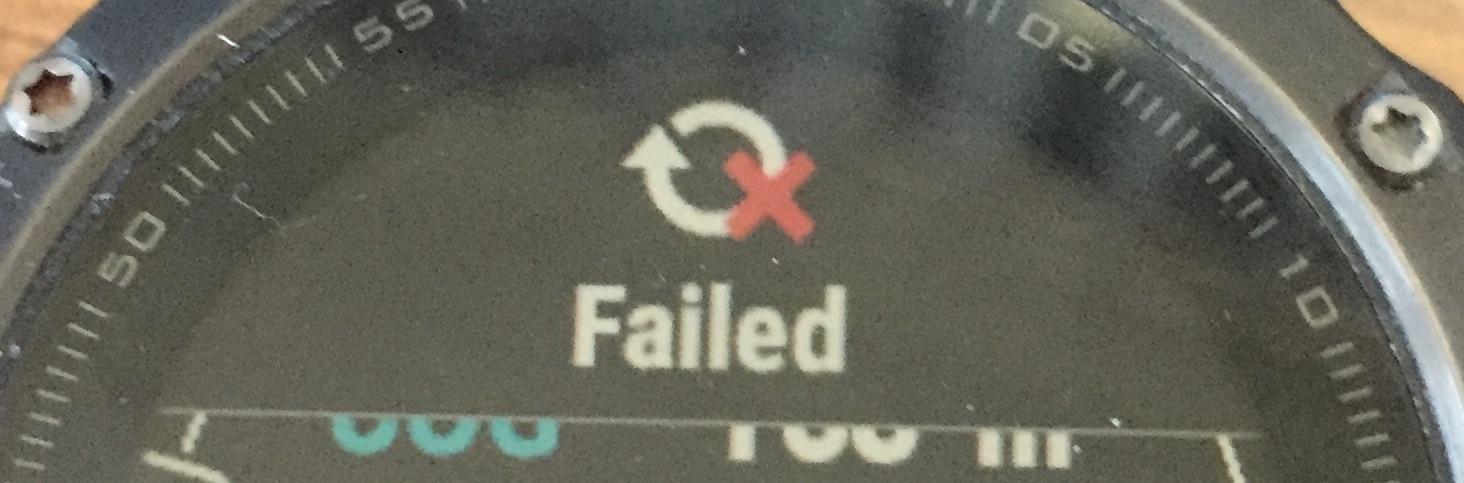
Failed message will startle the users.

This message will startle the users, but I don't know how to control it.
I think it's something to do with sessions.
It occurs when I exitTo() my sibling app from an app that has a session running, but I exitTo after closing the session:
if ($.session != null) {
$.session.stop();
$.session.save();
}

try{

System.exitTo(
....

community.garmin.com/.../1426074.jpg
  • That's saying that the FW failed when syncing the .fit you just saved. The FW will try again. Could be there was an issue with BT or Wifi, the internet connection, etc. You can see the same thing with native apps.
  • That's saying that the FW failed when syncing the .fit you just saved. The FW will try again. Could be there was an issue with BT or Wifi, the internet connection, etc. You can see the same thing with native apps.


    As I said, it occurs on every occasion, so it's unlikely to be an intermittent comms issue.
    I'm looking for a solution, not a hypothesis.
    If it's a bug, is it a known bug? if not, I seem to have a replicable scenario.
  • The circle with the arrow icon is for syncing. You'll see it on the control menu if you want to do a manual sync. If you are getting it often, how's the connection to your phone? If it keeps dropping, that could cause it.

    What watch and FW? It could be something where it's trying to sync when your exitTo() happens, causing a fail. With whatever you are start with exitTo(), is it itself trying to start a new session? (a new .fit appears it's trying to sync).

  • The circle with the arrow icon is for syncing. You'll see it on the control menu if you want to do a manual sync. If you are getting it often, how's the connection to your phone? If it keeps dropping, that could cause it.

    No, I'm not getting it often, just every time the app executes exitTo().

    What watch and FW?

    Fenix5, CIQ 3.0.1 SW Version 11.00

    With whatever you are start with exitTo(), is it itself trying to start a new session? (a new .fit appears it's trying to sync).

    I'm sure the answer lies somewhere in this, but I don't follow your explanation. Could you expand please? I would have assumed that the sync would have happened when I stopped the session?


  • The main app saves a fit file, say "one.fit", the thing you are starting with exitTo() starts a new recording, say "two.fit". The sync is triggered by saving "one.fit", but it also tries to sync "two.fit" as it's there. The error is trying to sync "two.fit" when it's not ready.

    When this occurs, do you see the first file's data (one.fit) in Garmin Connect?
  • The warning icon occurs while the confirmation prompt to launch the second app is on the screen, before the User accepts it. And that occurs before the second app is started, so two.fit doesn't yet exist.
    It looks like it's having trouble saving one.fit . It's a pity there's no callback on session.save to monitor.

    [EDIT]
    When I remove session.stop; session.save the warning no longer occurs before app.one stope, but when app.two starts!
  • If you comment out the exitTo(), do you still get the warning?
  • Well, no, because the warning is now being generated from app.two, which has been started with the exitTo()
  • So it's the exitTo() for app two that's causing the error. Do you see the data from one.fit in Garmin Connect if you see the warning?
  • So it's the exitTo() for app two that's causing the error.


    Yes, that's what I think. And that's a bug, yes?

    Do you see the data from one.fit in Garmin Connect if you see the warning?

    Yes, I get a Fit file from app.one whether or not I explicitly stop and save the session, and I also always get a Fit file from app.two.

    But in all cases, I get the warning.