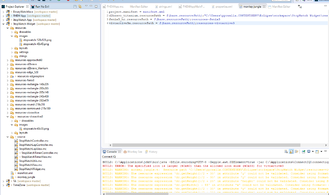
jungles and resources - strange...

Hi guys,

can anybody tell me why the attached configuration (screenshot) does not allow the widget for vivoactive3m to be compiled? Obviously the compiling process is not able to find the launch icon. But for other devices such a configuration works... What am I missing?

Thanks!

Bye community.garmin.com/.../1379046.png
  • Irgendwie kann ich kein Bild richtig uploaden, daher hier der Link:

    " />">
  • apparently the max icon size is 40x33 for the vivo3m and apparently your dimensions of your icon are larger (40x40)...

    I usually leave the icon size to 30x30 that way it fits for every device
  • No, because the vivoactive3 compiles fine, where the requirement is also 40x33. The icon in resources-vivoactive3/images is 40x33 in size.
  • How does your drawables.xml look like in resources-vivoactive3? You assign the right icon file there?


    (Not sure if you can override the drawables.xml like you want to do, when I would want to override icon sizes I'd probably go for the same icon name in the different folders... )


  • <drawables>
    <bitmap id="LauncherIcon" filename="../images/stopwatch-40x33.png" />
    <drawable-list id="StopWatchTimerView">
    <shape type="rectangle" x="0" y="dc.getHeight()/2 - 30" width="fill" height="1" color="Gfx.COLOR_WHITE"></shape>
    <shape type="rectangle" x="55" y="dc.getHeight()/2 - 30" width="1" height="dc.getHeight()/2 + 20" color="Gfx.COLOR_WHITE"></shape>
    <shape type="rectangle" x="dc.getWidth() - 55" y="dc.getHeight()/2 - 30" width="1" height="dc.getHeight()/2 + 20" color="Gfx.COLOR_WHITE"></shape>
    <shape type="rectangle" x="55" y="dc.getHeight() - 45" width="dc.getWidth() - 110" height="1" color="Gfx.COLOR_WHITE"></shape>^
    <shape type="rectangle" x="0" y="0" width="dc.getWidth()" height="30" color="Gfx.COLOR_WHITE"></shape>
    </drawable-list>
    <drawable-list id="StopWatchCounterView">
    <shape type="rectangle" x="0" y="0" width="dc.getWidth()" height="30" color="Gfx.COLOR_WHITE"></shape>
    <shape type="rectangle" x="0" y="dc.getHeight()/2 - 30" width="fill" height="1" color="Gfx.COLOR_WHITE"></shape>
    <shape type="rectangle" x="0" y="dc.getHeight()/2 + 30" width="fill" height="1" color="Gfx.COLOR_WHITE"></shape>
    </drawable-list>
    <drawable-list id="StopWatchLapView">
    <shape type="rectangle" x="0" y="-1" width="fill" height="60" color="Gfx.COLOR_BLACK"></shape>
    <shape type="rectangle" x="30" y="0" width="1" height="fill" color="Gfx.COLOR_WHITE"></shape>
    <shape type="rectangle" x="dc.getWidth() - 30" y="0" width="1" height="fill" color="Gfx.COLOR_WHITE"></shape>
    <shape type="rectangle" x="30" y="55" width="dc.getWidth() - 60" height="1" color="Gfx.COLOR_WHITE"></shape>
    </drawable-list>
    </drawables>


    The icon reference is correct and such a configuration works with other devices, only for vivoactive3m I am facing such an issue.

    Thanks!

    Bye
  • I realized that most likey overwriting the image really does not work. I was sure that it works because I have structured other devices the same way, but the default icon size (in resource folder) was matching the requirements of these devices. So is there a limitation in overwriting the launcher icon that way?

    Thanks!

    Bye
  • The only solution as of now was to create a separate folder for the vivoactive3m, overwriting the image there and remove the entry from the jungles file. Still I am confused about such a limitation. Why is it not possible to achieve the same inheritance logic via jungle files?

    Thanks!

    Bye
  • Hi Talkabout ! Thanks for reporting this issue. It is possible that there is a bug in our resource overriding logic for bitmaps. I have created a ticket and I will try to keep you updated on our progress.
  • I've got a patch with the fix for this and it should be in a future release.

    Marianne