Edge x40: Obtain HR from phone and use it as real HR?

My main goal is make this work on a Garmin Edge 840:

My phone has my current HR, and I want to publish it to the Edge. There are a few CIQ apps doing this (HR2VP), but it only populates a 3rd party datafield. Meaning these HR values will not be part of the final report of my biking.

Is it somehow possible for a CIQ app, which provides a DataField to mark it as a real HR type to let Garmin use it everywhere?

  • Where is your phone getting the HR from?  If it's from your Garmin watch, you can set the watch to broadcast HR, and then you pair your watch as a HR sensor to your edge.

  • For example, here';s how you do it with a fr570 watch:

    How to Broadcast Heart Rate on Garmin Forerunner 570

    You can send your wrist‑based heart rate from your Garmin Forerunner 570 to a paired device (like a Garmin Edge bike computer, Peloton, or compatible app) so it appears on that device’s screen. This is useful for activities where you don’t want to wear a chest strap.

    Important: Broadcasting heart rate uses ANT+ or Bluetooth Smart and will reduce battery life Garmin.

    Step‑by‑Step: Enabling Broadcast Heart Rate

    1. Open the Controls Menu

      • Press and hold the UP button until the controls menu appears Garmin.

      • Select Watch Settings > Health & Wellness > Wrist Heart Rate > Broadcast Heart Rate.

    2. Start Broadcasting

      • Once in the Broadcast Heart Rate menu, press UP to confirm and start sending your heart rate data Garmin.

    3. Pair with Your Device

      • Pair your Forerunner 570 with your compatible device (e.g., Garmin Edge, Peloton, Zwift, or ANT+‑compatible app).

      • Pairing instructions vary by device — check your device’s manual or Garmin’s support site Garmin.

    4. Optional: Auto‑Broadcast

      • You can set your activity settings so heart rate broadcasts start automatically when you begin an activity Garmin.

    5. Stop Broadcasting

      • To stop, press any button and select Yes in the confirmation prompt Garmin.

    Tips

    • Battery impact: Keep broadcasts on only when needed to conserve battery.

    • Compatibility: Works with ANT+ and Bluetooth Smart devices; check your device’s support list DC Rainmaker.

    • Custom controls: You can add “Broadcast Heart Rate” to your custom controls menu for quick access Garmin.

    By following these steps, your Forerunner 570 will reliably send your heart rate to your paired device, letting you monitor it without extra hardware.

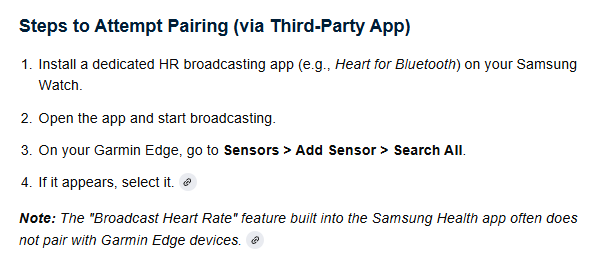
  • My phone gets the HR from my watch (Samsung). It can broadcast the HR over BLE, but first the other device needs to "bond" with it to create a secure BLE connection. Without it, the watch has a random BLE MAC, which Garmin x40 refuses to use as HR sensor.

  • You pair the watch as a native external HRM to the edge once the watch is set to broadcast.  Same as if you had an external HRM band.

  • Yeah. That was my goal, but Edge is simply not detecting it as HRM sensor. It's due to the MAC Address of the watch: it's a random BLE MAC address until the other device not "bonds" with it for secure connection. It's a bit too deep technical, but end result is my watch broadcasting my HR over BLE is NOT being detected by Garmin Edge 840.

  • The watch's BLE Mac address shouldn't be random.  Can you pair with ANT?

  • It's technically a "Resolvable Private Address (RPA): Changes periodically to protect privacy but can be resolved by trusted devices using an Identity Resolving Key (IRK)". This is going to be mandatory in 2027 due to privacy reasons IMHO (I read it somewhere).

    Samsung quitted from ANT: no new phones nor watches are supporting ANT anymore (after approx 2020).

  • Watch broadcast HR with Ant and that paired with the edge

    If you can't get that to work, look into getting an actual external HRM, like Garmin's HRM 200 or 600

  • Only Garmin's own watches seems having ANT-capability nowadays. Yeah, external HRM is a good alternative, but I wish to avoid decorating myself like an Xmas-tree. :)

  • Might not work, just asked AI... worth a try maybe