Need Help!

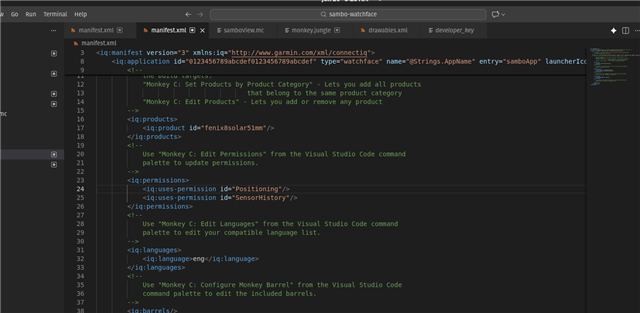
Hi guys have a question, hope someone help me about this, is tactix 8 solar 51mm MIP product id is fenix8solar51mm on manifest.xml? i created a watch face using connect iq version 8.40 the latest. and use the API LEVEL 5.2. when i install it it doesnt load. Theres no issue or any logs show.

PLease need a guide or help to fix this issue.. thanks 

Top Replies

All Replies

  • This is why it's worth to edit the manifest via the VSCode editor:

  •  thank you for your response. so how it to use it? something like this?

    <iq:products>
    <iq:product id="fenix847mm"/>
    <iq:product id="fenix851mm"/>
    <iq:product id="tactix847mm"/>
    <iq:product id="tactix851mm"/>
    <iq:product id="quatix847mm"/>
    <iq:product id="quatix851mm"/>
    </iq:products>

    Please kindly guide me, as this is my first time working with Connect IQ. I’m having trouble debugging the issue where the watch face does not load after installation. No errors or logs are displayed during installation or runtime.

    Really appreciate your help.

    Thanks

  •  the watch is garmin tactix 8 51mm sapphire solar edition MIP version

  • yes i use monkey c plugin in vcode, already did a watch face working on simulator. but when i transfer it on my garmin tactix8 51mm watch, after i installed its doesnt load, theres no errors or logs show. dont know how to debug it? and why it doesnt load.

  • Yes, I’m using the Monkey C plugin in VS Code and I’ve already created a watch face that works correctly in the simulator. However, when I transfer and install it on my Garmin Tactix 8 (51mm), it doesn’t load on the watch. There are no error messages or logs displayed, so I’m not sure how to debug this or why it isn’t loading.

  • <iq:products>
    <iq:product id="fenix847mm"/>
    <iq:product id="fenix851mm"/>
    <iq:product id="tactix847mm"/>
    <iq:product id="tactix851mm"/>
    <iq:product id="quatix847mm"/>
    <iq:product id="quatix851mm"/>
    </iq:products>

    Based on this snippet, it looks like you edited manifest.xml by hand, guessing at several product ids you added, since everything except "fenix847mm" in that snippet is actually an invalid product id.

    However, you also said:

    is tactix 8 solar 51mm MIP product id is fenix8solar51mm

    Yes.

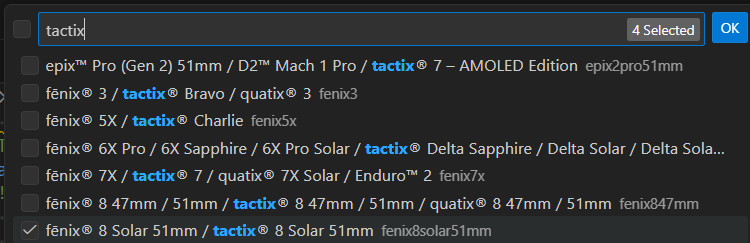
    You can see that by opening the command palette in VS Code (CTRL-SHIFT-P  / CMD-SHIFT-P), selecting "Monkey C: Edit Products" and searching for "tactix":

    The display name for the product is on the left, and the product id is on the right.

    However, you don't need to edit the product id list by hand, since you can just select products from this list.

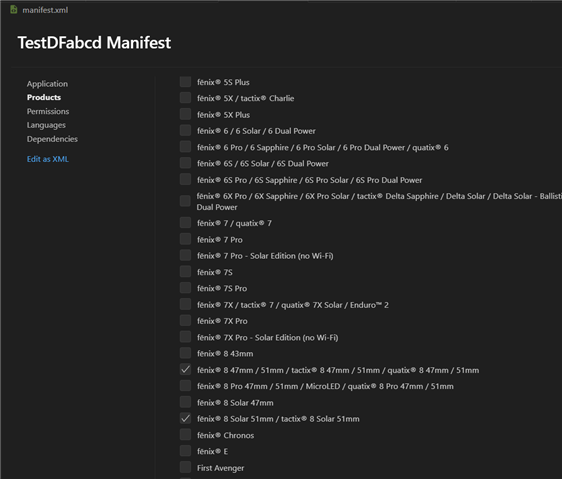
    The other way to do it is to open manifest.xml in the Monkey C manifest editor:

    - open manifest.xml in VS Code

    - if it's not already opened in the manifest editor, open the command palette and select "View: Reopen Editor with..." > "Manifest Editor (Monkey C)"

    This will give you a user-friendly way to edit all the properties in the manifest (as opposed to the command palette, which only lets you edit one thing in the manifest at a time, via distinct commands):

    when i install it it doesnt load. Theres no issue or any logs show.

    How did you install it?

    Did you copy it to \Garmin\apps\ on the device?

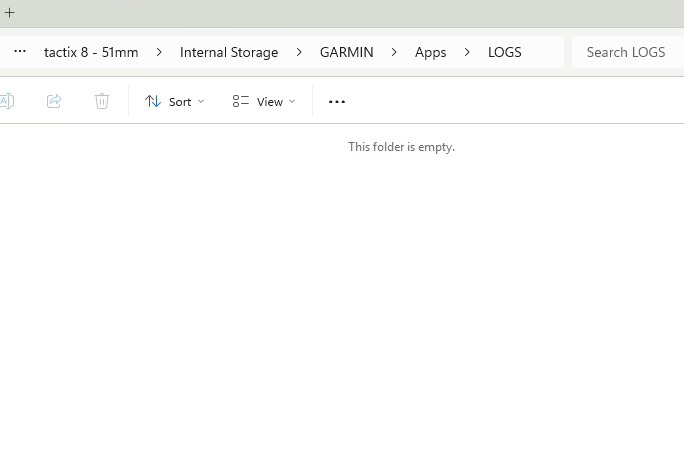
    Have you tried looking at \Garmin\apps\logs\CIQ_LOG.YML? Is there a log which says something like "signature check failed"? That error would indicate there was an issue loading your app. (Yes, I know you said there are no logs, but I just want to double-check that you looked here)

    Is it possible that you already have too many CIQ apps installed on your watch? Use the Connect IQ phone app to see if you are at the limit (which is something ridiculously low like 20).

  • i really appreciate your help, thank you so much. Yes i did installed it. There's no logs,


  • after i did the monkey c: edit product and ticked the tactix8, the manifest id product is 

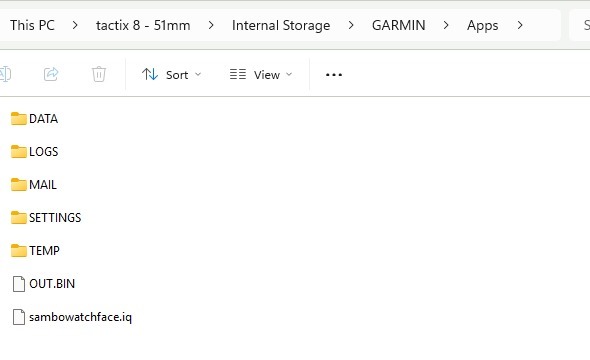
  • You have copied the app IQ file to the watch (generated by "Monkey C: Export Project"), but the correct procedure is to copy the PRG file.

    .IQ file = zip file containing metadata and multiple PRGs for upload to the store (Monkey C: Export Project creates this file, and it's only meant for uploading the app to the store)

    .PRG file = application binary to be sideloaded to the watch (or run in the simulator).

    The full procedure for sideloading:

    - Open command palette (CTRL/CMD-SHIFT-P)

    - Select "Monkey C: Build For Device" (this command is specifically for sideloading)

    - Select the device to build for

    - Select Release or Debug

    - Select the folder to build the PRG in

    - Copy the resulting PRG to the watch at \GARMIN\APPS

    On a side note, "Monkey C: Build Current Project" is meant for running in the simulator, and it's the same command that's implicitly executed when you run a Monkey C project from VS Code.