ANT+ in Simulator

I haven't tried this since migrating from Eclipse to VSC. It worked in Eclipse. I have a Garmin ANT+ USB stick, but can't find ANT+ devices in the Simulator. This thread from 2 years ago suggests this doesn't work. Any recent updates? Seems like a pretty important capability that should work.

https://forums.garmin.com/developer/connect-iq/f/discussion/313909/managing-ant-sensor-in-simulator-stopped-working#pifragment-1298=2

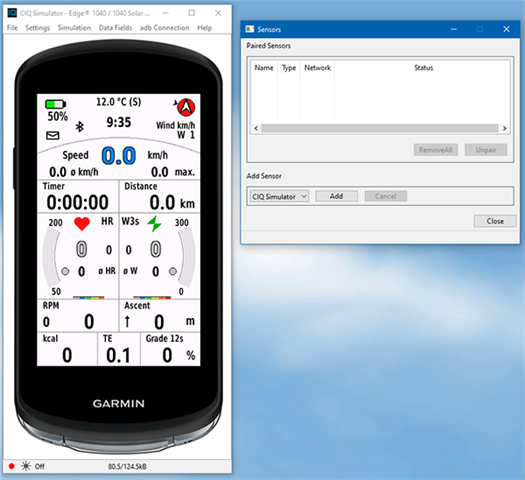
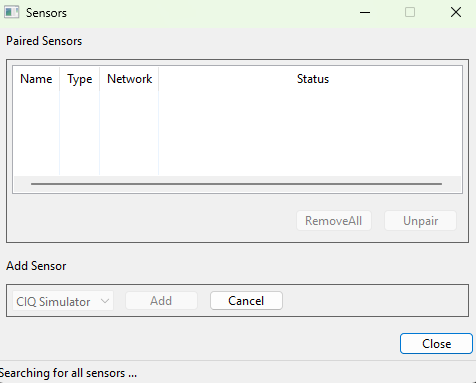
I'm scanning under Settings -> Manage Sensors:
  • Things depend on the specific ant sensor.  I've had an ant stick for many years, along with a tempe.

    In the dialog in the sim, I don't see the tempe, but my apps when running in the sim, access the tempe just fine.

    I do see my HRM200.  I can check my HRM_PRO, but I expect that would show.

    So what you are seeing is likely dependent to the sensor you are trying to use....

  • thx. I was trying with the Garmin Radar.... I also have a Tempe. Neither was found. I just put on my HRM-Pro Plus and it found that! Thanks. But bummer that doesn't work for all/most ANT+ sensors.

  • Is your radar like the tempe, where it doesn't show in the sim's diagog, but if you run your app in the sim, it works?

    The message you posted indicates you are using a newer sim where the eu-red stuff comes into play.  DCR had a post a few months back about eu red

    https://www.dcrainmaker.com/2025/01/the-begining-of-the-end-for-ant-wireless.html

  • So far the new Radar does not show up. And I didn't have TEMPE in my app yet.... I'll add the TEMPE logic and see if that shows up. I'll let you know what I find...

  • I reported the problem 4 month ago. Does not work. 

    forums.garmin.com/.../unable-to-connect-ant-devices-to-connect-iq-simulator-on-win-10-sdk-8-x-x

    When I have to test a ANT+ feature I have to swap for SDK 7.4 which works perfectly.

  • Yesterday, I switched to the new Java JDK Temurin 25.0.2 because of the ERA problem under SDK 8.4.1 and WIN 10 and thought it would be time to try out the other problem with the simulator again - “Manage Sensors.”

    First thing first: it's about connecting ANT+ sensors to the simulator like you do with real devices by searchning sensors - not connecting via generic channel!

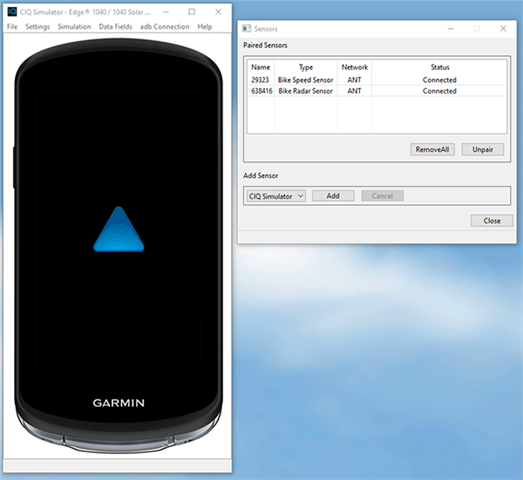
    More by chance than by deliberate action, I found a way to pair ANT+ sensors with the simulator. And I don't think this is what the Monkey C developers had in mind...

    1) Build your app until it is shown in simulator
         Open "Manage Sensors" from the simulator's settings menu

    Nothing happens - you can wait as long as you want...

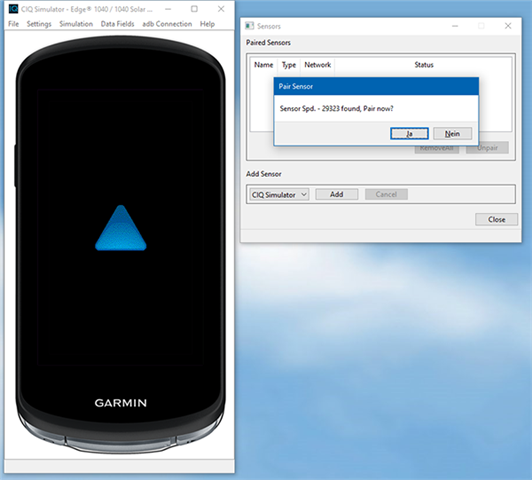
    2) From the simulator's menu File select "Kill App"
        The app in the simulator is deleted.
        Press "Add" on the Sensor's window
        The search starts and often say "no sensor found" - but simply press "Retry"

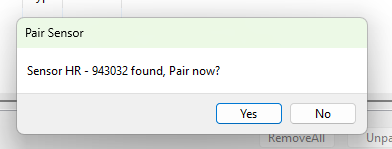
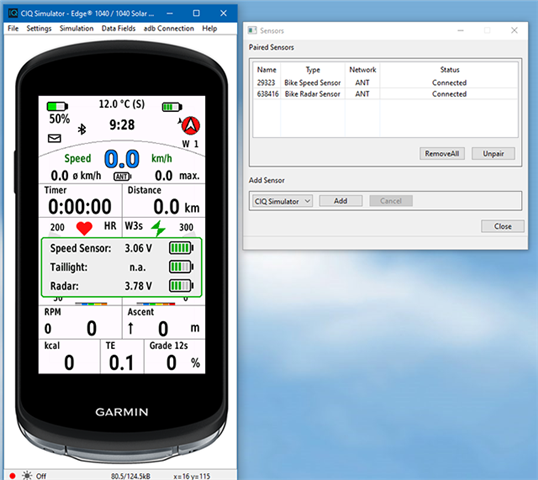
    Now all sensors are found one by one and added to the Sensor window.
    Status is "Searching" and finally "Connected"

    3) Don't close the empty simulator window!
        Simply do a new build for your app!

    From now on the sensors are connected to the simulator.

    NEVER close the simulator window.
    If you want to improve/change your code, just press “Kill App” and return to VSC to continue working there. The next time you build, your app will reappear in the simulator and the sensors will remain connected.

    Only when you have finished your work, press “Remove All” in the sensor window and close the simulator.

  • There is one more thing: if you add this to .vscode/launch.json then you'll be able to debug the pairing mode as well:

    {
    "type": "monkeyc",
    "request": "launch",
    "name": "Run Native Pairing",
    "runNativePairing": true,
    "stopAtLaunch": false,
    "device": "${command:GetTargetDevice}"
    },