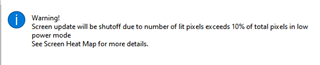
Posting here to make sure I'm not missing something simple before reporting a bug, since I bet I'm doing something wrong...
In the simulator, while trying to run a screen burn-in simulation I am getting unexpected results. Specifically, burn in is not tripped, even though I think it should be. See below. (Simulator set to Venu 2.)
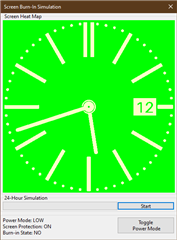
Basics of the watch face I am testing above. note that the center of the analog hands and the minute/chapter ticks and date window do not move. I run the 24 hour simulation and I get the following result:
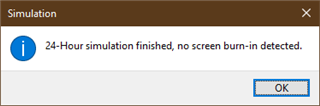
Which I don't think is accurate, based on the rules as I understand them:
- Less than 10% of the watch lit up (compliant)
- No pixel on for 3 continuous minutes (definitely not compliant)
Given this, I wondered if my method for generating the watch face was getting me around the second rule sometimes, so I changed the low power mode to simply draw a static image with the basic drawing method:
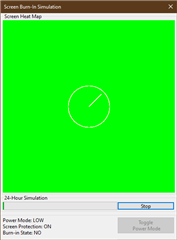
But I get the same "all good here" message upon running a 24 hour simulation, and again is just a static image, which should trip the 3 minute rule. I also let the simulation sit on the screen for more than 3 minutes, and nothing changed.
So, I guess there are 3 potential conclusions here:
- The 24 hour simulation is no longer working in terms of the 3 minute rule.
- The 3 minute rule has been rescinded and the documentation is out of date.
- My developer environment is out of date.
Has anyone seen this/can anyone pass along any thoughts?
My developer environment:
- Eclipse 2022-03
- CIQ 4.1.5