


Note: I realise that I must be doing something stupid here, but I don't really understand enough about what I am seeing to make progress.
I have an app I've been writing that extends Application.AppBase. It has a primary view called MainLayout defined in layout.xml, and a brand new secondary view LapListLayout defined in lapList.xml. My intent is to swipe left and right to switch between the views. I can confirm the swipe is firing (onSwipe() in the delegate for the MainLayout).
For onSwipe I am executing the following code:
 function onSwipe(swipeEvent) {
   var swipeId = swipeEvent.getDirection();
   switch (swipeId) {
     case SWIPE_LEFT:
       WatchUi.pushView(new LapListView(), new LapListDelegate(), WatchUi.SLIDE_LEFT);
       break;
     case SWIPE_RIGHT:
       break;
   }
   return true;
 }
LapListView looks like this:
class LapListView extends WatchUi.View {

  function initialize() {
    View.initialize();
  }

  function onLayout(dc as Dc) as Void {
    setLayout(Rez.Layouts.LapListLayout(dc));
  }

...

}
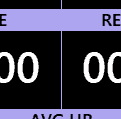
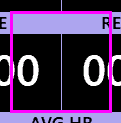
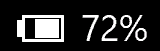
I have confirmed that the onLayout call is made and the layout is correctly named. I can visually confirm that the onUpdate call is running on the second view, I draw a big pink square on it (to prove it's running) and there is a common UI element that I draw on both views, and it's a filled rectangle with partial alpha - so when it's drawn the second time, it's brighter - so I think somehow it's being drawn twice, and from that I'm assuming the second layout did load? The fill on the battery status indicator demonstrates this:
Main view:

With second view:
When I swipe back to the main view (with a swipe event handled by onSwipe() in the ListDelegate class, which calls popView()) the original view is restored. The main view also continues to update its data (as expected) while the second layout is "failing to show", although the visible updates to the main view are hidden (the data on the main view are time based and update each second). To be very clear - I see the old values for the data while the second view with the pink square is loaded.
I'm attempting to follow and understand the pattern described on the Views documentation page for pushView (https://developer.garmin.com/connect-iq/api-docs/Toybox/WatchUi.html#pushView-instance_function) but the samples don't seem to do anything that isn't in my code - e.g. ActivityTrackerDelegate.mc includes a call to pushView that looks almost the same, as does PrimatesDelegate.mc. Neither seem to have layouts, though. And the ApplicationSettings sample does have layouts, but I don't immediately see anything in those layouts or the corresponding code that helps me (for example, I've tried setting background colours for the layouts). ApplicationSettings also uses switchToView which I have tried with the same result.
It's late and I may not be explaining well. Happy to provide suitable code/diagnostics if someone can suggest things to show or test.

