How to have back button bring you back to the widgets list?

Issue:

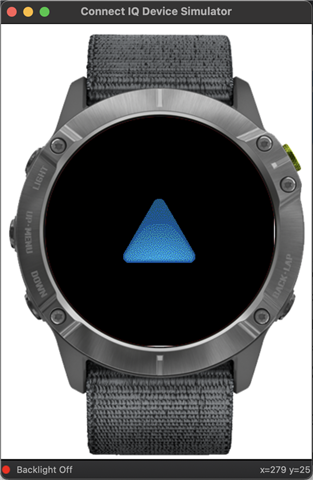
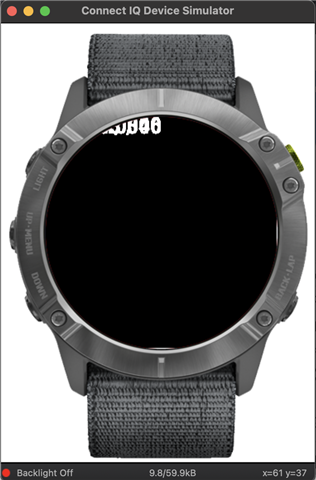
I have an app I am working on that has a glance view, and a regular view when you click on it. Currently when you enter the regular view and hit the back button it doesn't bring you back to the widgets list. See images below. It brings you back to a Connect IQ screen. I am not using any delegate for the onBack it is just the default behavior.

I tried adding a delegate that popped a view when the back button was pressed and it threw an error.

The code isn't anything too fancy, Here is the app startup code. it is pretty much the default widget code.

--- AppBase ---
// Return the initial view of your application here
function getInitialView() as Array<Views or InputDelegates>? {
    return [ new $.testWidgetView(tracker)] as Array<Views or InputDelegates>;
}

function getGlanceView() as GlanceView {
	return [new $.testWidgetGlanceView(tracker), null];
}
--- 

Regular View:                                         After Back Is Pressed:


  • I have an app I am working on that has a glance view, and a regular view when you click on it. Currently when you enter the regular view and hit the back button it doesn't bring you back to the widgets list.

    In this case, the blue triangle screen just means that your app terminated (whether normally or due to an error), it doesn't reflect the behavior you'd actually see on a real watch.

    If I'm not mistaken you actually would be taken back to the list of widgets in this case (although I can't say for certain, since I don't own a glance-enabled watch.)

    Do you have any Garmin watch at all to test with?

    Even if you have a non-glance-enabled watch, you can verify that pressing back on the main view gives you blue triangle in the sim, but takes you back to the watchface on the real device.

    I tried adding a delegate that popped a view when the back button was pressed and it threw an error.

    The reason an error is thrown in this case is because you're not allowed to pop the first view of a widget. (I wish you could, but that's a whole other discussion.)

  • This is where the sim differs from a real device.  In the sim, when you start with a glance, the widget opens full screen and that back button terminates the app and you see the blue triangle.  Same as if you sim on a device without glances or with glances disabled.  The back button terminates the widget.  Another difference is that widgets don't time out in the sim, where on a real watches, there's a 1-2 minute timeout where the glance/full screen widget will terminate.

    using popview is a widget doesn't work.  Long story, but the best way to do thing is to just not have onBack in a widget and let the default action to occur.

  • I do have a Garmin Enduro, I was going to test it once I get the app in a useable state so I don't inadvertently hurt the watch somehow. I know it sounds crazy but it was expensive! I need to make sure Im not using the Storage too often.

    Thank you very much for your response this clears up a lot. I will post back here when I do decided to download the app to the watch and try it out.

  • That makes sense, I was thinking that was what might happen but wanted to verify. It seemed odd that when the app terminated it wouldn't show the glances again.

  • In the sim, you can't use back in the glance loop, so there would be no way to exit.  And without glances, when you do a back the widget also terminates.

  • I need to make sure Im not using the Storage too often.

    Remember on a real devive, a widget times out after a minute or two and unless it has a background service only runs when it's visible.

  • I have tested now on my physical device and this is exactly the case. The back button works as expected.