add the -d build option to App Settings Editor

The App Settings Editor for the Simulator is requiring the "Rebuild" option otherwise it presents a blank screen:
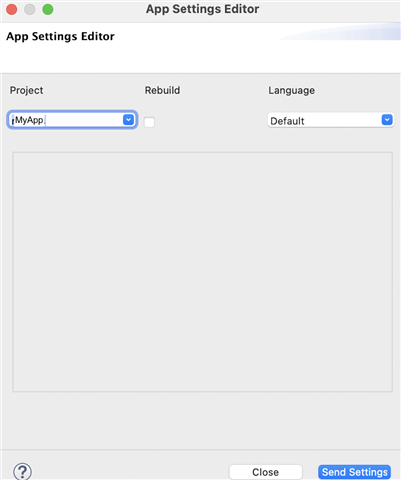
   

When I do check the "Rebuild" option, the build fails with "Duplicate declaration of symbol" because I'm using Jungles excludeAnnotations

project.manifest = manifest.xml

rectangle.excludeAnnotations = round
round.excludeAnnotations = rectangle

and it's missing the -d option, like -d fenix5_sim

So, my question is, how do I get the Rebuild option to build with a -d option?  In Eclipse please, I'm not ready for VSC yet.

Or, alternatively, how do I get the App Settings Editor to run without the Rebuild option? (I don't recall having this requirement before now)

Mac, Eclipse, SDK 4.0.4

  • I saw the settings and there's obviously nothing wrong with them.

    There must be something in the back end of Eclipse of the SDK which is tripping me up.

    It probably has something to do with the inclusion/compilation of resources. I seem to recall a forum thread from a few months ago where someone complained about resources unexpectedly not being included. I don't have a link to it and I wasn't able to find it after a quick search (the search functionality on these forums is terrible), but I'll post again if I can find it later.

    It seems pretty obvious to me that in the cases when you don't have settings, it's because the build isn't including the settings xml for whatever reason.

    The simulator isn't even showing the option to edit properties, which is basically the same thing that you're seeing in the app settings editor: both tools are reflecting that fact that your app was built without settings.

    (EDIT: ^ that's a red herring -- I've found that version 4.0.4 of the simulator shows the option to edit properties whether or not the currently running app has properties or not. So the reason you're not seeing the option must be something else.)

    What does your jungle file look like? Are you overriding resource paths? Where is your settings XML located?

    I'm not sure what would constitute a "simplified version". It's quite a big project

    It would be a project that fails in the same way but doesn't have any of the code that you don't want to share and that we don't need to see.

    In any case, we could test my theory that the settings xml is not being included by simply introducing a syntax error in the settings XML. If the build fails, then I'm wrong and something else is happening. If the build succeeds, then we know that the build is not even looking at the settings xml file.

  • n any case, we could test my theory that the settings xml is not being included by simply introducing a syntax error in the settings XML. If the build fails, then I'm wrong and something else is happening. If the build succeeds, then we know that the build is not even looking at the settings xml file.

    Syntax errors in the settings cause the build to fail, so I think they are being included.

    What does your jungle file look like? Are you overriding resource paths?

    No, not overriding resource paths:

    project.manifest = manifest.xml
    
    rectangle.excludeAnnotations = round
    round.excludeAnnotations = rectangle

    Where is your settings XML located?

    I've tried a few options:

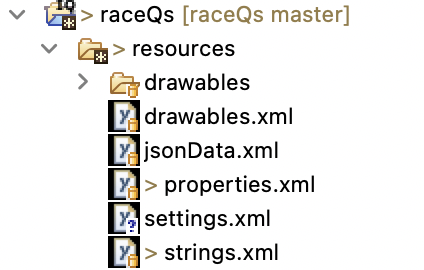
    a)initially in a separate settings.xml:

    b)Then I included them in the properties.xml, encapsulated in a <resources> tab - that was what got it working.

    I have tried relocating to a) and b)with no success.

    BTW, I get confused with the terminology:

    are settings AppBase.data or Storage.data?

    Here's my current properties.xml:

    <resources>
    	<properties>
    		<property id="enableTackAnalysis" type="boolean">true</property>
    		<property id="bowOffset" type="number">4</property>
    		<property id="boatName" type="string">Undefined</property>
    		<property id="cycleScreenBool" type="boolean">false</property>  	
    		<property id="enableCourses" type="boolean">false</property>  	
    		<property id="liveRunning" type="boolean">true</property>  
    		  
    	</properties>
    	<settings>
       	<setting propertyKey="@Properties.enableTackAnalysis" title="@Strings.enableTackAnal"  > 
         	<settingConfig type="boolean"/> 
       </setting>  
       <setting propertyKey="@Properties.cycleScreenBool" title="@Strings.cycleScreenBoolString"  > 
         	<settingConfig type="boolean"/> 
        </setting>  
       <setting propertyKey="@Properties.bowOffset" title="@Strings.bowOffsetSettingString"  > 
         	<settingConfig type="numeric"/> 
        </setting>       
        <setting propertyKey="@Properties.boatName" title="@Strings.boatNameSettingString"  > 
         	<settingConfig type="alphaNumeric"/> 
        </setting>     
        <setting propertyKey="@Properties.enableCourses" title="@Strings.enableCoursesString"  > 
         	<settingConfig type="boolean"/> 
        </setting>  
        <setting propertyKey="@Properties.liveRunning" title="@Strings.liveRunningString"  > 
         	<settingConfig type="boolean"/>  
        </setting> 
          </settings>
       </resources>

  • It would be a project that fails in the same way but doesn't have any of the code that you don't want to share and that we don't need to see.

    The sample ApplicationStorage project didn't fail. I only have one project and two older versions of the app also fail. Any suggestions where to look for one?

  • Here's an interesting result.

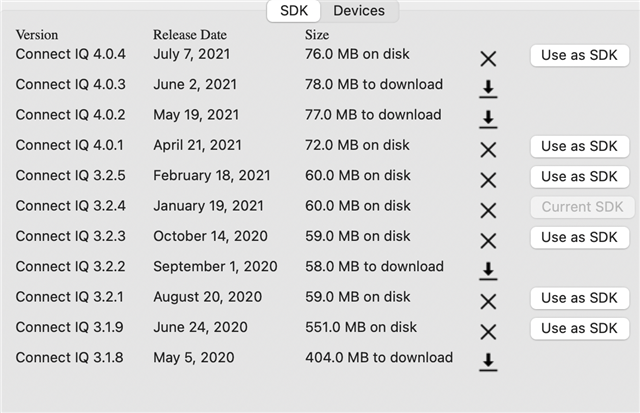
    when I change SDX to 3.2.4, the settings appear. 

    And when I change back to 4.0.4 Which is where I was when it was failing) they also appear.

    Curioser and curiouser!

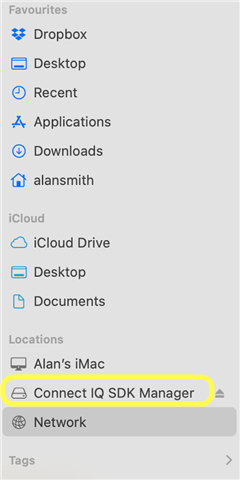
    There's something off about the new SDK which is getting installed as a file system in my /Volumes folder.

    Previous SDKs were running from my downloads folder. 

    Still it's back working co I can return to my project work (after 2 days in limbo). 

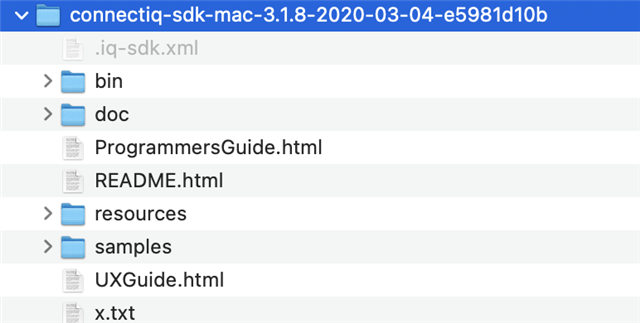
    BTW in the previous SDK, the samples were packaged with the SDK. 

    I don't see any samples in the SDK 4 package.

  • are settings AppBase.data or Storage.data?

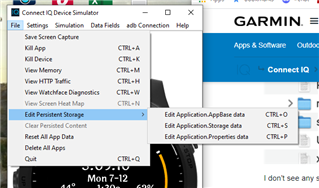
    As I mentioned originally, you edit app settings in simulator by selecting Edit Application.Properties data. I'm not sure why you don't have that option in the simulator. Testing this briefly in Windows, I see this option whether or not the currently running app has properties/settings. My simulator version is 4.0.4.

    The sample ApplicationStorage project didn't fail. I only have one project and two older versions of the app also fail. Any suggestions where to look for one?

    The point was that you could try to cut down your project in such a way that it still fails but you're able to share the project without sharing anything you don't want to share.

    Still it's back working co I can return to my project work (after 2 days in limbo). 

    Great!

    I don't see any samples in the SDK 4 package.

    In Eclipse, try selecting Connect IQ (from the menu) > Samples, when Connect IQ 4.x is your selected SDK.

  • As I mentioned originally, you edit app settings in simulator by selecting Edit Application.Properties data. I'm not sure why you don't have that option in the simulator.

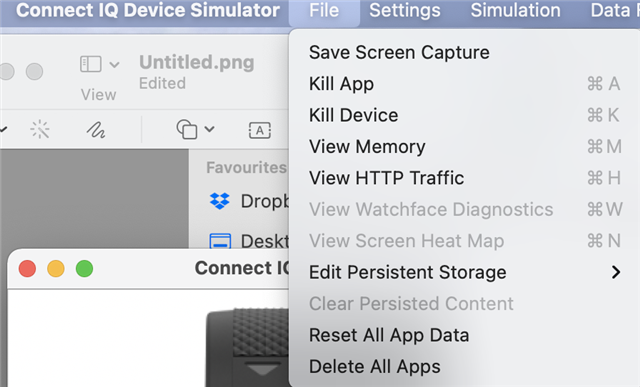
    Nope, not there:

    In Eclipse, try selecting Connect IQ (from the menu) > Samples, when Connect IQ 4.x is your selected SDK.

    OK, found it... old dogs...new tricks, thanks. 

    Still it's back working co I can return to my project work (after 2 days in limbo). 

    Great!

    Once bitten... I suspect I haven't heard the last of this.

  • Nope, not there:

    I meant (as I said originally):

    File > Edit Persistent Storage > Edit Application.Properties Data

    I see from your other screenshot that you don't have it in any case. I have no idea why that's the case but it shouldn't be a problem for you since you can use the app settings editor.

  • It wont be in the sim with an older SDK.  If I recall, app setting in the sim first came out with the 4.0.3 SDK.

  • It wont be in the sim with an older SDK.  If I recall, app setting in the sim first came out with the 4.0.3 SDK.

    The OP says:

    "Mac, Eclipse, SDK 4.0.4"

    And they posted the following screenshot (presumably before they switched back to an older SDK):

  • Even if the app doesn't have app settings (this WF uses on device settings), I see the option.

    Maybe the 4.0.0 SDK is being used, but maybe the sim is an older version and wasn't restarted after switching SDKs.

    Help>About in the sim will show the version of the sim that's running.  You also want to be running the 4.0.4 Eclipse Plugin.

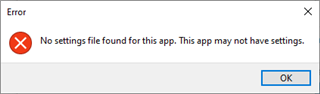
    If I click on Edit Application.Properties, I get this:

    Which is true in this case.