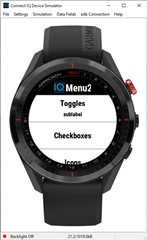
App causing device reboot

Hi,

A user using an s62 reported their device rebooted when they change the run autopause setting in my app. Doing this saves true or false to a key in storage and then pops the menu view.

I am not explicitly checking for 'has' storage before doing this save.

I've asked them to try saving other settings to see if it is a storage issue, and asked for the err_log.txt file if there is one and the ciq and software version.

I can't recreate on the simulator.

Anything else I can do to pin it down, or anything obvious I might be doing that I shouldn't. Will share the code when I'm at a pc, but it's only a couple of lines to save the value then pop the view.

Thanks 

  • The same happens when this user tries to save the auto-lap preference. This value is an integer rather than a boolean.

    Versions:

    Watch is V2.50

    Connect IQ is 3.0.12

    This is the code:

    //**Create and push the view**


    var menu = createAutoPauseMenu();
    WatchUi.pushView(menu, new AutoPauseMenuDelegate(), WatchUi.SLIDE_UP);


    function createAutoPauseMenu(){
    var menu = new WatchUi.Menu2({:title=>"Auto Pause"});
    menu.addItem(new WatchUi.MenuItem("Off", null, 0, null));
    menu.addItem(new WatchUi.MenuItem("On", null, 1, null));

    var currentSetting = AppConfig.isAutoPauseEnabled();
    var itemIndex = menu.findItemById(currentSetting ? 1 : 0);

    if(itemIndex>=0){
    menu.setFocus(itemIndex);
    }

    return menu;
    }

    //*** The Menu delegate which sets the value:***

    class AutoPauseMenuDelegate extends WatchUi.Menu2InputDelegate {

    function initialize() {
    Menu2InputDelegate.initialize();
    }

    function onSelect(item) {
    AppConfig.saveIsAutoPauseEnabled(item.getId()==1 ? true : false);
    WatchUi.popView(WatchUi.SLIDE_DOWN);
    }
    }

    //*** The function to save the value to storage:***

    public function saveIsAutoPauseEnabled(autoPause){

    Storage.setValue(MapperApp.AUTO_PAUSE_KEY, autoPause);
    mIsAutoPauseEnabled = autoPause;
    }

  • CIQ causing a device crash isn't that common, but can happen.  When the device crashes, you'll see an err_log file in \garmin\debug.  Garmin folks are the only ones that can really understand those, so I'd send that along with a zip of your project, with a reference to this thread to [email protected]

  • I have obtained the logs and dropped an email to the email address above.

    I looked at another thread where someone indicated they had a similar problem seemingly caused by public constants in one of their 'base' classes, so I moved all my constants out, but it made no difference to the problem.

    This in itself seemed odd, but clearly it's unexpected so it could be anything causing the issue.

  • I was just about to post my user a copy of the Menu2Sample project to test on his S62, but I notice it doesn't list that as a supported option. Why is that? The S60 is supported.

    Is there a known issue with the S62 and Menu2, or some other reason?

  • The Menu2sample just doesn't have the S62 as a target.  Add it and it runs

  • The user has very kindly run a number of tests for me, including with a minimal app (one app class, one view and a couple of delegates) and it still crashes (but doesn't reboot) his watch)

    I have uploaded the minimal app source to https://www.dropbox.com/s/jj5i236nsmtb7yd/source.zip?dl=0 

    If anyone is willing to eyeball it and see if they can spot the issue, that would be very much appreciated.

    The Menu2Sample works fine on his watch.

    His comments:

    ---

    Minimal App - Menu (middle) button gets Auto Pause; select highlights On or Off; does not cause reboot; pressing Back (bottom) button gives IQ screen with an !; pressing Back again takes you to the App Select menu and i can choose Mappily again

    ---

    Selecting an item does not exit the menu on his watch (but it does on the simulator). Should I return false, or pop the view (both of these caused a reboot on his watch in my full application)

    Why does pressing back crash the app? For the record, I have tried menu and menu2 with the same result.

    I'm clearly doing something wrong, but I just can't see it. 

    Really appreciate any help at this stage.

  • There is a difference between Menu and Menu2 when it comes to something being selected.

    With Menu, the menu closes.  With Menu2, the menu remains open, and you can set an item's label/sublabel, change the toggle state, etc, and you want to have code for onBack() that pops the menu.

    The delegates for Menu and Menu2 are also different.

    Are you sure you sent the same Menu/Menu2 version to the user and the user has it installed correctly?

  • With Menu2, the menu remains open, and you can set an item's label/sublabel, change the toggle state, etc, and you want to have code for onBack() that pops the menu.

    If you don't provide an onBack() handler in the Menu2 delegate, the view will be popped automatically when the user presses back. That's what the docs say, and the simulator reflects this behavior, too.

    [https://developer.garmin.com/connect-iq/api-docs/Toybox/WatchUi/Menu2InputDelegate.html#onBack-instance_function]

    onBack()

    A Menu2 Back key was pressed. If this method is not overridden, it will pop the active view.

  • I can consistently see a crash in the sim with any target if I have Simulation>Fit Data>Simulate data

    Here's the console output:

    Error: Symbol Not Found Error
    Details: Could not find symbol 'onPosition'
    Stack:
    - onPosition() at C:\Users\James\workspace-prod\Mappily\source\MapperApp.mc:111 0x100002ad

  • You're right,  I usually have onBack be the place where I save things away