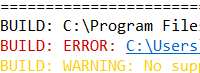
From some time I don't have link to build error. Previous I had a link and simple clisk it and go to source code. Now I have to clic proper source tab then ctl+L and to line... What has happened?
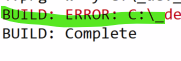
From some time I don't have link to build error. Previous I had a link and simple clisk it and go to source code. Now I have to clic proper source tab then ctl+L and to line... What has happened?

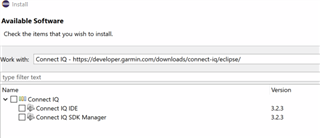
What plugin version are both of you using?
3.2.3. I was unable to find any updates to the plugin (but maybe I didn't check properly?) I don't use CIQ in Eclipse regularly anymore, ever since VS Code support was added (and also because I haven't really been developing regularly these days.)

How do I check it? I can' find command to show such windows like FlowState.
Only something like but it's not ttre I have 3.2.5

Can use VS? Is any doc how to use it?
You can use VS Code, but it's not feature-complete yet.
- There's no application settings editor
- Several things (like editing app properties) are currently harder to do in VS Code (there's no App Manifest Editor), as they're modelled as a series of questions and answers using VS Code's main dropdown control, which is fine (IMO) for 1-2 questions, but anything more than that deserves a dedicated view/page.
Hopefully some of these things will improve in the future. (I've made a request to add an app properties view, similar to the Eclipse manifest editor, or VS Code's C/C++ project properties view.)
- If your app constantly sends output to the console with System.println(), the console window will steal the focus and you won't be able to do anything else in VS Code
Other than those things, I'm pretty happy with Monkey C in VS Code.
The way you use VS Code is to install the Monkey C extension:
1) CTRL/CMD-SHIFT-P > "install extensions"
2) Search for "monkey C" (from Garmin, not the 3rd party "monkey C" extension).
3) The extension page has all the other instructions you need.
Or use this link: