


Is any file/web site to read about news?
According to previous post I should rebuild all ap to CIQ 3.2.5, yes?
Is any file/web site to read about news?
According to previous post I should rebuild all ap to CIQ 3.2.5, yes?
In the SDK itself is a file called readme that has every change log for every SDK version.
ok, I've found it.
There is info:
File I/O operations such as calls to loadResource() in onPartialUpdate() will now trigger a call to onPowerBudgetExceeded().
1. What kind of other file I/O cause onPowerBudgetExceeded?
2. loadResource string now trigger onPowerBudgetExceeded? How to load name of day/month in midnight when devices is in low power mode? Do I have to wait to high power?
ok. I've checked there is no onPowerBudgetExceeded but probably I load string early in high power and they are in memory after first load.
btw, how to load string
strings:
<string id="MBX_1">Exit?</string>
<string id="MBX_2">Sure?</string>
...
using function getString(type,int)
{
//e.g. type = "MBX_" int=1
......?????
should return "Exit?"
}
I know that I can build array/dictionary but I'd like to avoid add new string to array after add it to resource. Something simplest 
ok, it's rather impossible
onPowerBudgetExceeded in a funtion in a watch face delegat that will also get called in the even you are using more than a 30ms average in onPartialUpdate()
Here's an example of that delegate:
class SLeanDelegate extends Ui.WatchFaceDelegate
{
	var view;

	function initialize(v) {
		WatchFaceDelegate.initialize();
		view=v;
	}

    function onPowerBudgetExceeded(powerInfo) {
        //Sys.println( "Average execution time: " + powerInfo.executionTimeAverage );
        //Sys.println( "Allowed execution time: " + powerInfo.executionTimeLimit );
        view.do1hz=false;
    }
}
You specify the delegate in getInitialView() like this:
    function getInitialView() {
    	view=new SLeanView();
		if( Toybox.WatchUi.WatchFace has :onPartialUpdate ) {
			view.do1hz=true;
			view.canDo1hz=true;
        	return [view,new SLeanDelegate(view)];
        } else {
        	return [view];
        }
    }
I pass the view to the delegate so it can change the do1hz variable, which in turn is used in the view to see if 1hz is available.
I know how to do it but remove tit o memory saving. But delegate do nothing, it's only information but system doesn't run wf in onPartial independent on there is or no delegate.
I have seconds im wf so I can see that on partial still is called

What kind of other file I/O cause onPowerBudgetExceeded?
At this time, a single call to any of these functions from onPartialUpdate on a simulated device with 2.3.0 SDK or later will result in your the budget being exceeded at the end of the minute.
You will get away with it on physical devices up until version 3.2.5, but you shouldn't do it.
loadResource string now trigger onPowerBudgetExceeded?
Yes. We found many watch faces were doing this every second, and that is a significant drag on the battery.
How to load name of day/month in midnight when devices is in low power mode? Do I have to wait to high power?
Load the resource/setting when you're not doing a partial update (in onPartialUpdate or a function called from it). Most normal watch faces can do this in AppBase methods initialize, onStart, or getInitialView; or WatchFace methods initialize, onLayout, onShow, or onUpdate.
You can typically cache the value when onUpdate is called and display that until the end of the current minute. If you have existing code that is called from both onUpdate and onPartialUpdate you can use a flag to indicate that you're in a partial update and then use this flag to avoid the file I/O.
If you find that these requirements are too restrictive, please let us know.

I've checked and there is no error but everything depend on moment of time.
I call drawTime always (onUpdate and onPartial) but I check if minutes/hours changed and than load string so, becouse onUpdate is called every minutes maybe it hit that time is change in onUpdate but i've observed that onUpddate it calle in 58th or 59th seconds not when 0th.
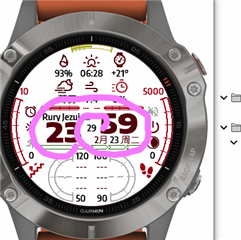
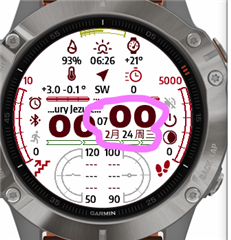
so after load string seconds still changes in onPartial
I have the error described in
So if wf goes sleep and system call during sleep onUpdate can I use loadResource?
What about background? If there is sleep mode and background will use storage.setValue, will system raise error?
I this limitation concerns background?
If yes, how background
- can be informed that is in lowpower to not use storage
- can read data which is need to obtain data (now my app use storege.setValue and background use storage.getvalue)
