Assuming you're using a recent SDK and have downloaded the device files for the fr745...
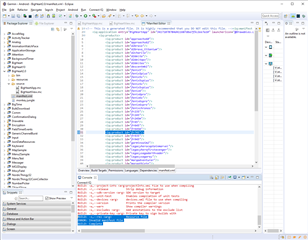
If you're using eclipse, you just double-click the manifest.xml in the Project Explorer view, select the Build Targets tab, check the box next to the Forerunner 745 device name, and then save.
If you're doing command-line stuff and avoiding eclipse, you can just edit manifest.xml with a text editor and add a <iq:product id="fr745"/> entry.
You're using eclipse... Why are you not following the instructions that I provided for that case?
If you go to the Build Targets tab and you don't see a Forerunner 745 entry, then probably need to update your ConnectIQ plugin and use the SDK manager to download the fr745 device configuration files and possibly download a 3.2.x SDK.
Yes, since the 3.2.1 SDK came out a few new devices have been added - not just the 745 - and it sounds like the devices are out of date. Use the SDK manager to get the latest devices..
On the eclipse screen shot that was posted, there's a tab at the bottom for "build targets", and that's the easiest way to add a new target, as you get a list with check boxes for targets (that are known from the latest devices that were downloaded) and does other things like gray out edge devices if you're building a watch face so you don't make a mistake there.
Working on Mac OS, I downloaded the newest SDK & device files with the SDK manager (3.2.3). When I build the simplest default watchface w/ eclipse for fr245, everything works (build target set to 3.2.x minimum). I can see fr745 greyed out in the radio button list but cannot select it. When I set 3.1.x as minimum app SDK, the build target allows me to select fr745 but then, at runtime fr745 is unresolved -> error in the console.
I can see in the console that the 3.2.3 SDK is being picked up.
1) The entire app manifest (you may wish to redact the app id)
2) The entire build log
I haven't had any problems building simple or complex data fields for 745. I also haven't had any problems with building a test watchface for 745 (using a target of 3.1).
Thanks - piecing together what y'all have been saying here, I did the following in a complete, new from scratch install.
downloaded CIQ 3.2.3 and made that the default SDK via the SDK manager
made sure that the SDK manager is running when I start eclipse
creating the simple default watch face, I made sure I select 3.1.x as the minimum SDK level
this lets me select the 745 as the build target - if I select 3.2.x as the minimum, I cannot select the 745 even though the SDK 3.1.x does not support the 745 ... I fail to understand any logic in this
Once I run with a configuration that also selects 3.1.x as minimum (even though 3.2.3 is the default via SDK manager) ----> Voila ! I get a 745 watchface in the device simulator
Seems like I have a basis from where I can take things further.