
EFFICIENT DETECTION OF VALID STRING vs NUMERIC FONTS

You might be aware that the valid characters in NUMERIC fonts vary by device. Ugh.

There does seem to be a common subset of 14 characters that work with all devices.

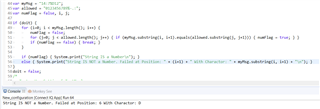
This nested loop is the only way I know of to test a given string to see if it is a candidate to use a numeric font, that works across all devices.

I'm wondering if this is the most efficient - in terms of compute load. Too bad there isn't a simple API call to test a string for valid use against the numeric font set (or even for any given font - say you have a custom font with a filter - would be SO useful to test a string for validness).

value = isValid(Font, string)

Oh well
  • It's not only by device, this can also vary by font on a device.  The characters included tend to be based on how that font is used by the FW.  An example would be nsew, if they are used in relation to a compass with that font, they are available.

    One trick I've used is with dc.getTextWidthInPixels() for something like the degree character.  If the character isn't available, the result will be 0, though that won't always work, as you might get the width of the "unknown" character used by the font.

    The simplest solution is skip checking the number fonts if you are using a character that's not in all the number fonts and stick with text fonts.

  • Yeah - true... I write a lot of data fields for performance-related fields for cycling and running. Many of these often display numbers or times. So using numeric fonts is really nice as those are larger than the text fonts. But in some cases, I display short alert messages and then need a reduced sized text font. So I really need to test the message characters. Oh well, I'll do some testing and see how this works out. THANKS Jim.

  • But in some cases, I display short alert messages and then need a reduced sized text font.

    If this is the case, then there is a point in your code where you know that you're displaying an alert message versus numeric data. It seems you just need to provide the font (or list of fonts to try) to your display code at that point.

  • I'm doing this for IsNumeric testing, it's similar to what you do, except that I don't loop the allowedChars but have the characters hardcoded. It costs a bit more memory but cpu-wise I expect this to be less costly. 

        function isNumeric(value) {
            if (value == null) {
                return false;
            }
            for (var i = 0; i < value.length(); i++) {
                var x = value.substring(i, i+1);
                if (!(x.equals("0") || x.equals("1") || x.equals("2") || x.equals("3") || x.equals("4") || x.equals("5") || x.equals("6") || x.equals("7") || x.equals("8") || x.equals("9"))) { 
                    return false;
                }
            }
            return value.length() > 0;
        }

  • I know this post is super old, but I wanted to chime in with my own implementation, which uses toCharArray (available since CIQ 1.3, which IIRC excludes only Epix) and not substring.

    Might be slightly more time-efficient since it doesn't have to make an explicit comparison with every numerical digit. Might also be slightly more memory-efficient due to less code -- e.g. no use of String.equals, no need to check each digit separately, use of char literals instead of strings, etc. (Assuming you do an apples-to-apples to comparison with regards to which chars the code checks for -- i.e. numbers only vs. numbers plus other symbols that are present in number fonts.) i.e. If you changed the code below to only check for numbers, then it would definitely be less code than the other example.

    Then it again, it does have to make a copy of the string, so it's hard to say which method wins out in the end, overall.

    // insert hardcoded device logic from jungle here
    // (e.g. many non-Edge devices support spaces in number fonts)
    var numberFontSupportsSpaces = ...; // true or false
    
    function canRenderWithNumberFont(str) {
        var c_array = str.toCharArray();
        var c_size = c_array.size();
        for (var i = 0; i < c_size; i++)
        {
            var c = c_array[i];
            if (!(
                (c >= '0' && c <= '9') ||
                c == '#' || c == '%' ||
                c == '+' || c == '-' ||
                c == '.' || c == '/' ||
                c == ':' || c == '°'))
            {
                return false;
            }
        }
        return true;
    }

    EDIT: There's obviously missing code to do with numberFontSupportsSpaces, but the forum won't let me edit the code block to include it.

    The missing test is:

    (c == ' ' && numberFontSupportsSpaces) ||

    Here's the whole thing on pastebin: https://pastebin.com/ggcGpUpD