session.save() reports "Failed"

If I execute $session.save(), it returns true, but the watch displays "Failed" even though the FIT file is generated.

This is what I'm using, on the assumption the stop and save functions are asynchronous:

if ($.session.stop()){
	System.println(" Stop Session - SUCCESS");
	if($.session.save()){
		System.println(" SAVE Session - SUCCESS");
		$.session = null;
	}
}


The app logs: 

 Stop Session - SUCCESS
 SAVE Session - SUCCESS

but the watch displays Failed:
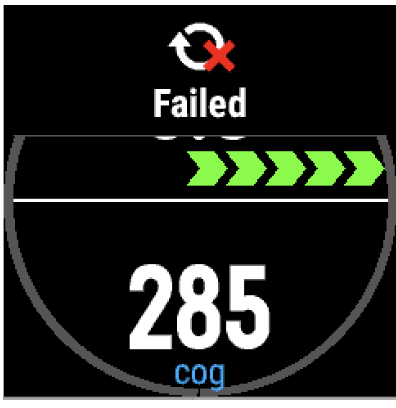
But the FIT file is written. 

However, the file is not synced to the phone until the app terminates, so I suspect the "Failed" message refers to the sync failing, not the writing of the FIT file.

Running on Fenix5 CIQ 3.0.1, iPhone6 GCM 4.24

[UPDATE]

When running the same code on a VA-HR, it reports no error, but when attempting to sync with the iPhone5 with the app still running, GCM reports

"Your device seems to be busy, and your sync request timed out. Try again later."

Supports the theory that the F5 is reporting its inability to sync with GCM while the app is running. Looks like a bug to me.


  • That's not that the save failed, that's what you see when the sync failed.  Could be it disconnected from your phone during the sync or other things interrupted the save.

    Usually your fit will be transferred the next time the watch/phone sync unless there another problem, but it will keep trying. Your app running shouldn't really have any impact.

  • You suggest "Could be it (A) disconnected from your phone during the sync or(B)  other things interrupted the save." 

    I think not (A). Why would it disconnect?

    And (B), I wonder what "other things" I get a 100% repeatability, so it doesn't look like a hiccup or interference.

    And yes, once I stop the app, it does sync eventually. It's just that the "Failed" message is upsetting to the user and will cause me support grief.

  • It's likely (A) where you get out of range or the Sync get's confused.  Either way your fit should be fine when all syncs correctly.  This is not uncommon.

  • A.1 "out of range": No, the phone is next to the watch and GCM is connected to the watch. 

    A.2 "Sync gets confused": Then it must be confused all the time, as the result is 100% repeatable.

    And no, it's not fine at all that the FIT file is OK and eventually sync's. It reports "Failed" which indicates a problem.

    I think it's a bug in the F5.