
This discussion has been locked.
You can no longer post new replies to this discussion. If you have a question you can start a new discussion

[Up Ahead] - Don't works correctly

Hi,

Two race using navigation and up ahead with missing data

I use garmin connect to set the kms and the type of point, but when race start, the watch start to beep, beep, beep and go skipping all (or almost) data points.

The las race from 19 datapoints only worked 1 and finish line...
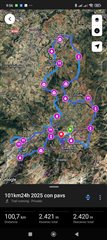
Every 5 kms (aprox) there is a data point

Before start the race, all data it's available

But only 2 data points of 19 works

Please fix this

  • please don't forget this

  • Hello,

    This was never reported to Garmin Support so this is not a fix in the newest release. The concern is that before you start the race the way points have dashes? They should be telling you how many miles until those way points correct? 

  • Hello

    The first photo shows all waypoints added in Garmin Connect

    Before starting the route, all the waypoints appear, displayed with dashes (second photo) at this point all is okey.

    Once the route is started, it should show the kilometers until the next waypoint, but this isn't the case. It starts beeping and skips many waypoints. This is the problem

    In the third photo, you can see that, although there is a waypoint every 5 km (approximately), the waypoint at kilometer 51.89 and the finish line is displayed.

    About 16 waypoints were lost right at the start of a 100-km route.

    The same thing happened to me on another 70-km route in October last year.


  • Waypoints are created through Garmin Explore, we do not have way points in Garmin Connect when creating a course. Are you meaning saved locations? Or how did you create these locations to be saved? 

  • ???  In the course editing map on connect.garmin.com hovering over the course like prompts "click the course line to add a waypoint" and clicking sure seems to do so!

    Edit: but these don't seem to allow naming.  There is another feature in the editor called "add a course point" that lets you similarly click and then give it a name and choose a type like point, distance, marker, info, service, or aid stations.

  • https://connect.garmin.com/modern/courses I upload a file, and click edit

    On the top of the map, I see this links: 

    Loop to start 
    Round trip 
    Reverse direction 
    Add waypoint

    and undo and redo buttons

    Sorry if not exactly, but I translate with Google

    Now I cant click on route a add a point, choose type of point (water, food, aid, etc) and when I save and send to my watch, points appears on track

  • Hello,

    I was not able to reproduce what you see on my Forerunner 255 in house. It has dashes for the check points before starting it and after and shows all of them, not just some. 

    Can you confirm that you see the course points with the dashes before you click top right and then after you click to start the activity they disappear? Are you able to get a video of that and upload here: https://supportforms.garmin.com/en-US/form/file-uploader/ - let me know when you have done that! More fluid to see it that way. 

  • Ok, I'll try to reproduce it

    I have this issue for long distance race (70km and 100km) I don't use this option when training

    I'll contact to you with video.

    Thanks :)

  • Video and photo uploaded.

    Before having a GPS signal, it showed all the points; afterward, only 2 of 19.