This discussion has been locked.
You can no longer post new replies to this discussion. If you have a question you can start a new discussion

Analog Iron Grit Watch Face

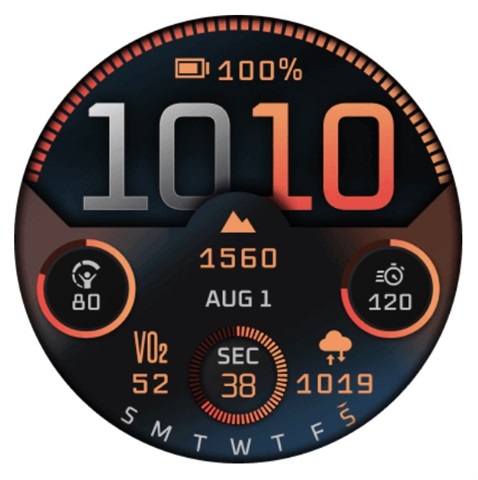
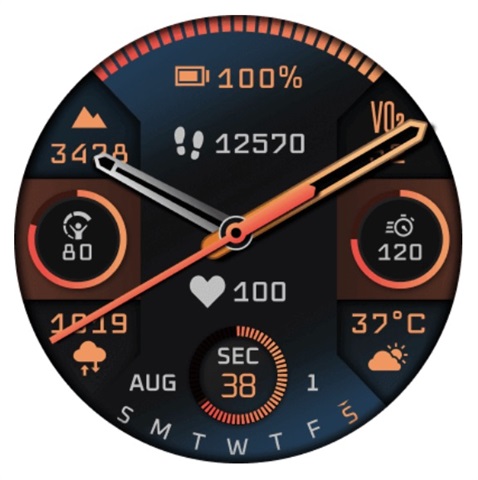
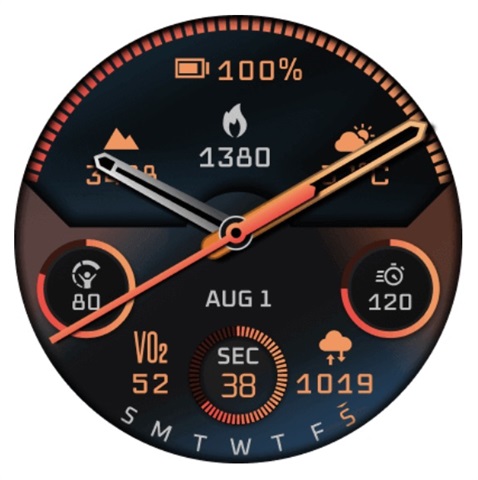
Am I missing some kind of hidden option on my Fenix 8? I was browsing the Connect IQ store and found this official Garmin watch face for sale (Garmin All Stars – fēnix 8 Iron Grit) with the options seen below (none of which I can find on my watch). Clearly Garmin has designed more options for Iron Grit, but where are they on my Fenix 8?
  • Former Member
    0 Former Member

    It's called a paywall. Disgusting move by Garmin.

  • It's not a paywall, by definition. 

  • Former Member
    0 Former Member in reply to 8532528

    You have to pay to access these GARMIN watch faces, when numerous Garmin watch faces used to be FREE on Connect IQ before the F8 were released, and watch faces that used to be included in multiple previous gen Fenixes suddenly aren't...but sure, defend Garmin on a 'definition'. Damn fanboys. 

  • I just don’t get it from a customer satisfaction perspective on a product that costs $1k+. People have been asking since launch for more/better (especially analog) watch face options, and you’re maybe willing to give Garmin the benefit of the doubt that they’re putting all their programming time into other features and bug fixes. But here is clear evidence that Garmin has spent the time to design 3 alternative options for their primary Fenix 8 face, but they haven’t bothered including it in an update. Maybe it all becomes a moot point if they include it in the 14.xx beta cycle, but it’s not a good look right now.

  • This analog is not part of the default watch face? To use the analog you need to buy an identical face? Does it then perform worse to stock?

  • I bought and deleted it. Garmin does have a great refund program.

  • This watch face looks nice. But it is extremely laggy with several seconds delay when turning on in always on mode or long pressing data fields. 
    And as with all IQ watch faces, settings are not available on the watch but only in the IQ app. The configuration menu is not visual as on the watch but rather „Data field 1“ or „analog 1“. To see the result of a change of settings, you have to save, then sync. Every time! 
    Not recommended!