Epix 2 Pro + HRM Pro Plus - steps not counted

Hi team.

Quick question: I have an Epix Pro Gen 2 and a chest strap HRM Pro Plus. Why if I took my watch from the wrist but use the HRM to run on the treadmill … the steps are not counted towards the total steps of the day? I get all the run dynamics (pace, time, distance) but not the steps on the total count of the day.

Thanks.

Top Replies

All Replies

  • the steps are not counted towards the total steps of the day?

    That's correct. Step counting Is wrist-based by design. The HRM Pro Plus does not transmit step data to the watch for daily totals, it only sends run dynamics during an activity.

    My guess why this is so? Garmin separates daily health tracking (like steps) from activity metrics (like pace and heart rate) to in order to avoid double-counting, maintain consistency, and prevent false positives.

    Top FAQs About the Activity Tracking Feature on a Compatible HRM | Garmin Customer Support

  • Step counting Is wrist-based by design. The HRM Pro Plus does not transmit step data to the watch for daily totals, it only sends run dynamics during an activity.

    This is not 100% true, and it's especially wrong in the context of OP's question / problem.

    Yes, in *most* cases, Garmin watches only count steps from the wrist. This was especially true in the past, before HRM-Pro existed.

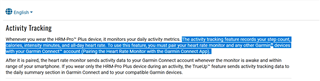
    But HRM-Pro, HRM-Pro Plus, and other newer chest straps from Garmin are an exception because they have the activity tracking feature (which is mentioned in the support article you linked). In this context, "activity tracking" means tracking of "all-day" activity (outside of timed activities), such as steps and all-day HR. 

    HRM-Pro Plus will record steps (and other "all-day" metrics such as HR and intensity minutes) when you are not wearing the watch - this includes steps taken during timed activities (when not wearing the watch) and outside of timed activities. In order to get these recorded steps (and other data) into Connect and back on your watch, the HRM-Pro Plus has to be paired with the Connect app on your phone. 

    For example, I record a timed activity when I play basketball:

    - I do not wear my watch (FR955)

    - I do start a timed activity from my watch

    - My HRM-Pro Plus chest strap is paired with my watch. I wear the strap during the activity and stay within range of the watch so HR is recorded *during* the activity. As usual, steps are not recorded during the activity, because *during* an activity, the only accepted source for steps is the watch

    - Since I am not wearing my watch, the HRM-Pro Plus also records steps during this time

    - After I finish my activity, I open Connect and allow the chest strap to sync with Connect. This syncs steps from the chest strap to Connect. (Steps in Connect are updated immediately)

    - The next time I sync my watch with Connect, the updated steps are synced to the watch

  • So, actually, counting steps while not wearing the watch is one of the primary features of the HRM-Pro Plus. It's the only (modern) way to track steps to be counted in Connect (and on the watch) other than by wearing the watch itself. I think years ago, there was some Garmin pedometer that performed a similar function, but that's not really relevant here.

    It's too bad that support article doesn't really explain any of that. But the HRM-Pro Plus manual does:

    https://www8.garmin.com/manuals/webhelp/GUID-57B75051-8E96-44B8-A89E-470B3E3BCD32/EN-US/GUID-CEEC9876-F0F8-488B-9E6D-6D79802E66BC.html 

    If it's not working for OP, I can think of a few possibilities:

    - OP wore the watch during the activity. But they said they didn't, so that's probably not it

    - OP did not pair the strap with Connect

    - There's a bug somewhere. In my case, for a while, steps were not recorded/synced by the strap when I played basketball, even though I don't wear my watch during games. Based on some forum posts, I guessed that it was because of a quirk/bug where steps would not be recorded by the strap if the strap was connected to the watch, unless connectivity was interrupted at some point during the activity - e.g. by moving out of range of the watch. At some point this bug was fixed (I think), and I get steps consistently when I play basketball

  • TL;DR Actually HRM Pro Plus can and should count steps while the watch is not being worn. In general it records "activity tracking" data like steps, calories, intensity minutes, and all-day heart rate and syncs them to Connect, to fill in any gaps when the watch was not being worn (including during a timed activity).

    You do need to pair the watch with the Connect app on your phone for this to work. And you do need to not be wearing the watch during the time you would like activity tracking data to be recorded.

  • in order to avoid double-counting

    In the case of (all-day) "activity tracking" in straps like HRM-Pro Plus, Garmin avoids double-counting by only recording (or syncing) stored data from the strap which was collected while the watch was not worn.

    Ofc this doesn't really explain why Garmin never allowed steps to be counted from a footpod in the past. My guess is that when they added step tracking to watches about 10 years ago, they wanted to push these new watches, so they required that the only source for steps could be the watch itself (or that old Garmin pedometer product that no longer exists afaik, and which was only for corporate customers anyway iirc). And I think the restriction stuck even though every new watch since that point had the ability to count steps (so it was no longer a unique selling point). That's just my speculation, anyway.

    All these years later, they must've realized that users really do want to be able to track steps (and other all-day "activity tracking" metrics) while the watch is not being worn, so they added the "activity tracking" feature to the HRM-Pro and newer straps, in order to drive sales of the new straps.

    I think Garmin could still easily [*] accept steps from any old Garmin strap that supports cadence (i.e. the older running dynamics-enabled straps which don't support activity tracking, like HRM-RUN) or from any generic footpod, but they don't want to, because counting steps while not wearing the watch is one of the selling points of the newer straps.

    [*] meaning I think it's business decision, as opposed to a technical barrier

    EDIT: I will say that it makes a lot of sense not to use a footpod or older HRM strap for *all-day* steps, to preserve battery life for both the watch and the sensor. But there's no good technical reason that Garmin couldn't have accepted steps from a sensor during an activity imo (unless the goal was consistency - i.e. deciding not to accept steps from a sensor if it wasn't feasible to accept steps *all the time*)

  • @flowstate, thank you for the answer. Now my question is: How do I connect the HRM to my phone? When I see the activity at G. Connect app, I can see the HRM strap was used... but I think it was connected to the watch, not to the phone (don’t know how to confirm it).

    How can I connect it to the phone? Should I disconnect it from the watch first? 

    The idea behind using only the strap and putting the watch in a shelve in front of me... is to control the HR Zones while running. I thought I could do it... but steps are not counted.

    Thanks.

  • It should be paired with both the phone and the watch.

    The pairing with the watch is necessary for the "normal" functioning of the HR strap during activities (where it acts just like any other HR strap and provides real-time HR data to be recorded during the activity). For best results, I think the strap should be paired with the watch using ANT+.

    The pairing with Connect on your phone is necessary for syncing "activity tracking" data like steps that was stored while the watch was not being worn.

    How can I connect it to the phone?

    https://www8.garmin.com/manuals/webhelp/GUID-57B75051-8E96-44B8-A89E-470B3E3BCD32/EN-US/GUID-BA221E23-F925-42CF-955B-49FF84425B88.html 

  • On a side note, if you connect the strap to the watch during an activity (and record HR data in this way), but after the activity, the watch tries to download stored HR anyway, make sure to cancel this action by pressing the BACK button. I found out the hard way that if you let the watch download stored HR, it can corrupt the existing HR data in the activity. 

    I think this is likely to happen if you wear the strap while not wearing the watch, during an activity.