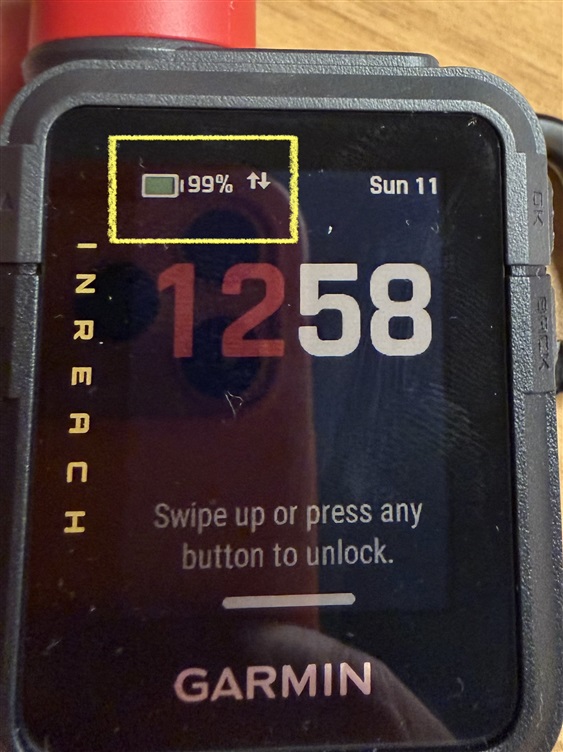
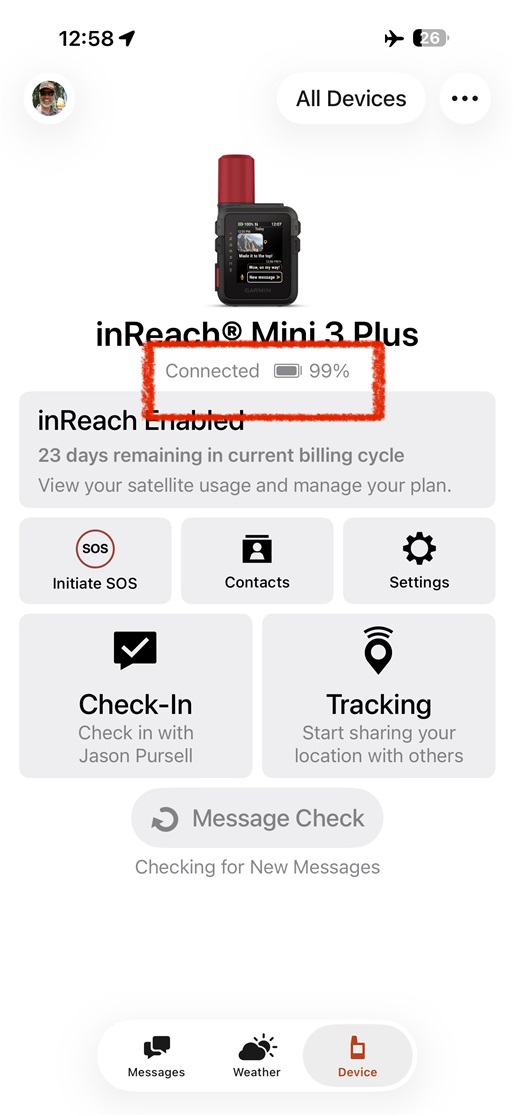
[UPDATE 1/11/26]: I've figured out what is happening and have updated the steps to reproduce below. This is a cosmetic/temporary bug only, but should probably be fixed because it could be encountered after charging the battery]
I also posted this in the InReach Mini 3 Plus forum, but posting here for visibility since it's probably a Messenger bug and not a device bug.
Garmin Messenger does not always show the same battery percentage as shown on device
Issue: The battery percentage shown in Garmin Messenger device status page is not always consistent with what is shown on the InReach Mini 3 device itself if the app is opened after the InReach battery was recently charged to more than what it was the last time Messenger connected.
Environment:
- InReach Mini 3 Plus
- iPhone (17 pro, iOS 26.2)
- Garmin Messenger app 2.6 (1423752)
Prerequisites: The InReach is registered and paired with the Garmin Messenger app.
Step to Reproduce:
- Close the Garmin Messenger app. It should not be open or connected to the InReach for the next step. Important step
- Let the InReach Mini 3 discharge to a lower battery level. I chose 90%.
- Now open Garmin Messenger app let it connect to the InReach. View the battery level on the status page. It should match the level of the InReach (e.g. 90%).
- Close the Garmin Messenger app so that is no longer connected to the InReach. Leave it closed for the next step. Important step
- Plug in and recharge the InReach battery to 100%.
- Once the InReach is fully charged unplug and start it if it's not already. Wait for it to boot up fully.
- Now open the Garmin Messenger app on the phone and view the InReach status page.
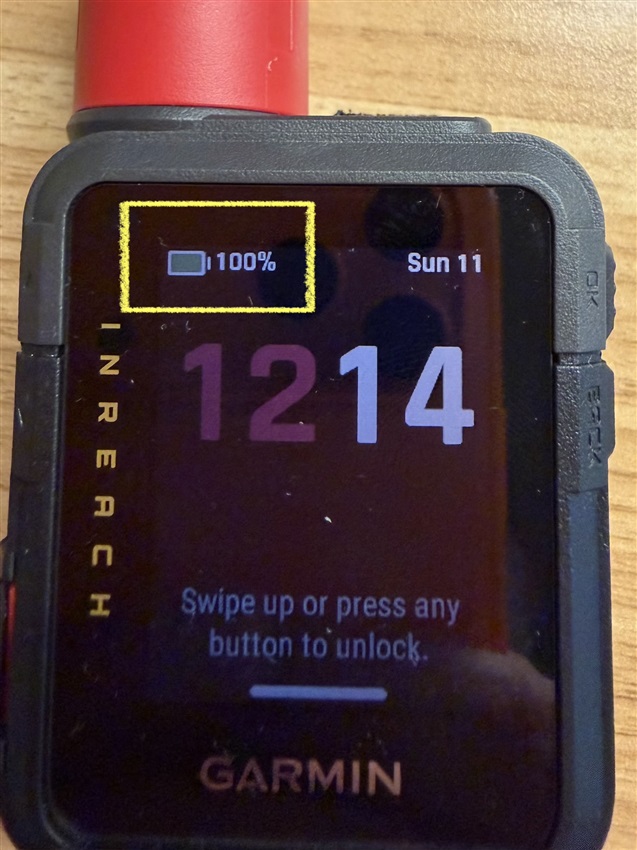
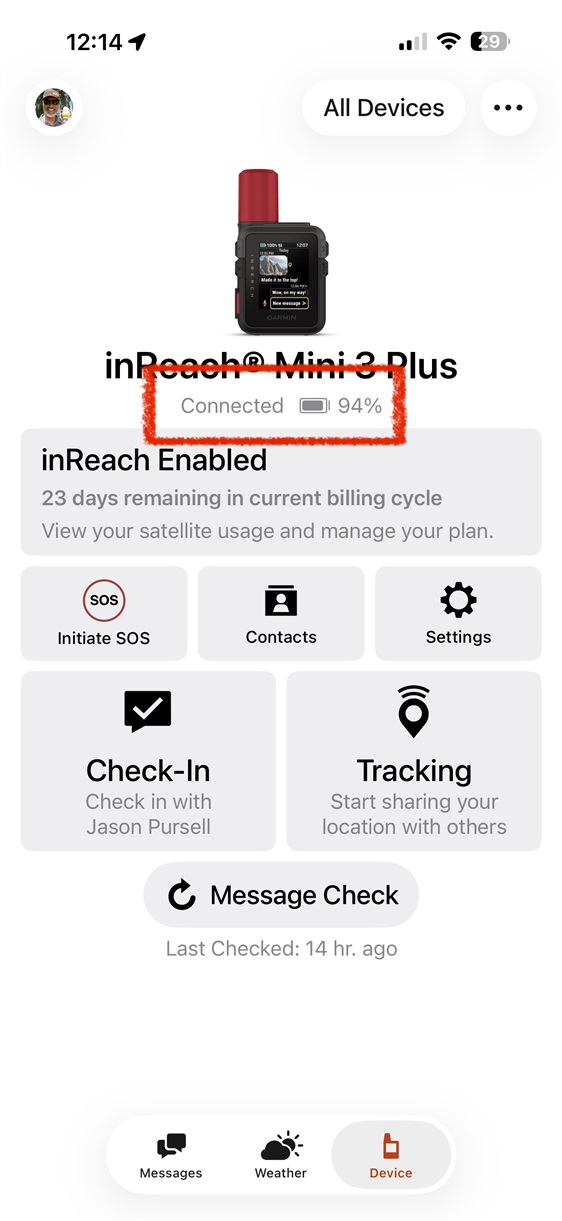
Observed: The battery percentage is lower in the Messenger app than it is on the InReach device. In my case the Messenger app read 94% while the InReach read 100%.
Expected: Battery level in the Messenger app is the same as on the InReach device.
Workaround/Mitigation:
Simply waiting for the InReach battery to naturally drain one percentage point on the device causes the app to "resync" and display the correct value again. In the example I used for the steps to reproduce both Messenger and the InReach would now show 99%.
NOTE: You can speed up this workaround in a couple of ways. 1. by setting your phone to airplane mode with no wifi and checking for new messages on the InReach while inside a building (to force faster battery drain). Or 2. you can close the Messenger app so that the InReach will be forced to use sattelite. After the InReach reaches 99%, reopen the app and it will show 99% too.
This is really just a cosmetic issue only. It is some kind of initialization/optimization bug where the messenger app is not setting the battery level to the new value after the InReach has been recharged while the app was closed. One interesting thing is that the Messenger app chose to display 94%, not 90% that it showed in step 3 of the Steps to Reproduce. Maybe that's a clue as to what or where the bug is?
These two images show the results after Steps to Reproduce:
These two images are after the "workaround" where InReach device's battery drained from 100% to 99%. Now Messenger shows correct value. I actually watched Messenger update in real time: