Hi all,
My only use case for Garmin Explore (because it's routing feature is far worse than others) is to use it as a history of where I have been. I really loved the way it showed the GPS tracks of all my activities on a single map. This allowed me to get a feel for how far different places are from each other, or the difficulty of one hike vs another.
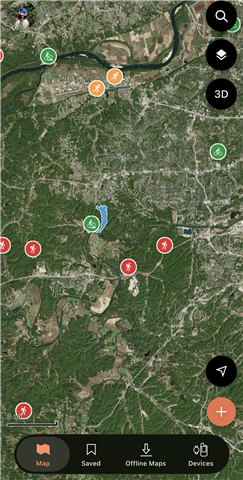
However, in the latest update Explore 4.16 Garmin apparently changed this to only show GPS tracks for the last seven days instead of all time, and now my map is clogged by giant icons.
Has anyone else had this happen? is there a way to return my app to displaying the useful gps tracks all together? Or even a toggle to choose which tracks are displayed in full. These giant icons scale weirdly, block each other, and don't allow me to really view my map.