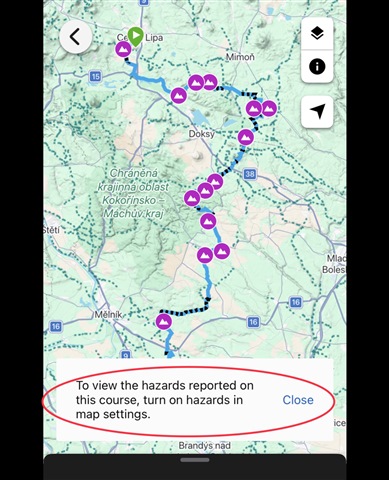
How do I stop showing this notification for every course I open?
I really do not need to see it everytime. Just once is enough.
How do I stop showing this notification for every course I open?
I really do not need to see it everytime. Just once is enough.

This is actually functioning as designed since there are hazards on that route. When I opened your course link provided the pop up you have showing in your screenshot does go away automatically in Connect…
I do not get any warning when opening the course in multiple browsers, or with the app. I guess you use one of the newer Edge computers. If so, then have a look not only on the layer settings on the Course…
so what device settings do you mean that might be related?
A Garmin Device. Most likely an Edge biking computer, since AFAIK only those support Hazards, although I do not exclude the feature was added to some recent watch models too.
This is actually functioning as designed since there are hazards on that route. When I opened your course link provided the pop up you have showing in your screenshot does go away automatically in Connect Web, however, since you have hazards disabled it is always going to show any time you open a course that has hazards to let you know you will need to enable that feature again to view them on that course.
OK, thanks... but I still find it very annoying - if I disable route hazards intentionally, I really do not need to be warned there are hazards again and again