This discussion has been locked.
You can no longer post new replies to this discussion. If you have a question you can start a new discussion

Can´t import FIT files in Gamin Connect Web

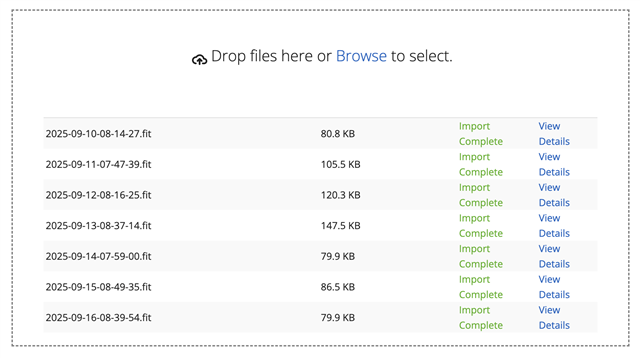
For several years I´ve been uploading FIT files from my Garmin to Garmin Connect Web manually (Import option). My garmin forerunner cannot synchronise (but I don´t mind about that at this point). Problem is from September 10th, Gamin Connect Web won´t import the FIT files. I click load and it does nothing. If this is not resolved I´ll have to buy another branch of watch. Because what´s the point having a Garmin when there´s no way of uploading your data?

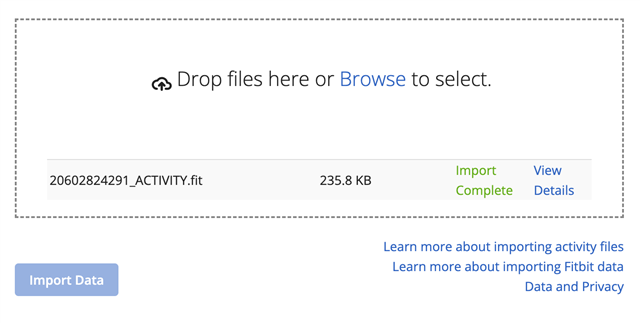
  • I tested the import and it works for me.

    Post a zipped FIT file so we can test it and see if it is the FIT file that isn't working or if it is a local issue in your browser.

  • 2025-09-16-08-39-54.zip

    I tested with several FIT files and didn´t work; so sent you a bunch of them just in case. I also tried with different browsers and didn´t work

  • All of them imported without any issues. What happens when you click the Import Data button?

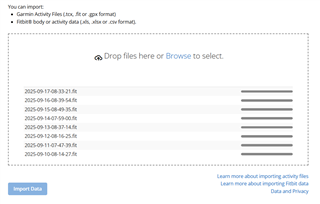
  • Nothing. It stays like this and does not import them:

  • Check the console in the browser for errors.

  • index__vendor__5.17.3.2.js:4 Deprecation warning: moment().add(period, number) is deprecated. Please use moment().add(number, period). See momentjs.com/.../ for more info.
    (anonymous) @ index__vendor__5.17.3.2.js:4Understand this warning
    index__vendor__5.17.3.2.js:4 Starting Backbone Router
    index__vendor__5.17.3.2.js:4 react-i18next:: It seems you are still using the old wait option, you may migrate to the new useSuspense behaviour.
    (anonymous) @ index__vendor__5.17.3.2.js:4Understand this warning
    o430870.ingest.sentry.io/api/5591783/envelope/?sentry_key=f0377f25d5534ad589ab3a9634f25e71&sentry_version=7&sentry_client=sentry.javascript.react%2F7.120.3:1 Failed to load resource: the server responded with a status of 429 (Too Many Requests)Understand this error
    index__vendor__5.17.3.2.js:4 Version: 5.17.3.2, 25.20.2.0
    Resources: 5.17.4.0
    index__vendor__5.17.3.2.js:4 Mon Oct 06 2025 12:15:11 GMT+0200 (Central European Summer Time) - Polling is teed up.
    index__vendor__5.17.3.2.js:4 Unknown message type: settings-change

  • Also this when trying to import: Failed to load resource: net::ERR_DNS_NO_MATCHING_SUPPORTED_ALPN

  • The error ERR_DNS_NO_MATCHING_SUPPORTED_ALPN might be something. I don't get that message when importing.

    "This error indicates a failure to find a matching Application-Layer Protocol Negotiation (ALPN) during the DNS resolution process. This may occur when the server doesn’t support any of the ALPN protocols requested by the browser."

    Have you tried using a different network? For example disconnecting your phone from Wi-Fi and then importing the file in the mobile web browser or connecting your computer to a mobile hot spot and then importing the file.

  • tried with a mobile hot spot and got the same (same error in Inspection as well)

  • A few other forum members have reported similar issues. One person mentioned switching from phone to desktop, though it's unclear if that actually solved it or was just a fluke - Problems uploading .fit file Manual Upload