This discussion has been locked.
You can no longer post new replies to this discussion. If you have a question you can start a new discussion

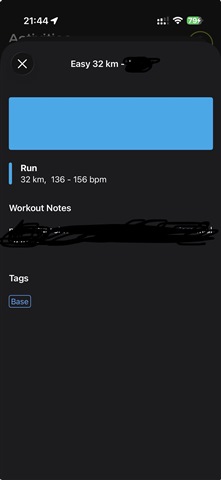
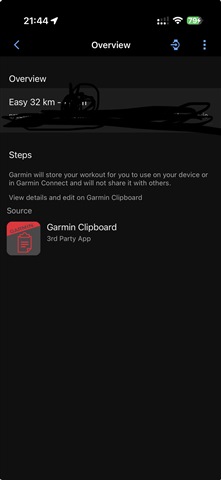
Cant see workout steps imported from clipboard app

Hi,

Since 2 weeks I am not able to see workout steps in Connect app in workouts imported from Garmin Clipboard app. Is there any known fix for that?
  • If you haven't attempted to check for updates in both apps, start by making sure you're running the latest versions. If you can, reply with the following information so I can get a better idea of what's going on.
    • What is the software version you're currently running for both apps?
    • Do you ever see a sync or error message?
    • Have you attempted to reboot your phone?
    • Is it possible you have more than one Garmin Connect account?
    • What types of activities are you recording that are going missing?
    • What is the make/model of your phone?
    • What is the OS version you have on your phone?

  • All apps and my phone are on the latest versions.

    connect - 5.23.11

    clipboard - 3.7.1 build 429

    no errors

    I tried to reboot several times 

    no, i have one acconut

    no activities are missing - workout instructions are missing from connect and are present in clipboard

    iphone 17 air

    Ios 26.4.1

  • Are other team members having this happen as well? 

    Once the workout is on the watch, do those notes show on the device? 

  • 1. No it is only me.

    2. Yes it shows all steps

    I think it started after I switched from iPhone 14 to iPhone Air

  • Ok. I do see that you are already working with support via email regarding this concern. Please continue working with them as I see they have already requested some additional information from you.