Garmin Livetrack Not Showing the Track on the Map

I push my Livetrack to my wife's and my email. The last two rides without any changes to connect or or anything else, when I pull up the Livetrack email and go to the link, there is no track presented. I''ve made no changes to connect nor my Garmin 830. Precise location services are turned on in the Connect (version 5.25) app. Looking at settings, all seems okay. What should I be looking at. The last two rides have displayed the attached image. 
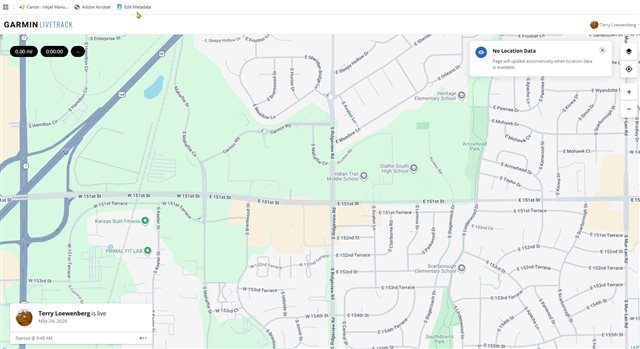
  • I can't help you, but I have the same problem.  Your map defaults to null location which is Garmin headquarters.  I've spent a lot of time with Garmin tech support over the past month or so, sending videos, screen captures, resetting every device, factory rests on Instinct Solar (1st ver) watch...nada!  My thoughts after all the hoop jumping is there is a server setting on my acc't that is at fault.  Hard to get tech support to that level.

  • Couple of questions:

    1. Did you (or your wife) look at the Live Track map while the activity was in progress, or was it over already when you checked it?
    2. In the second case - did you enable the Extend Live Track option (activity remains visible for 24 hours after the session ends)?
    3. Did you try moving the map to the actual location of your activity (for the case, that the track is there, just not in the focus)?
    4. Did you verify that the watch did not lose Bluetooth connection to the phone during the activity (either by looking at phone, and checking that the steps increment all the time, and the HR varies, or checking it on the watch - Controls » Phone Connection)?
    5. Isn't the phone mobile data limited in some way (i.e. disabled, over limit, throttled, unreachable,...)?
    6. Does the Connect app has the permission to use mobile data, or only WiFi?