This discussion has been locked.
You can no longer post new replies to this discussion. If you have a question you can start a new discussion

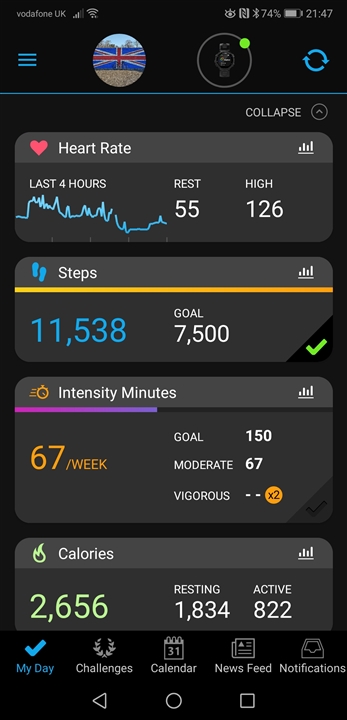
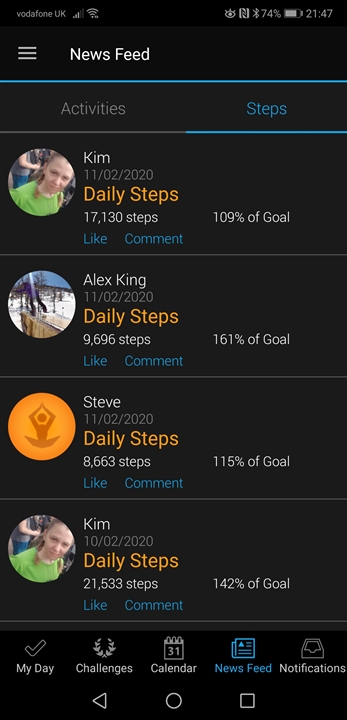
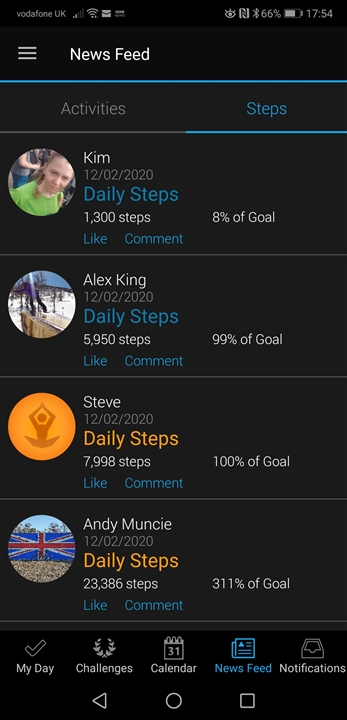
Garmin Connect News Feed not showing my steps

The other day I noticed that my step progress is not showing on the news feed like it use to.  I thought maybe something changed and your own steps weren't shown.  I looked at my husband's connect app (we have the same model phone) and his news feed shows his own steps, but mine aren't in his either.  The news feed shows my activities, but not my step progress.  I didn't change settings.  How do I fix this? 

  • My step goal is at 14260 right now (I believe it automatically adjusts: auto goal) and both storage & processing and device upload are both opted in and enabled.

    And I forgot to thank you. Thank you for you time to problem solve this! 

  • Thank you for you time to problem solve this!

    Hmm, for the moment, unfortunatelly, it did not help much, and I slowly stop getting new ideas. I forgot if you already wrote (and cannot find it now) whether your friend can see your steps in her News Feed.

    Possibly one of the last ideas to try - you could try adding a new contact, perhaps it would reinitialize the News Feed. And you can try also the exact contrary - disconnecting your friend, reloading the News Feed page to see whether it becomes blank, and then connecting her again. It could perhaps reinitialize the list too.

  • ... and you could also try enabling some of the Personal Records, Lifetime Total, Last 12 Month options in Privacy settings. At least for a day, to see if it does not start working. If it turns out to have no impact (what is well possible), you can turn them off again.

  • Former Member
    0 Former Member in reply to trux

    Well mine are not anymore for the last week I can see all my connections but not my own steps? Syncing is also becoming an issue over the last 3 days? I had steps before it done a sync this morning but they are NO STEPS in my feed.

  • Well mine are not anymore for the last week I can see all my connections but not my own steps?

    As already wrote, if you have more than 5 connections, and you are not in the top 6, your steps will not appear on the News Feed.

  • Former Member
    0 Former Member in reply to trux

    As I have already said a week ago (after the update) the steps have gone and syncing is an issue. Nothing I have done has changed other people have the same problem and they have not changed anything either. 

  • I already also wrote you that if syncing is an issue, you have to troubleshoot and fix your syncing first. Without working syncing, you cannot see any steps in your account, that's clear.

  • Former Member
    0 Former Member in reply to trux

    My watch has just synced to the phone and the steps are not there the same it does every day for the last week. It has been fine for a year but the last week (like others with the same problem) it's stopped showing. 

  • It looks like a problem in your privacy settings - when I open your public profile, I can see your activities, but when changing to the Steps tab, it is blank. Go to your user Setting in GC Web, and turn all what you see on, both in the Public Profile, and in Privacy Settings. Including the option "Can be seen by" at the top of the Public Profile. When it helps, you can start removing the unwanted options step by step.

  • Former Member
    0 Former Member in reply to trux

    Well I was just about to go online and look at the settings (even though I never changed anything) and guess what it's all working fine again. Will be interesting to see if all the other people who have had the same problem are now back to normal.