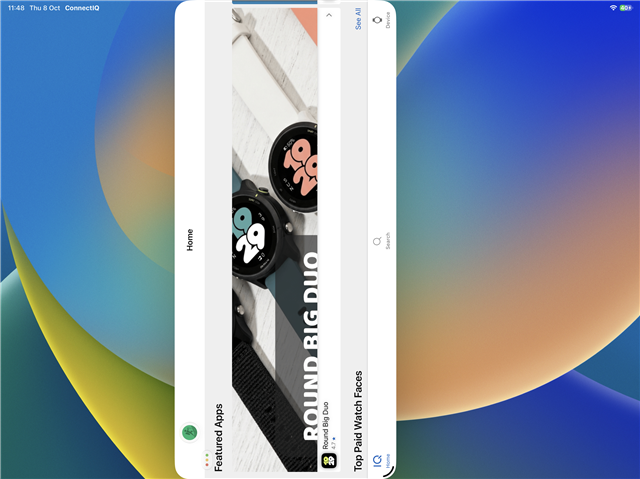
Using a large-format iPad in landscape mode, rotation enabled (ie default form) the ConnectIQ app now opens rotated wrong in the latest v2.50 update, making it impossible to use unless rotating the device to portrait mode. The previous behaviour of having a portrait CIQ within the vertical space of the landscape iPad was fine- don’t make me rotate the device to have to use one app! This was oriented correctly and expected behaviour prior to v2.50
Don’t ask for a video, just replicate it yourself.