This discussion has been locked.
You can no longer post new replies to this discussion. If you have a question you can start a new discussion

Express and Connect not working on Windows 11 Pro

New PC with Windows 11 Pro. Garmin Express loads. However, each time I open it asks for a login (instead of remembering me). The Connect website will not load. I have tried different browers and reviewed settings. Nothing fixes either of these problems.

Both work fine on laptop with WIndows 10.

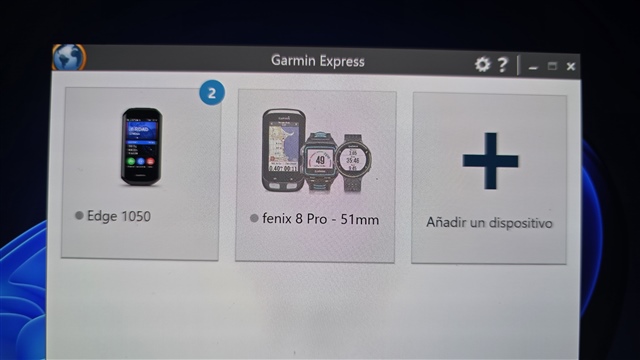
  • Tengo una computadora portátil con Windows 11 Pro y tanto Express como el sitio web Connect funcionan perfectamente.

    La única excepción es que el ícono de mi fenix 8 pro no es el que debería aparecer en Express cuando conecto el reloj a la computadora portátil.

  • Check the thread at GE not working and see if it is any help.  NOTE in particular on the third page where someone came up with a solution.  Good luck!

  • Did you find a solution for this problem?? I tried everything suggested in the thread below, but no luck. 

  • Which "solution" are you referring to? I think I tried everything suggested, but maybe I missed it. 

  • This is the content form the link I had previously suggested.

    After all that, I finally found a solution somewhere on this forum - but I can`t remember exactly where I found the thread!!

    It is now working on version 7.16.3.0

    Close Garmin Express down from the task bar if it is sitting there! (So it is removed from task bar!)

    Go into your PC Drive (C)/Users/yourname/AppData/Local/ then delete the two folders here:

    1. GARMIN;

    2. GARMIN_LTD_OR_ITS_ SUBSID

    THEN:

    Reinstall Garmin Express and log in. I had to register all my devices again but this solution worked for me.
    I did not need to restart my PC.
    Hope that helps?

    If you are looking for older versions of Garmin Express you should find them here:

    garmin-express.en.uptodown.com/.../versions

  • Thank you for that, John. I attempted this one, but I don't have a folder called AppData. I'm using Windows 11 on a Dell PC. I've looked around in the File Explorer, but don't find it anywhere else.  Garmin Express shows up in Downloads. I don't think it would do any good to delete that, but maybe? Ive already uninstalled/reinstalled it. My GE version is 7.28.0

  • In Windows 11 the AppData folder is a hidden folder located at C:\Users\<YourUsername>\AppData, containing application settings and data, and can be accessed by enabling hidden items in File Explorer's View settings or by typing %appdata% or %localappdata% in the Run dialog or File Explorer address bar to quickly jump to its subfolders. 

  • Well, I just went through and did all that, but it did not solve the problem. After deleting those 2 files, I also went in and uninstalled and reinstalled Garmin Express. When I checked the AppData folder afterwards, those 2 files are back.  I did not restart the computer yet. I can let you know later if that made any difference.  

    So basically GE opens and sees the watch, but when I click on the Sign In button to connect to GC I get a blank splash screen with a red X in the top right corner. This has been the problem all along.

    ETA: Restarting did not change anything.

  • I would recommend to clear the cache/cookies on the computer, disable any VPNs, and make sure the computer is up to date with software.