
This discussion has been locked.
You can no longer post new replies to this discussion. If you have a question you can start a new discussion

“Off Course” the entire course

Former Member
Former Member

I just got an Edge 520 Plus. Last night I planned out my ride on the Garmin Fit site exactly as I wanted it and loaded it in to the device as the only course. I chose a course I knew as I wanted to test the device out, having had a miserable experience with the Wahoo Elemnt.

so this morning I selected the course and said start course. For the rest of the ride the device said I was “off course”. And yet I could even see on the map view that the trail I was on was rendered thicker on the map, suggesting I was indeed on the course. 

Anyone have any suggestions before I just send this back and buy a cheap Android phone instead?
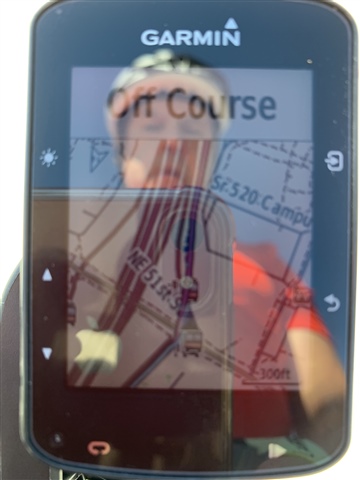
  • I had this happen to me today for the first time. For the whole Course. I’ve been very happy with it until today though. My friend wasn’t impressed as I’d been saying how great it was usually. 

  • Same problem after update. Tried various ways  for creating routes. Problem remains the same with every type of route. Please  fix this Garmin, the edge is useless right now. 

  • I have the same issue since upgrading.

  • How do you roll back to 5.43? I've downloaded the Zip file as suggested somewhere here, however it states that I need to "Place the GUPDATE.GCD file in the \GARMIN folder of your device's internal storage drive". I've dragged it into the Garmin master folder but nothing happened. Is there anything else i'm supposed to do? Thanks

    mark

  • You also have to put the GUPDATE-540.GCD file into the \garmin folder.  After I put both files in, the garmin unit "updated" back to 5.43, and has worked flawlessly for me since.  About 4 or 5 courses.  

  • So I've managed to downgrade the firmware, but the 520plus has just downloaded the latest and keeps trying to install it, every time I turn it on I need to remember to tell it not to install the new firmware - is there any way to delete this and stop it trying to install the new firmware?

  • Same boat with 520 Plus. Elevation data's been also lost  when ever I transfer the course from Garmin Connect to the device

  • Former Member
    0 Former Member in reply to 4661470

    It seems that I have the same problem with my device Garmin Edge 520 Plus with Software Version 5.60:

    1) I create a course with Garmin Connect and download it to my device

    2) In the device I want to navigate by the course when I don't start exactly from the beginning of the course. In my device I go to Menu/Navigation/Courses, choose a course and select "Ride". But it always says "Off Course", even if I choose not to navigate to the beginning of the course.

    If this is really a Garmin software bug, as it seems from the above posts, does anyone know if the fix is coming soon? I'm certainly not downgrading the firmware. This is such a relevant bug that it should be fixed ASAP. Garmin employees, please reply. If not, I'm sending my device back - it is useless to me without this navigation working properly.

  • Former Member
    0 Former Member in reply to Former Member

    Same issue with my 520 Edge. Had Off Course message for last 2 weeks. Really annoying especially as I was ride leader last week. Good to know its software and not my inability to navigate the kit. 

    Come on Garmin get that bug fixed with an update!!!

  • I missed a bunch of turns on a steep course in an unfamiliar area because the 520 just said “OFF COURSE” the entire ride even though I was riding right down the middle of the purple line. This bug is more than an annoyance.