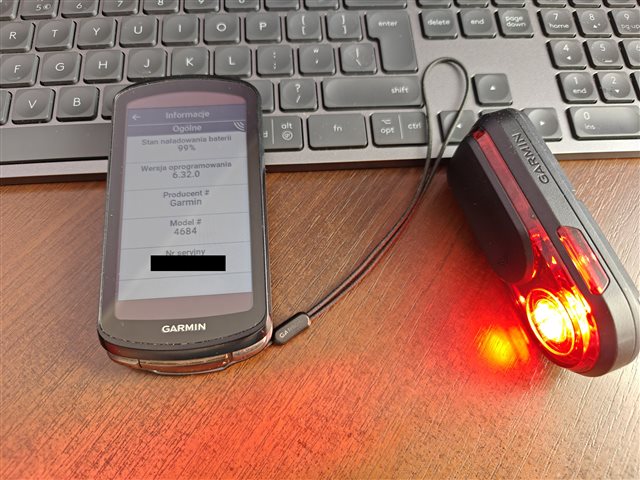
Varia Rearview 820 radar not working

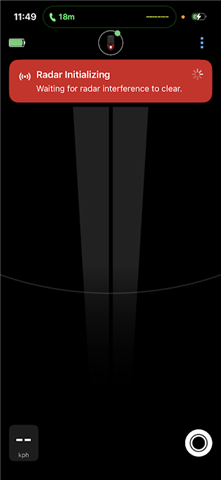
I received my Varia Rearview 820 today and paired it to both my iPhone and Edge 850. The light works including changing the modes on the phone and Edge but the radar doesnt work. On the Edge 850 it connects and then drops out and has the following message: Radar Error Radar Initalizing. On the Varia App it says: Radar Initializing Waiting for radar interferance to clear. See below screenshots. 
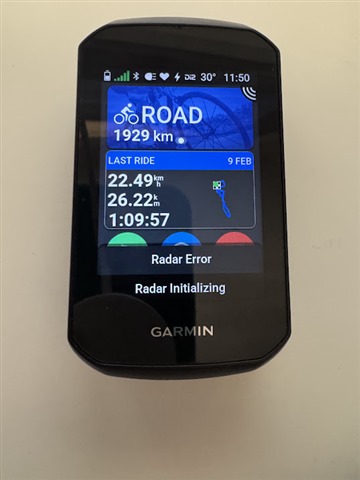
I have re-paired the unit, resetted it, updated firmware when I first got it and did all the relevant troubleshooting and it still doesnt work. 

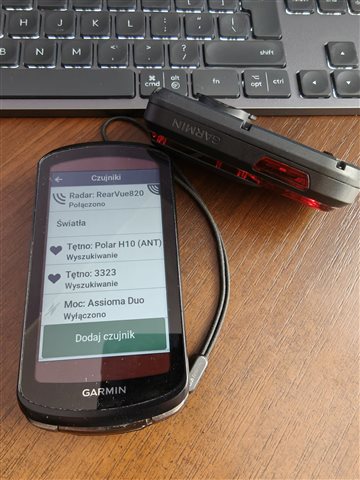
All my testing was done outdoors but the radar doesnt seem to turn on. One thing to note is on my Edge 850 it says it is connected to the Radar but the radar icon is flashing which indicates it is not. 

Spent 3 hours mucking around and finally called Garmin for help. All they did was tell me to do what I have done already. 

Frustrating since I was looking forward to replacing my Magene L508 radar which has worked flawlessly over the last 3 years.

Any ideas? 

  • Tried all that today. I had it paired with an Edge 1050 and my iPhone. I had the error, tried to ride a while and the flashing continued. Turned it on/off to no avail. I even reset the unit and re-paired it—still no radar. 

  • I'm adding to the numbers on this issue too. Spent hours trying to fix it myself before contacting the helpdesk who ran through all the steps I took again. Now they're investigating. In a way it's good to know it's not just me but it's still frustrating that, once gain, the consumer is responsible for beta-testing a new garmin product.

  • For me, the first pairing and configuration went great.

    The radar and light work, and unlike the RTL515, it remembers the set lighting mode after turning the radar off and on :)

    After connecting and registering the device in “Garmin Express,” an update to v6.32 appeared. After downloading it, it asked me to connect to the power supply, and during the process, the light was supposed to flash, and after the process was complete, the LED was supposed to flash green and the main light was supposed to turn off.

    But after connecting to the charger, the main light did not turn on at all and the LED only flashes intermittently (charging?).

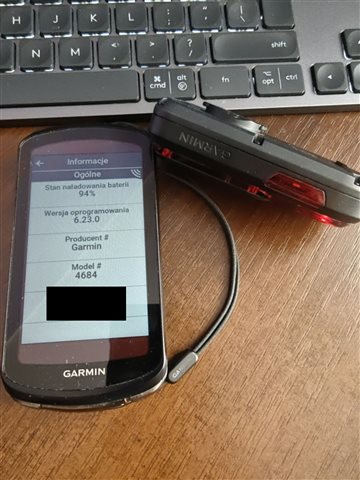
    I still have firmware 6.23, it did not update to v6.32.

    However, when I read this thread here, I turned the E1040 and Vue820 back on - then a message flashed at the bottom of the screen for a moment about... an error in radar initialization, but after a second it disappeared and a message appeared at the top of the screen about a correct connection to the radar and lights. I tried it several times and the “initialization error” did not appear again.

    But I still can't update the firmware :)


  • I think you are supposed to put it into pairing mode (a long 2 second push) purple light will come on & then do the FW install. The charging cable doesn’t need to be plugged in, it just needs to be charged.

    But I would hold off doing this if your unit is working. It might be the FW update that’s bricking the radars. At least two of us updated the firmware first before testing it.

  • Thank you for your comment.

    Actually, I will wait with the update to v6.32 :)

    But now, during my initial play with the new gadget, I have noticed a problem with its operation.

    The problem is that when Vue820 is running in “Trainer” mode (or any other mode), it works fine.

    In E1040, I switch the riding mode to “Road Cycling” - Vue820 continues to work correctly. However, when I want to change the riding mode back to “Trainer” (or another mode), the radar is disconnected and so is the light.

    I have to manually turn it off and on with the Vue820 button, and then only the radar connects to the E1040!

    The lights are OFF :/

    To make the lights work, I have to open the menu/sensors, find “Lights” and manually move the “Connect” switch!

    What a disaster!

    A consumer version of the device with so many errors and defects, what a disaster, what a disaster.

  • Actually, ignore what I said regarding the method. I see you're using Garmin Express to update the FW I used the phone app (Garmin Connect) via BT. You probably need to be plugged into the PC for that to work.  If you do the update it will be interesting to see if your unit still works :-) 

    After connecting and registering the device in “Garmin Express,” an update to v6.32 appeared. After downloading it, it asked me to connect to the power supply, and during the process, the light was supposed to flash, and after the process was complete, the LED was supposed to flash green and the main light was supposed to turn off.
  • I was asked by the support team to set the 820 into demo mode (7s push on the button, with flashing yellow light) Did so and no more error messages. But it doesn't detect anything. Back to normal mode and the errors reappear. How frustrating this is and very disappointing!

  • I manually copied the update file to “Varia” and disconnected it from the PC.

    The green LED started flashing for about two minutes. Then it lit up steadily for a moment and started flashing again.

    After a while, however, it stopped and the device started up.

    After turning on the E1040, it immediately paired with the Vue820 without any problems.

    Firmware v6.32

    However, the problem I described, which is the radar turning off after changing the driving mode from “external” to “internal,” persists. The only solution is to pull down the status bar, go to the sensors section, find “Radar,” and then turn it off and on (with the switch).

  • for me it’s the same, I wait of an answert garmin

  • For me, it's exactly the same since the last update. I also contacted Garmin support, who asked me to wait a few days while their engineers figured out why.