Map update problem

I have a problem updating my maps on the edge 1050.

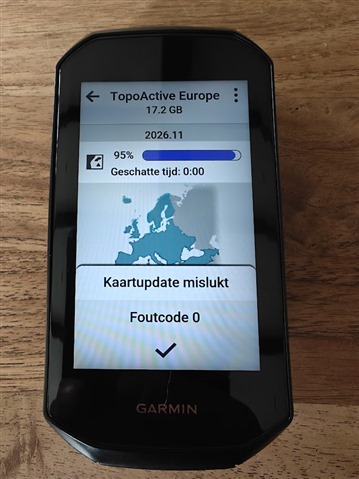
when downloaded on the device itself it only downloads to 95% and it gets stuck. then when i turn off the device it says map complete but when i click install it gives me fauldcode 0.

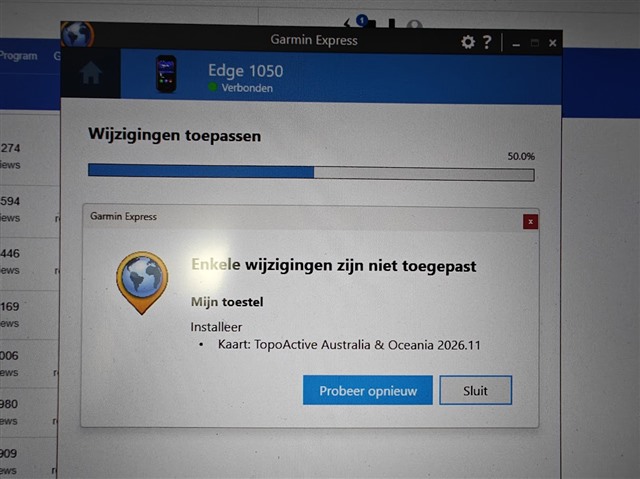
the next step i did was hooking it up to garmin express and after a few % of downloading it says can't download the map.

then i deleted all the maps in the maps folder exept the base map but this still did not solve the issue.

i did also got the boot loop when i first installed my new firmware to 32.20. 

when i did a hard reset the update got thru.

please need some help here.
  • Its being reported by other users across other Edge devices as well. Seems to be a server side issue at Garmin. Do not attempt fixing it by deinstalling any of the preinstalled map packs otherwise you'll end up without usable navigation.

  • Yeah, too late Grimacing lost my previous maps Sob

  • Same issue here,  Ive opened a ticket friday with garmin over the issue. 

  •  thanks for your post. Garmin Support is fielding reports of this map installation error and investigating a solution. 

    For any users experiencing this 'Error 0' on Edge or 'Some Changes Not Applied' in Garmin Express, please contact the support office for your region: https://support.garmin.com/

  • Title: Workaround: How to restore maps after "Error code 0" via Wi-Fi (Edge 1050 / 840)

    Warning️ DISCLAIMER / PROCEED AT YOUR OWN RISK Warning️ Please understand that if you decide to follow this guide, you do so solely at your own risk. While this method worked perfectly for me, it may not work for you and manipulating internal storage files could potentially disrupt or damage your device's software. If you are not an experienced PC user comfortable with moving system files, do not do this. If you are unsure at any point, please stop and contact official Garmin Support instead.

    If you recently cleared or deleted maps from your device in an attempt to fix the dreaded "Error code 0" during a Wi-Fi update, you might be left completely without navigation.

    Until Garmin officially patches this issue, I found a workaround that successfully restores your maps, routing, and ClimbPro. I tested this on my Edge 1050 (and an Edge 840) using a Windows PC.

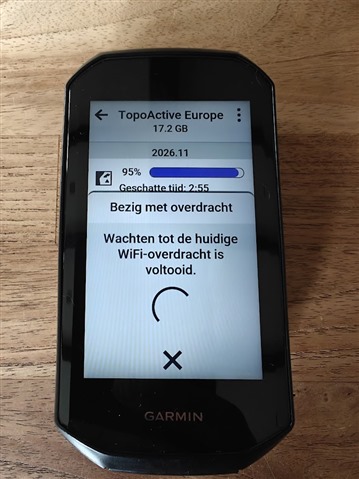
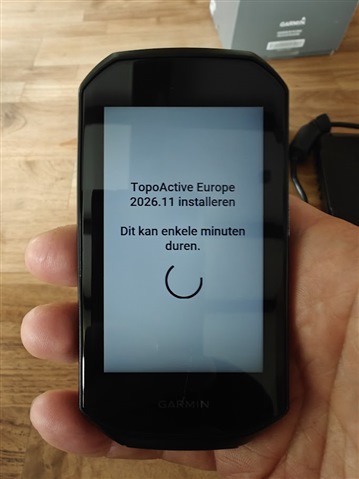
    The Problem: When downloading maps via Wi-Fi in Settings > Map Manager, the download goes fine but the installation gets stuck around 95% and eventually throws an "Error code 0". The map file is actually on the device, but the unit fails to place it in the correct folder to finish the installation.

    The Workaround:

    1. Start the map download via Wi-Fi in Map Manager.

    2. Let it run until it gets stuck and the "Error code 0" message finally appears.

    3. Perform a hard reset: press and hold the power button for 10-15 seconds until the screen turns completely off.

    4. Turn the device back on and connect it to your PC via USB.

    5. Open the Garmin's internal storage in File Explorer. Sort the files by Date Modified so you can easily spot the most recently created .img file(s). These are the map files the device just downloaded but failed to install.

    6. Move those .img files into the correct folder:

      • For Edge 1050: Move them into the /Garmin/Maps/ folder.

      • For Edge 840 (and likely older units): Move them into the root /Garmin/ folder.

    7. Safely disconnect your device from the PC and restart it one last time.

    Important Note: Your maps should now be fully functional again!

    If you go into Map Manager, it will likely still say that the maps need to be updated. Just ignore it. Navigation, ClimbPro, and Courses all work perfectly fine. Do not make the mistake of deleting the maps again to try and fix the message. Just use the device as usual and patiently wait for Garmin to release a software fix.

    Hope this helps get some of you back on the road! Let me know if it works for other models or on a Mac.

  • Thanks to all for your patience and your participation in the Garmin forums.
     
    This map install error was resolved August 31st through a server-side change to Garmin Express. For affected users, please test again and contact Garmin support if an error persists: https://support.garmin.com/