Coach Cycling Plan not syncing correctly to Edge

This is not a unique thread but I was instructed to create a new one by Garmin staff regardless.

The general issue is described here for example:

 RE: Garmin Edge 540 not syncing correct Garmin Coach workouts 

 RE: Garmin Coach workout sync - is it working for anyone? 

The flow is as follows:

  • Start without any training plan in any app / device
  • Verify that I do not see any training plan anywhere
  • Create a Garmin Coach cycling plan via connect.garmin.com
    • I use an upcoming event as the target
  • After syncing, observe the plan showing up on the Garmin Connect app, my Fenix 8 watch, as well as my Edge 1050.
    • I can also confirm that I see the target being my event on the edge so it's 100% the same plan
  • At this point, they are usually in sync.
  • After a few days, the edge shows different trainings than the other apps. Website, Android App and Fenix are in alignment, only Edge differs. Sometimes showing Threshold when the rest wants to recover. 
  • Pausing / unpausing the plan via the website does show up on the edge, sometimes even the workout for today changes, but it almost never matches afterwards.
  • Running a workout through the Tacx app instead sometimes leads to the plan being in sync on the edge the following day only

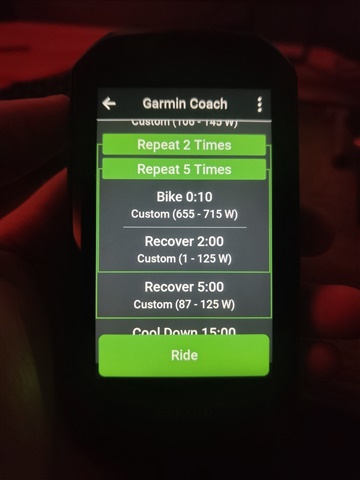
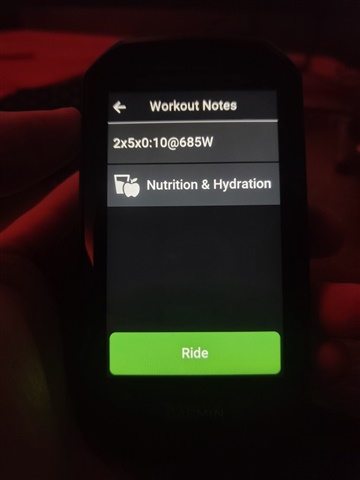
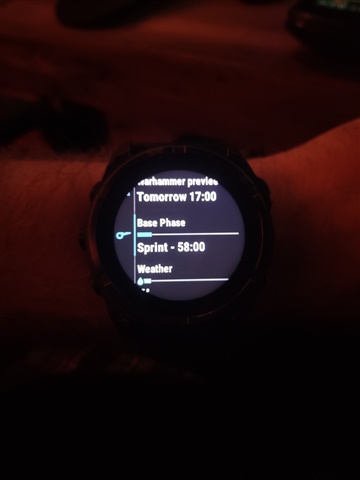
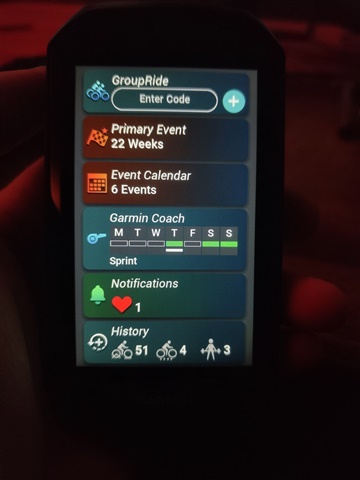
I am certain I am using the correct widget on the 1050. It is called Garmin Coach, it looks the same as the coach in the other apps, and all of the info regarding training days etc. is synced, but for example today, it just suggests a (for me) unreasonable power in the Edge, while having a correct, plausible power on all other devices.

It is syncing enough to know that I skipped training the last few days after an accident, and put in "rest days" retroactively which I can also see in all other sources, so it's certainly looking at the same plan, but it's just suggesting entirely different workouts. Today it's just a difference in power, other days it's asking for Threshold when everything else says Recovery.

Example from right now:

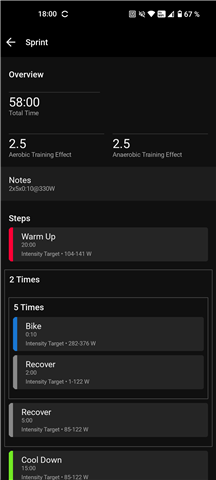
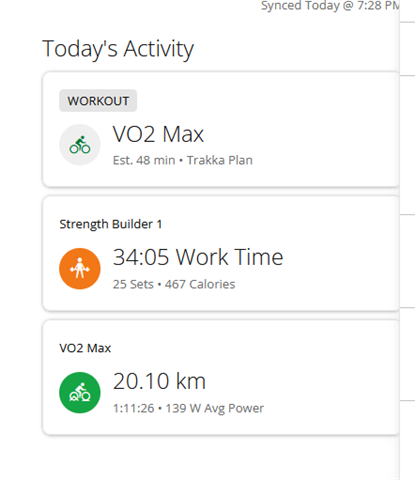
Coach Plan in App:
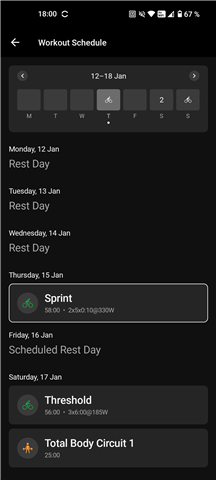
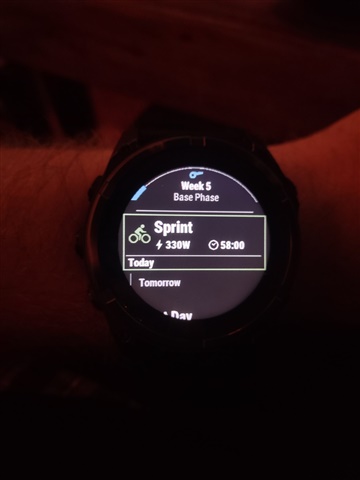
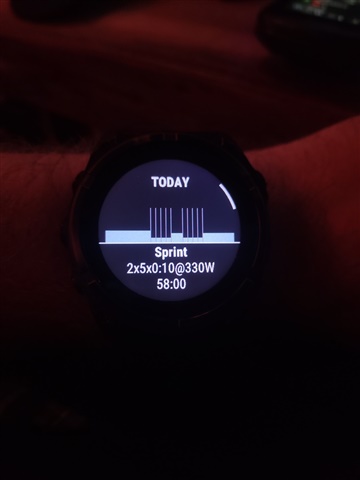
Coach Plan on Watch (Matches):
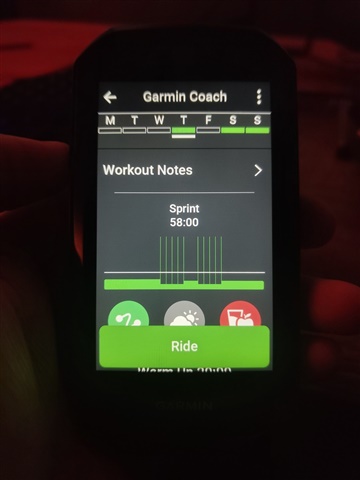
Coach Plan on Edge (doesn't match):
  • I'd like to gather some additional information for this. I'm going to reach out via email for that and see what troubleshooting we can come up with. Once I have additional information, I will post here with an update for anyone else also experiencing this same disruption. 

  • Same issue here Garmin app and watch (forerunneer 255) shows vo2 max work 45min  out and strength work out when i got on the trainer to do the work out on my edge 840 it shows 1:15 min base and a strength work out. I tryed turning of the and rebooting the edge and resyncing but no difrence on finishing both work outs listed on the edge the base ride listed as vo2 max 

  • Hoping this may help someone here, as this is how I fixed my Garmin Coach / Edge 1040 sync issue today:

    1. I removed all old activities and kept my 2026 activities on the device. Given you can only delete one activity at a time using the Edge 1040, I opted for OpenMTP (MacOS) to perform a bulk delete within the 'Garmin/Activities' folder. Windows users can use File Explorer with the device connected to manage the files.

    2. I created a workout on a future date using Connect Web. There are threads which suggest renaming a planned workout, but you cannot do this for Garmin Coach planned workouts. I think this was the actual fix that kicked the Coach Calendar to sync and display properly on the device.

    3. Sync using Connect App. The Garmin Coach widget on the Edge is no longer displaying 'No Plan' and I can managed my active plan.

    I'll mention that I did create a 'GarminCoach' folder on the device as I read various threads referring to a 'GarminCoach' folder. My Edge 1040 only has a folder called 'Coach'. Nothing was created in the GarminCoach folder, so I deleted it.

    Additionally, I noticed the Coach folder contains a schedule.fit file which is the plan, even though the widget does not display it.

    Here's my history leading up to this: A prior plan ended in early Feb 2026, so I created a new plan using Connect Web, assuming it would sync to my v29.22 Edge 1040 as previous one did when it was on v28.34 firmware. The training days did sync, but the Coach widget stated 'No Plan'. I deleted and recreated the plan in the Connect App, nothing changed. Since then, my Edge was updated to v30.18, but the problem remained. I tried all the pause/unpause plan, re-create plan, hard reboot Edge/iPhone, reset the Bluetooth, and so on, but nothing fixed it. Garmin Support suggested I uninstall the Connect App, which would have meant losing all device/sensor connections on my iPhone, something I did not do. Support did mention 'there were problems with plans syncing with their servers'.  

    I found firmware 28.34 was the most stable with my prior Coach plans through 2025, for those who haven't updated yet.

  • My 1050 is on 30.18 and seems to be syncing much better, and quicker.  

  • Came here searching for the same info. I'm on a 9 week coach plan for the bike, and it seems to have my power correct for the base workouts but is wayyyy off for sprints, like 70 watts higher. It also seems to keep replacing my planned workout with sprints, maybe because it doesn't think I'm doing the right workout, so for like 4 weeks it's had me doing sprints 3x week. Sometimes syncing the edge over wifi will work eventually but then it always reverts back the next day. This has only been happening over the last few weeks or so. I'm on the edge 540. I'd really like to get my workouts syncing! I'll try the deleting all the files later when I'm home and see if it works.

  • My previous post help me determine this was a lost cause and would continue going around in circles. I decided to follow Garmin Support's suggestion and reinstall the app - with success! Here's the details:

    Prior testing: Creating a future workout on the calendar does activate the Coach widget on the Edge, however it does not operate properly - I had to wait until the next day to find this out. Removing the 'fake' workout from the Calendar reverts to broken Coach behaviour.

    Observation: I noticed the Edge calendar had planned activities for the upcoming week, yet the Connect App / Web did not. The were also no files in the Workouts/Schedule folder too. Yes, this goes around in circles.

    I removed the each device from the Connect App, deleted the plan (careful not to delete your primary event), turned off DSW training plan on the Edge, then uninstalled the Connect app. I connected the Edge to the app first, after many failed connection attempts - found the QR scan to be best option. I re-created the Coach Plan and performed a sync. The Coach and Training Plan widget are now aligned and the Connect Calendar is in sync too. Success! I then unpaused (turned on) the DSW training plan on the Edge, setup the remainder of my devices, ensuring the Primary Training Device is the Edge 1040.

    Hoping this is now stable... I'm out for a training ride! :)

  • Reinstalling the app and reconnecting my devices also helped me. Now the workouts are in sync. Although there are situations when after a workout the Edge 550 may have differences. However, after a while the workouts are in sync again