This discussion has been locked.
You can no longer post new replies to this discussion. If you have a question you can start a new discussion

ClimbPro layout bug on firmware 28.34 (map covered when not navigating)

Issue
ClimbPro’s screen layout behaves differently depending on whether navigation is active.

What I see

  • With active navigation: Layout is correct — map at the top, gradient profile below, and additional data underneath.

  • Without active navigation: The gradient profile stretches upward almost to the top and covers the map area, leaving little to no map visible.

Steps to reproduce

  1. Use Edge 1050 on firmware 28.34.

  2. Start a ride without an active course/route (free ride).

  3. Trigger ClimbPro (auto-detected climb).

  4. Observe that the gradient profile expands and covers the map.

  5. Start a ride with an active course and compare — layout is correct (map on top).

Expected behavior
ClimbPro should keep the same layout in both cases, preserving the map area at the top even when no route is actively followed.

Actual behavior
When not navigating, the gradient profile expands and hides the map.

Attachments
Included two photos:

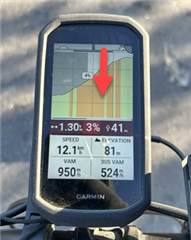
  1. With active navigation (correct layout)

  2. Without active navigation (map area covered)

Request
Please confirm and fix this regression in a future update. I’m happy to provide any additional details or logs if that helps. Thank you!
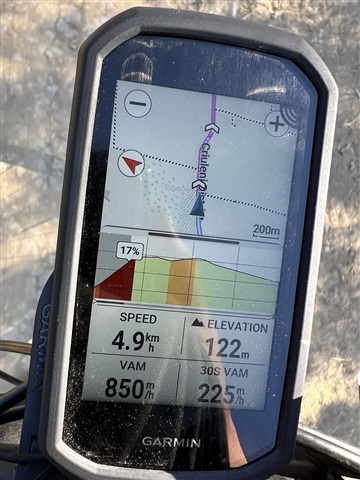
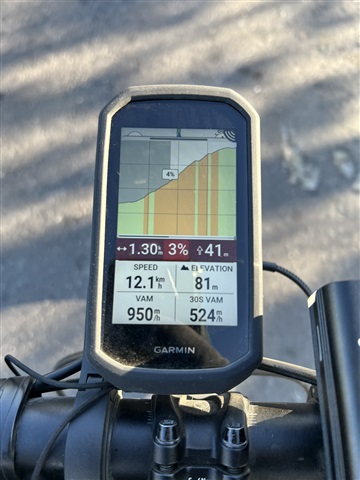
  • These are actually two different screens, even though they look the same. Each screen retains the position of the slider bar. In the lower image you need to drag the horizonal slider bar back down the page to reduce the elevation profile and expose more of the map.

  • There are two problems with your setting:

    1) you have to move the slider downwards - as  has stated.
    2) you have set 4 datafields on the bottom. They take about 1/3 of screen height. When you pull down the slider to see the map, the common climb stats will disappear (length, avg grade, remaining ascent) like on your picture #1.

  • I tried. A top menu opened for me, like the one that appears when you swipe down from the top. Maybe I didn’t tap the black bar accurately. I’ll try again today if I can, since the temperature has dropped and the touchscreen stops working. Thanks for the reply.

  • It can  be a little difficult to grab the bar when it is near the top of the screen. It can be easier to drag it all the way to the top. That then gives you a tap option to return the bar to the default position.

  • Thanks, it worked. I figured it out — it was hard to hit that little strip to lower the gradient. The top menu kept opening instead. I couldn’t manage it while driving, so I had to stop, and then it worked.